Don't miss your chance to take exam DP-600 or DP-700 on us!
Request nowLearn from the best! Meet the four finalists headed to the FINALS of the Power BI Dataviz World Championships! Register now
Hi everebody,
I have need some help, please.
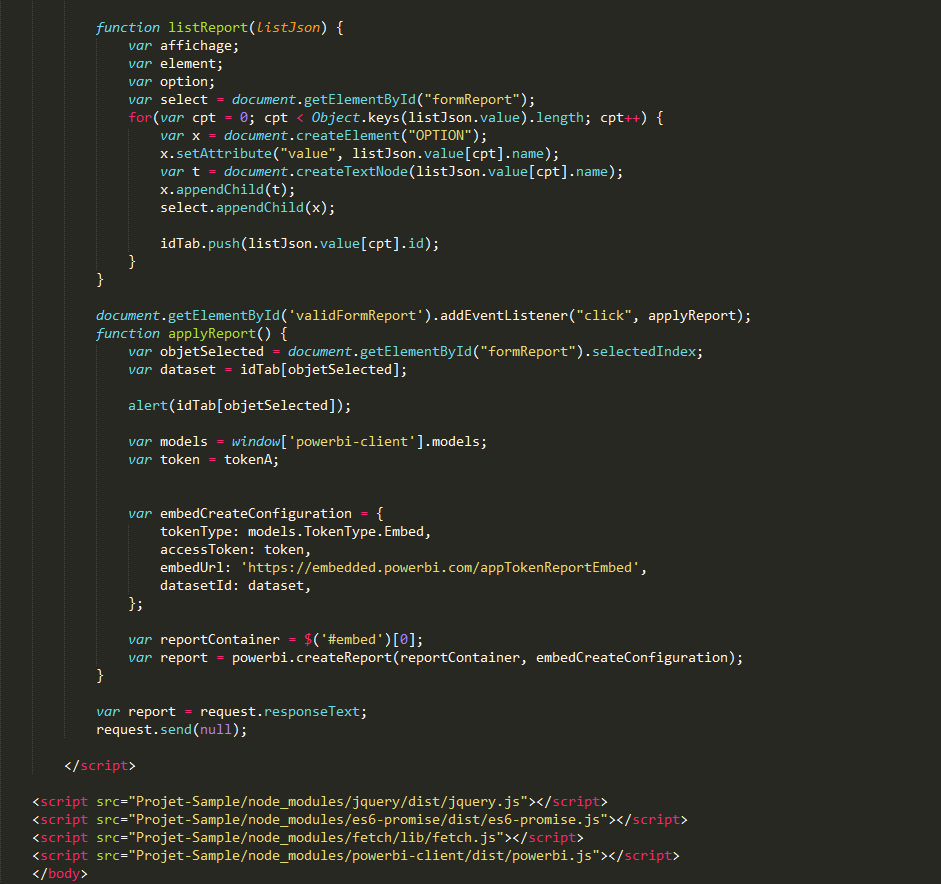
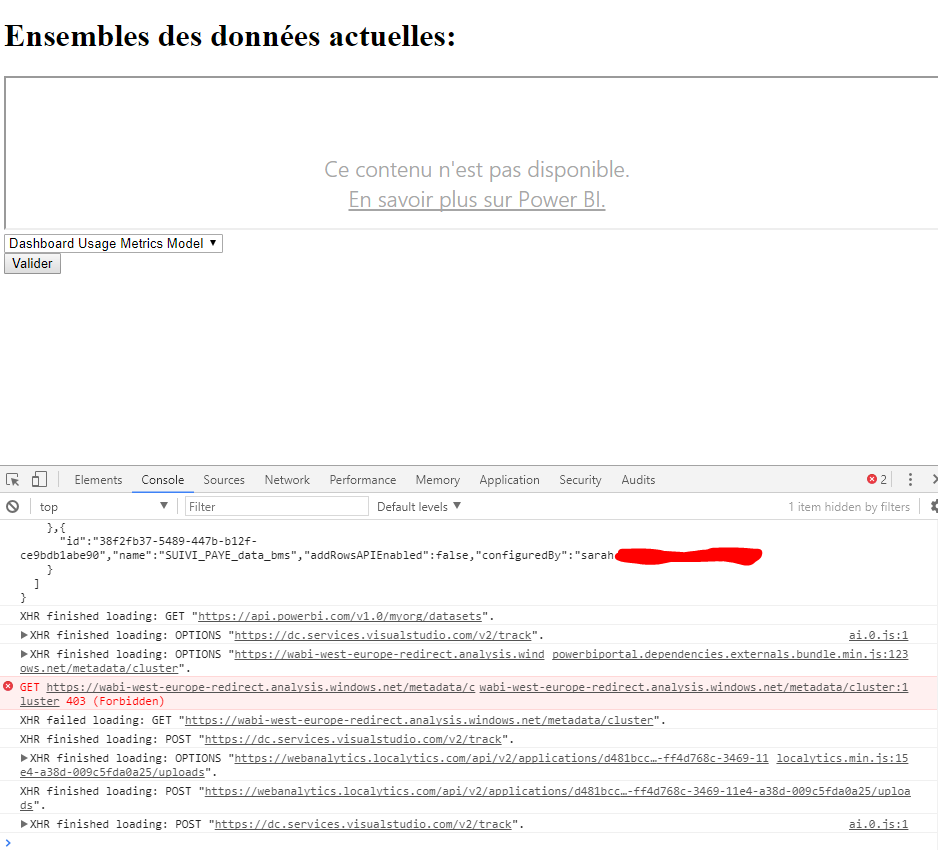
I try to create a report with a Dataset selected by the user. For this, I use the API Rest Power BI. I get the list of datasets, and I display a form, in this form there are the name and the id of dataset. When a dataset is selected, and validate, a new IFrame appear with the report. But my problem is the next: when the IFrame Appear I have a message who tell me : "This content is not available". I haven' any error message in the console, and my code is exalty as the code of microsoft example: https://docs.microsoft.com/en-us/azure/power-bi-embedded/power-bi-embedded-create-report-from-datase....
Of the blow, I would like to know, the reasons why I might have this problem. Maybe I miss an important step for displaying this report in create mode?
Here you can see some screen captures:
Solved! Go to Solution.
Embedding a dataset to create a report works in my test. I can create and save a report. In your case, please try to debug the accesstoken used to embed a dataset and decode it at https://jwt.io/. You'll find the workspaceid, datasetid and scopes, please ensure that all information is correct and scope is "Dataset.Read Workspace.Report.Create"
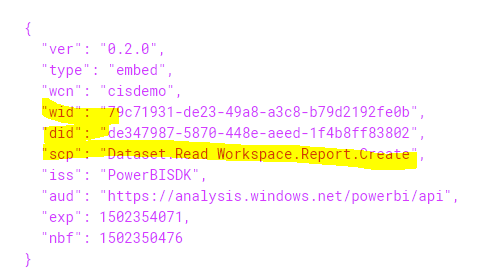
var embedToken= PowerBIToken.CreateReportEmbedTokenForCreation(this.workspaceCollection, workspaceId, datasetid, null, null, "Dataset.Read Workspace.Report.Create"); AccessToken = embedToken.Generate(this.accessKey)
A static html testing demo FYI.
<html>
<script src="../jquery.js"></script>
<script src="../powerbi.js"></script>
<script type="text/javascript">
window.onload = function () {
// Read embed application token from textbox
var txtAccessToken = 'accessToken';
// Read embed URL from textbox
var txtEmbedUrl = 'https://embedded.powerbi.com/appTokenReportEmbed';
// Read dataset Id from textbox
var txtEmbedDatasetId = 'datasetID';
// Embed create configuration used to describe the what and how to create report.
// This object is used when calling powerbi.createReport.
var embedCreateConfiguration = {
accessToken: txtAccessToken,
embedUrl: txtEmbedUrl,
datasetId: txtEmbedDatasetId,
};
// Grab the reference to the div HTML element that will host the report
var reportContainer = $('#reportContainer')[0];
// Create report
var report = powerbi.createReport(reportContainer, embedCreateConfiguration);
}
</script>
<div id="reportContainer" ></div>
</html>
Embedding a dataset to create a report works in my test. I can create and save a report. In your case, please try to debug the accesstoken used to embed a dataset and decode it at https://jwt.io/. You'll find the workspaceid, datasetid and scopes, please ensure that all information is correct and scope is "Dataset.Read Workspace.Report.Create"
var embedToken= PowerBIToken.CreateReportEmbedTokenForCreation(this.workspaceCollection, workspaceId, datasetid, null, null, "Dataset.Read Workspace.Report.Create"); AccessToken = embedToken.Generate(this.accessKey)
A static html testing demo FYI.
<html>
<script src="../jquery.js"></script>
<script src="../powerbi.js"></script>
<script type="text/javascript">
window.onload = function () {
// Read embed application token from textbox
var txtAccessToken = 'accessToken';
// Read embed URL from textbox
var txtEmbedUrl = 'https://embedded.powerbi.com/appTokenReportEmbed';
// Read dataset Id from textbox
var txtEmbedDatasetId = 'datasetID';
// Embed create configuration used to describe the what and how to create report.
// This object is used when calling powerbi.createReport.
var embedCreateConfiguration = {
accessToken: txtAccessToken,
embedUrl: txtEmbedUrl,
datasetId: txtEmbedDatasetId,
};
// Grab the reference to the div HTML element that will host the report
var reportContainer = $('#reportContainer')[0];
// Create report
var report = powerbi.createReport(reportContainer, embedCreateConfiguration);
}
</script>
<div id="reportContainer" ></div>
</html>
My token Access is false, I try to change that.
Thanks for you response.
Sarah.
Share feedback directly with Fabric product managers, participate in targeted research studies and influence the Fabric roadmap.
Check out the February 2026 Power BI update to learn about new features.
| User | Count |
|---|---|
| 3 | |
| 3 | |
| 2 | |
| 1 | |
| 1 |
| User | Count |
|---|---|
| 3 | |
| 2 | |
| 2 | |
| 2 | |
| 2 |