cancel
Showing results for 
Search instead for 
Did you mean: 

July 7 - July 17 | Round 2 of the Power BI Dataviz World Championships. Don't miss your chance! Learn more

Reply
Boudewijn
Frequent Visitor

undefined

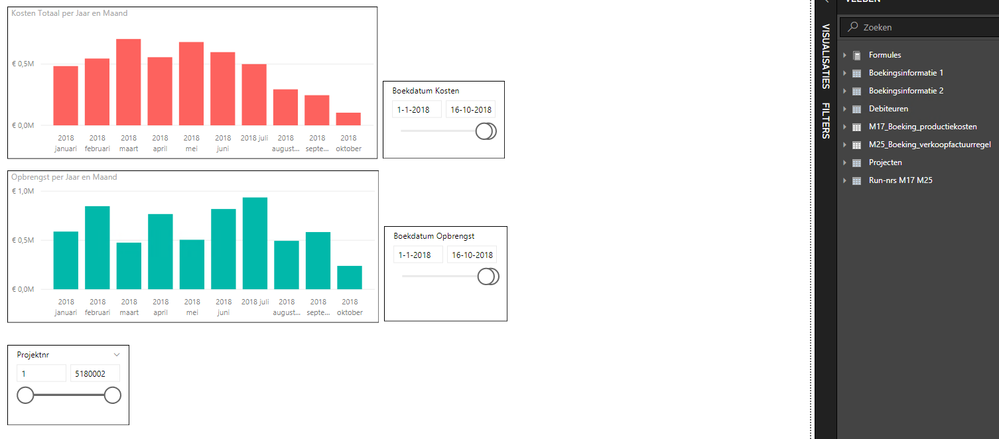
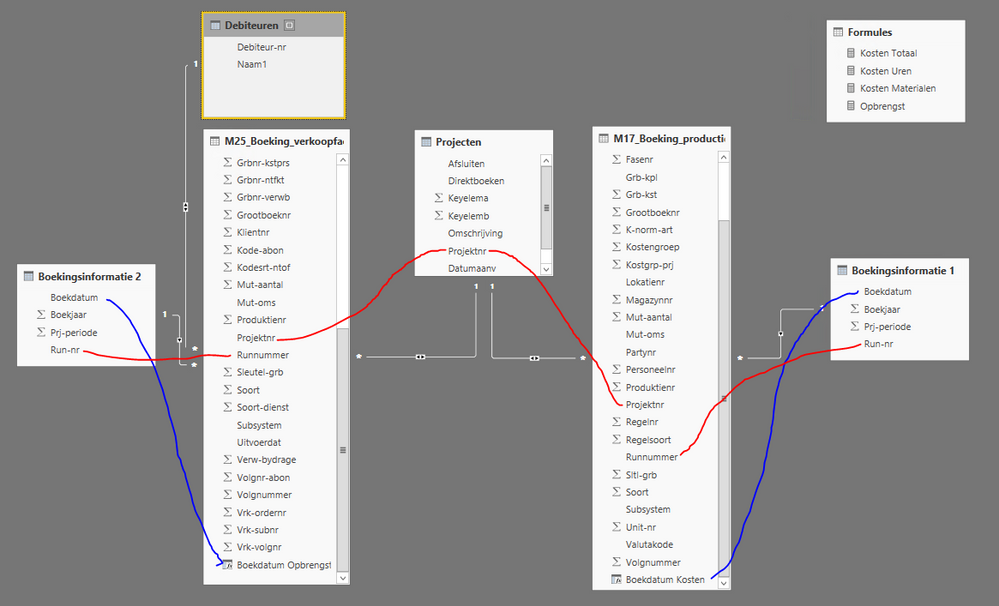
Power BI PBI Grafiek.PNGPBI Relatie overzicht.PNG


Power BI Desktop: How can I combine 2 Tables with 2 date columns in one Graph with a common timeline (x-axis)?

1 ACCEPTED SOLUTION
v-lili6-msft
Community Support
Community Support

hi, @Boudewijn

After my test, you could do these follow my steps as below:

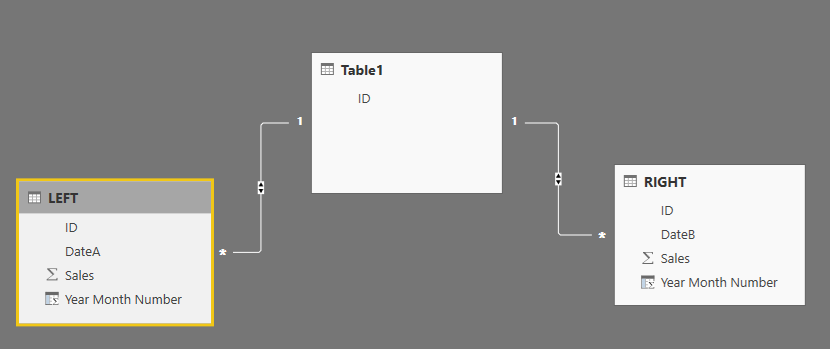
Assume that this is my data model

10.PNG

Step1:

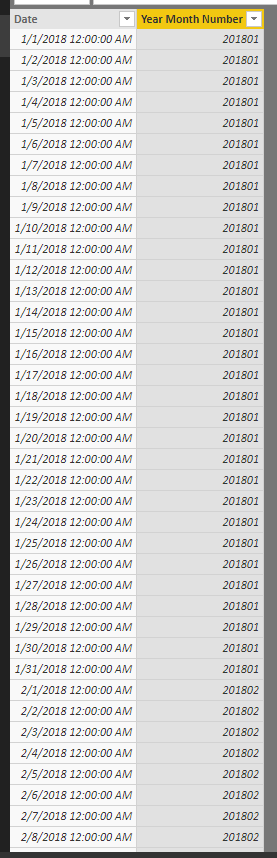
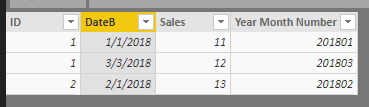
Create a date table and create a Year Month Number column for each data table

Year Month Number = YEAR ( 'Date'[Date] ) * 100 + MONTH ( 'Date'[Date] ) 

date tabledate table

left tableleft table


right tableright table

Step2:

then create a measure

Measure = var maxdate=MAX('Date'[Year Month Number]) return
CALCULATE(SUM('LEFT'[Sales]),FILTER('LEFT',maxdate='LEFT'[Year Month Number]))+CALCULATE(SUM('RIGHT'[Sales]),FILTER('RIGHT',maxdate='RIGHT'[Year Month Number])
)

Step3:

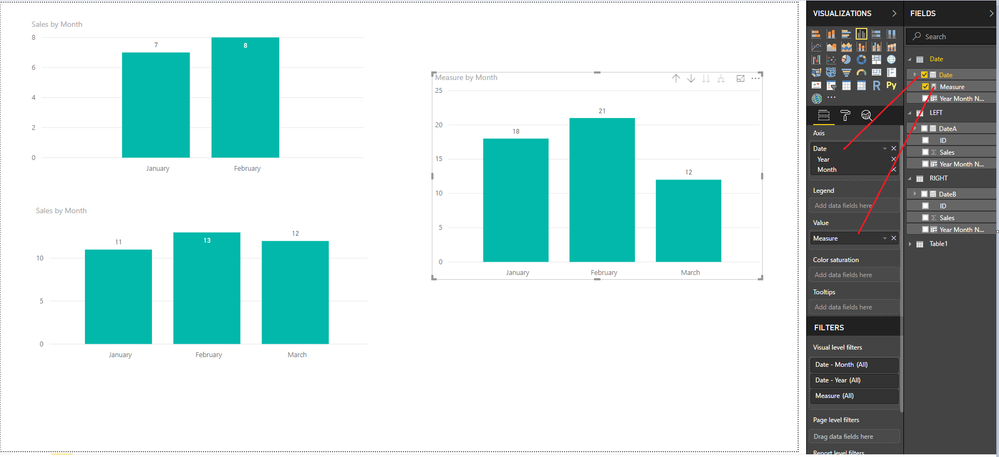
Drag the date field form date table and the measure into chart visual

14.PNG


here is pbix file, please try it.

https://www.dropbox.com/s/ny6bnkqp92skvdq/undefined.pbix?dl=0


Best Regards,

Lin


Community Support Team _ Lin
If this post helps, then please consider Accept it as the solution to help the other members find it more quickly.

View solution in original post

1 REPLY 1
v-lili6-msft
Community Support
Community Support

hi, @Boudewijn

After my test, you could do these follow my steps as below:

Assume that this is my data model

10.PNG

Step1:

Create a date table and create a Year Month Number column for each data table

Year Month Number = YEAR ( 'Date'[Date] ) * 100 + MONTH ( 'Date'[Date] ) 

date tabledate table

left tableleft table


right tableright table

Step2:

then create a measure

Measure = var maxdate=MAX('Date'[Year Month Number]) return
CALCULATE(SUM('LEFT'[Sales]),FILTER('LEFT',maxdate='LEFT'[Year Month Number]))+CALCULATE(SUM('RIGHT'[Sales]),FILTER('RIGHT',maxdate='RIGHT'[Year Month Number])
)

Step3:

Drag the date field form date table and the measure into chart visual

14.PNG


here is pbix file, please try it.

https://www.dropbox.com/s/ny6bnkqp92skvdq/undefined.pbix?dl=0


Best Regards,

Lin


Community Support Team _ Lin
If this post helps, then please consider Accept it as the solution to help the other members find it more quickly.

Helpful resources

Announcements
FabCon and SQLCon Barcelona 2026

FabCon & SQLCon – Barcelona 2026

Join us in Barcelona for FabCon and SQLCon, the Fabric, Power BI, SQL, and AI community event. Save €200 with code FABCMTY200.

60 days of Data Days Carousel

Data Days 2026

Join Fabric Data Days 2026: 60 days of free live/on-demand sessions, challenges, study groups, and certification opportunities.

Power BI DataViz World Championships carousel

Power BI DataViz World Championships - June 2026

A new Power BI DataViz World Championship is coming this June! Don't miss out on submitting your entry.