cancel
Showing results for 
Search instead for 
Did you mean: 

The Power BI Data Visualization World Championships is back! Get ahead of the game and start preparing now! Learn more

Reply
MayankDeshmukh
New Member

undefined

Hi 
I am getting the following error message while using Power BI Desktop Application.

MayankDeshmukh_0-1713908145397.png

let me know if anyone have encounter the same before , and how to fix this .

1 ACCEPTED SOLUTION
Anonymous
Not applicable

Hi, @MayankDeshmukh 

Thanks for @VahidDM reply.

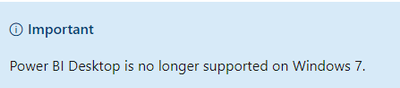
1. Whether your computer system is the windows7 version, starting from January 31, 2021, Windows 7 no longer supports Power BI Desktop.

For reference: Get Power BI Desktop
vyaningymsft_0-1713924772662.png


2. Any specific policy and firewall rules existed on your device? (they may block power bi process)

3. You may check Troubleshoot opening Power BI Desktop and try Download Power BI Desktop directly.

4. Try to uninstall completely, reboot the machine and try to install PBI Desktop again.

For reference: Download

and you could also try to old version

Previous monthly updates to Power BI Desktop and the Power BI service


Best Regards,
Yang
Community Support Team


If there is any post helps, then please consider Accept it as the solution to help the other members find it more quickly.
If I misunderstand your needs or you still have problems on it, please feel free to let us know. Thanks a lot!

How to get your questions answered quickly --  How to provide sample data in the Power BI Forum

View solution in original post

2 REPLIES 2
Anonymous
Not applicable

Hi, @MayankDeshmukh 

Thanks for @VahidDM reply.

1. Whether your computer system is the windows7 version, starting from January 31, 2021, Windows 7 no longer supports Power BI Desktop.

For reference: Get Power BI Desktop

vyaningymsft_0-1713924772662.png


2. Any specific policy and firewall rules existed on your device? (they may block power bi process)

3. You may check Troubleshoot opening Power BI Desktop and try Download Power BI Desktop directly.

4. Try to uninstall completely, reboot the machine and try to install PBI Desktop again.

For reference: Download

and you could also try to old version

Previous monthly updates to Power BI Desktop and the Power BI service


Best Regards,
Yang
Community Support Team


If there is any post helps, then please consider Accept it as the solution to help the other members find it more quickly.
If I misunderstand your needs or you still have problems on it, please feel free to let us know. Thanks a lot!

How to get your questions answered quickly --  How to provide sample data in the Power BI Forum

VahidDM
Super User
Super User

Hi @MayankDeshmukh 


If you could not find the result, it would be good to raise the issue in the related section of the Communitywebsite:
https://community.fabric.microsoft.com/t5/Issues/idb-p/Issues


If this post helps, please consider accepting it as the solution to help the other members find it more quickly.

Appreciate your Kudos!! 

LinkedIn | Twitter | Blog | YouTube 


Helpful resources

Announcements
Power BI DataViz World Championships

Power BI Dataviz World Championships

The Power BI Data Visualization World Championships is back! Get ahead of the game and start preparing now!

December 2025 Power BI Update Carousel

Power BI Monthly Update - December 2025

Check out the December 2025 Power BI Holiday Recap!

FabCon Atlanta 2026 carousel

FabCon Atlanta 2026

Join us at FabCon Atlanta, March 16-20, for the ultimate Fabric, Power BI, AI and SQL community-led event. Save $200 with code FABCOMM.