Join us at FabCon Atlanta from March 16 - 20, 2026, for the ultimate Fabric, Power BI, AI and SQL community-led event. Save $200 with code FABCOMM.
Register now!The Power BI Data Visualization World Championships is back! Get ahead of the game and start preparing now! Learn more
Hi All,
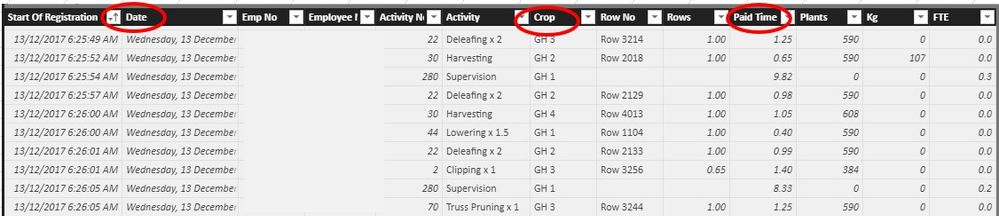
I am new to BI and have been using excel extensively, my issue is trying to sum amounts by day (given there is 000's of lines of data)
The types of formulas i have used are as below ...
Crop = CALCULATE(SUM(CropData[Kg]),FILTER(RELATEDTABLE(CropData),CropData[Date])<='Total Harvest'[Date]&&RELATEDTABLE(CropData),CropData[Date]>='Total Harvest'[Date])
Harvest = CALCULATE(SUM(CropData[Kg]),ALL('Total Harvest'[Date]))
What I am trying to get is the following (Excel)
=SUMIFS(L:L,B:B,">="&"Table Calander[Date]",B:B,"<="&"Table Calander[Date]",G:G,"GH 4")
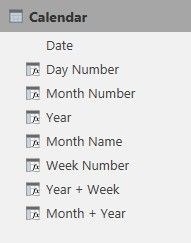
Trying to reference the date field within the calendar table in order to summarise
Any help would be apreciated
Thankyou
Andrew
Hi @abeinke2018,
What is the intention of above formulas?
Besides, to illuatrate the formula you used in Excel, please show us the desired result.
=SUMIFS(L:L,B:B,">="&"Table Calander[Date]",B:B,"<="&"Table Calander[Date]",G:G,"GH 4")
How to Get Your Question Answered Quickly
Best regards,
Yuliana Gu
I have this formula which gives me what I need, unless you know of a better way to do this ?
It sums up all the Kg's (000's of rows) for the location GH4 for each day
Field GH4 = CALCULATE(SUM(Field[GH4]),FILTER(ALL(Field),Field[Day]<='Total Harvest'[Date]&&Field[Day]>='Total Harvest'[Date]))
Thankyou
The Power BI Data Visualization World Championships is back! Get ahead of the game and start preparing now!
Check out the November 2025 Power BI update to learn about new features.
| User | Count |
|---|---|
| 59 | |
| 43 | |
| 42 | |
| 23 | |
| 17 |
| User | Count |
|---|---|
| 190 | |
| 122 | |
| 96 | |
| 66 | |
| 47 |