cancel
Showing results for 
Search instead for 
Did you mean: 

Learn from the best! Meet the four finalists headed to the FINALS of the Power BI Dataviz World Championships! Register now

Reply
franciscoep
Frequent Visitor

security filter does not work RLS

The security filter does not pass to the other tables, with a simple DAX formula it does not pass, it only filters the table that contains the users with the roles and the fact table, but the other dimensions do not.

Captura con el caso de que no pasa los filtros en el modelo.JPG


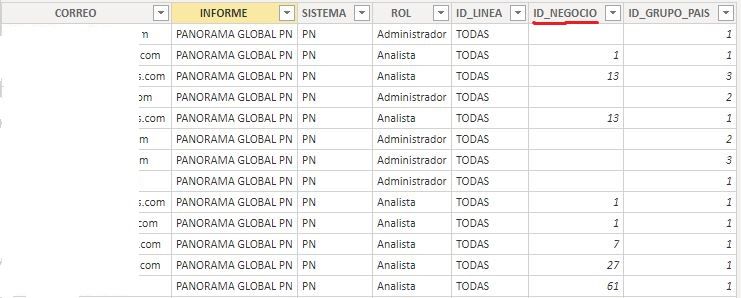
This is the permissions table, the "CORREO" field has the emails and the "ID_NEGOCIO" field is associated with the fact table.

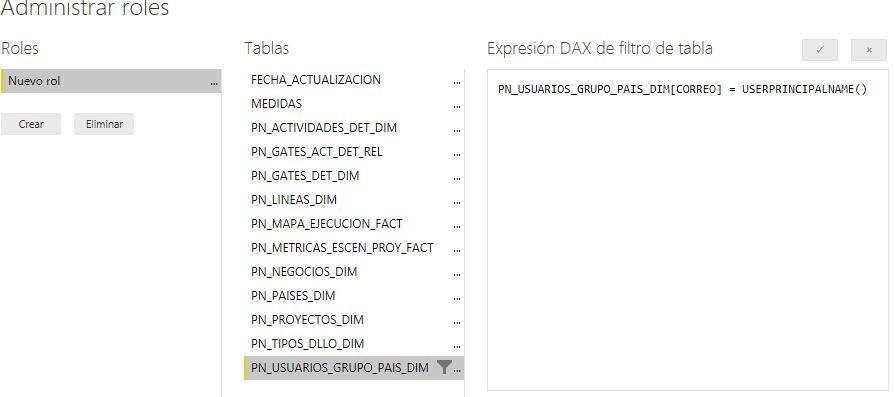
and use the role in role manager

Tabla de los usuarios.JPG


Dax con el permiso.JPG


I can't understand why I don't pass the filters to the other tables.


3 REPLIES 3
Anonymous
Not applicable

Hi @franciscoep ,

As sturlaws said, I think you need to check 'apply security filter in both directions' option to confirm if you have not enabled security filter across relationships.

In addition, you can also add a measure to display 'userprincipalname' function results to confirm if their result not matched with the mapping table records. (you can also change your formula to use 'username' if 'userprincipalname' function return the wrong result)

Row-level security (RLS) with Power BI#using the username or userprincipalname dax function 

Dynamic Row Level Security with Profiles and Users in Power BI : Many-to-Many Relationship 

Regards,

Xiaoxin Sheng

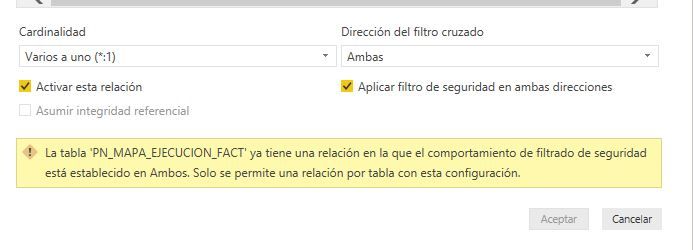
I had previously applied the 'security filter in both directions', but it only works for one relationship and does not happen for the rest of the relationships.


solo una relacion con filtro bidireccional.JPG

I already did the test with the formulas, and the security filter does not pass to the rest of the tables, it only passes from the permit to the fact table and from there it only passes to the one that I have applied the security filter, the rest of tables are not filtered


sturlaws
Resident Rockstar
Resident Rockstar

Hi @franciscoep ,

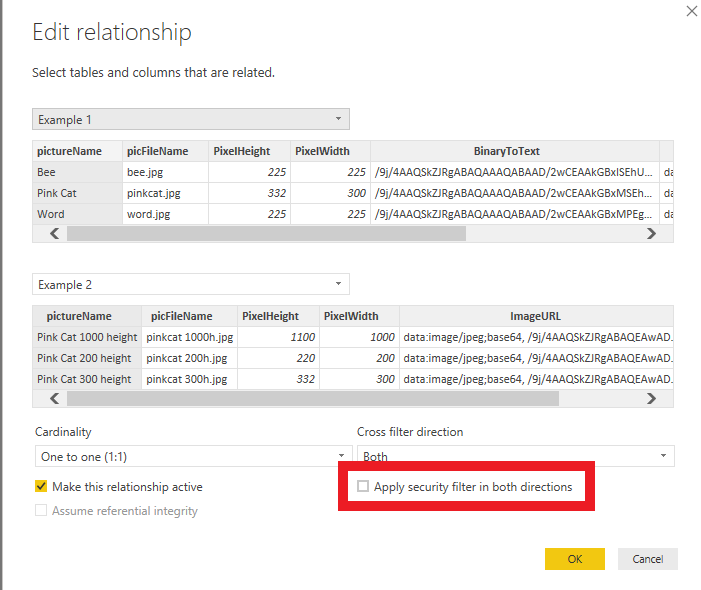
have you remebered to check the "Apply security filter in both directions"-box in the relatiohship dialogs?
security filter does not work RLS.png


Cheers,
Sturla

If this post helps, then please consider Accepting it as the solution. Kudos are nice too.

Helpful resources

Announcements
Join our Fabric User Panel

Join our Fabric User Panel

Share feedback directly with Fabric product managers, participate in targeted research studies and influence the Fabric roadmap.

March Power BI Update Carousel

Power BI Community Update - March 2026

Check out the March 2026 Power BI update to learn about new features.