cancel
Showing results for 
Search instead for 
Did you mean: 

Next up in the FabCon + SQLCon recap series: The roadmap for Microsoft SQL and Maximizing Developer experiences in Fabric. All sessions are available on-demand after the live show. Register now

Reply
Arnoh
Helper III
Helper III

passing parameter to sql query

Hi,

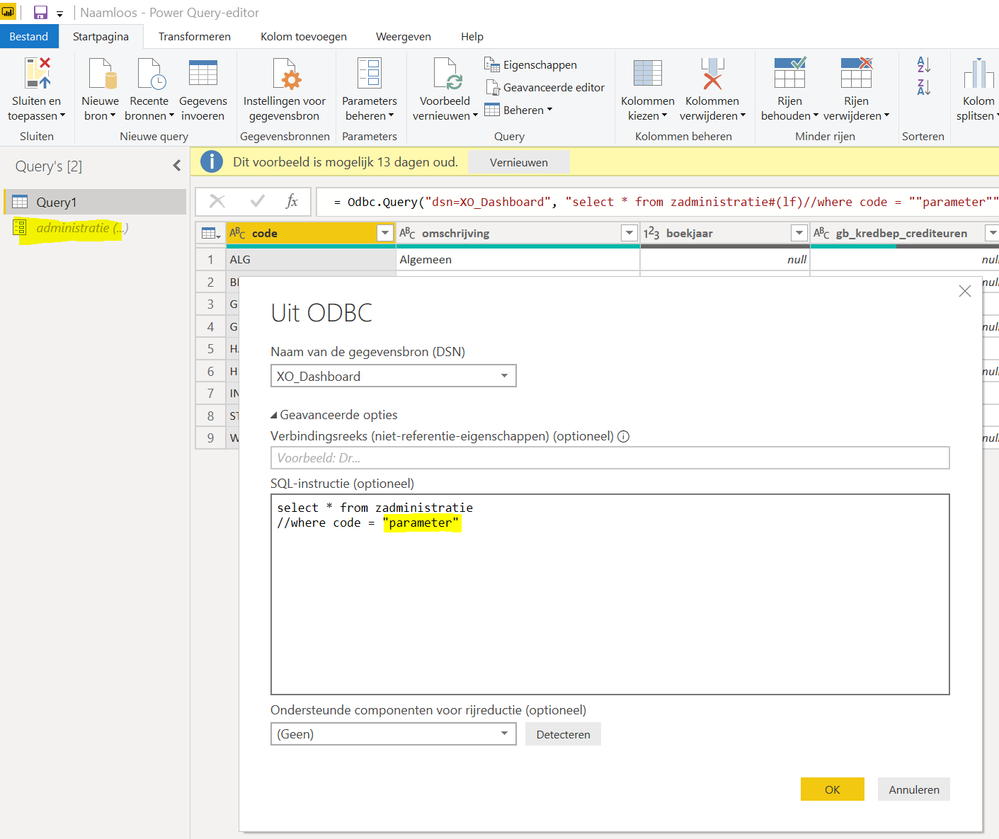
I would like to pass a parameter directly to the sql query. Or is this possible or only in M?

I prefer for further editing the native sql statement.


Thanx for any suggestions!


Knipsel.PNG

3 REPLIES 3
dax
Community Support
Community Support

Hi Arnoh,

As I know, you could achieve this by  M query.

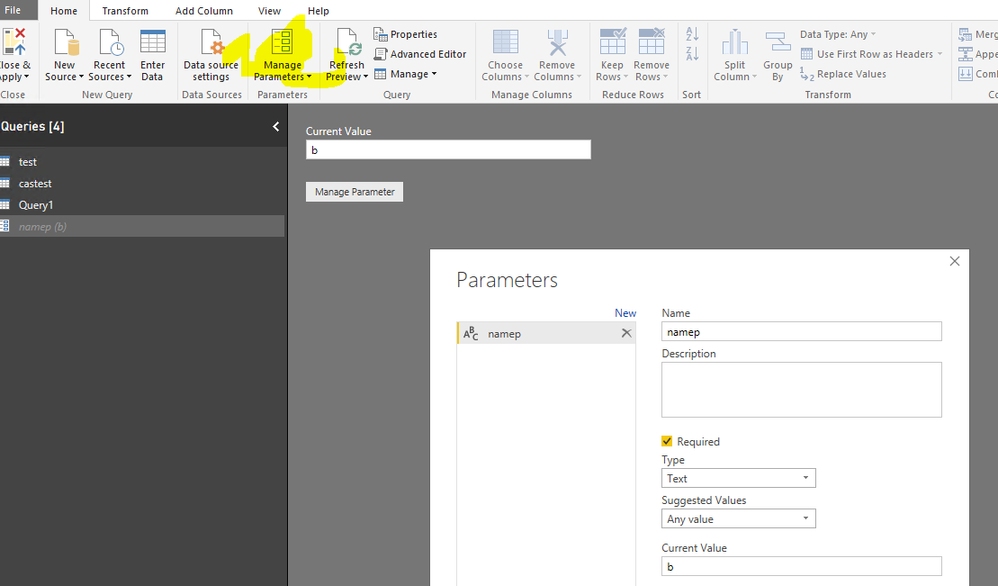
You could try to write hard code in query like below “select *  from test where name=’a’”, then create a parameter

170.png

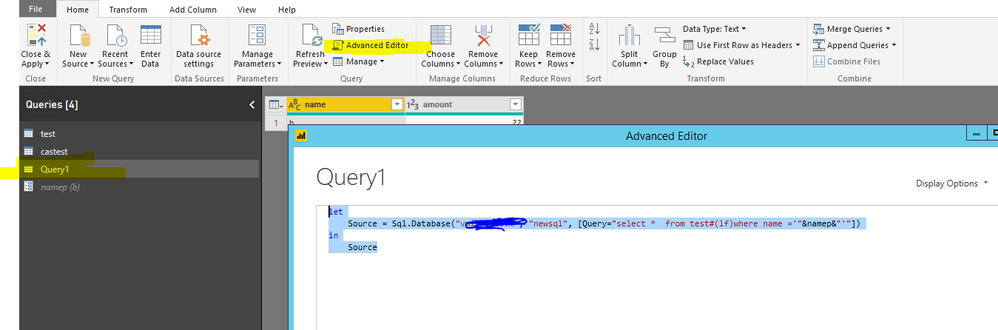
Then apply this parameter to query , you need to edit query like below

let

    Source = Sql.Database("servername", "newsql", [Query="select *  from test#(lf)where name ='"&namep&"'"])

in

    Source

171.png

The you could change value in parameter and run the query. You could refer to Pass parameter to SQL Queries statement using Power BI for details

Best Regards,

Zoe Zhi


If this post helps, then please consider Accept it as the solution to help the other members find it more quickly.

Hi I understand. But is it possible to use in in the native query? 

dax
Community Support
Community Support

Hi Arnoh,

As I know, if you use this in native query, I think  it("&namep&") might not be recognized by SQL. 

Best Regards,
Zoe Zhi

If this post helps, then please consider Accept it as the solution to help the other members find it more quickly.

Helpful resources

Announcements
New to Fabric survey Carousel

New to Fabric Survey

If you have recently started exploring Fabric, we'd love to hear how it's going. Your feedback can help with product improvements.

Power BI DataViz World Championships carousel

Power BI DataViz World Championships - June 2026

A new Power BI DataViz World Championship is coming this June! Don't miss out on submitting your entry.

FabCon and SQLCon Highlights Carousel

FabCon &SQLCon Highlights

Experience the highlights from FabCon & SQLCon, available live and on-demand starting April 14th.

March Power BI Update Carousel

Power BI Community Update - March 2026

Check out the March 2026 Power BI update to learn about new features.