


Join us at FabCon Atlanta from March 16 - 20, 2026, for the ultimate Fabric, Power BI, AI and SQL community-led event. Save $200 with code FABCOMM.
Register now!The Power BI Data Visualization World Championships is back! Get ahead of the game and start preparing now! Learn more
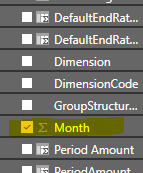
i in my matrix the month are displayed from number 1 to 11 January -November
i dont find the way to display instead 1-11
January -November how i can do?
Solved! Go to Solution.
Hi @snifer,
You could use Sort by column to achieve your desired output.
Here is my test output.
Best Regards,
Cherry
for something like this the texts January-November actually have to be in some column
if you don't have one you can create a calculated one based on existing Month e.g.
MonthName = FORMAT(Date(2020,Table[Month],1),"MMMM")
you just need to replace the blue text to match your naming convention
it worked but problem is that if i use now the measure the month are not displayed in the correct order in the matrix check screenshot
how i can fix that displaying from January Decemberember and not alphabatically
Hi @snifer,
You could use Sort by column to achieve your desired output.
Here is my test output.
Best Regards,
Cherry
The Power BI Data Visualization World Championships is back! Get ahead of the game and start preparing now!
| User | Count |
|---|---|
| 38 | |
| 38 | |
| 37 | |
| 28 | |
| 28 |
| User | Count |
|---|---|
| 124 | |
| 89 | |
| 73 | |
| 66 | |
| 65 |