Join us at FabCon Atlanta from March 16 - 20, 2026, for the ultimate Fabric, Power BI, AI and SQL community-led event. Save $200 with code FABCOMM.
Register now!The Power BI Data Visualization World Championships is back! Get ahead of the game and start preparing now! Learn more
HI.
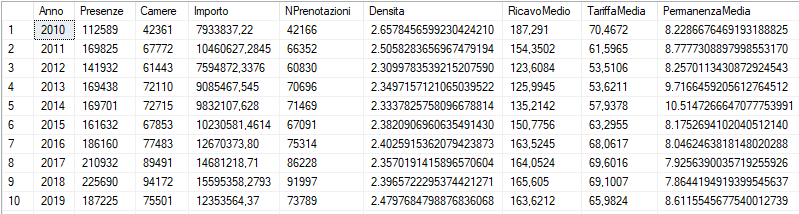
This is the result of my SQL query
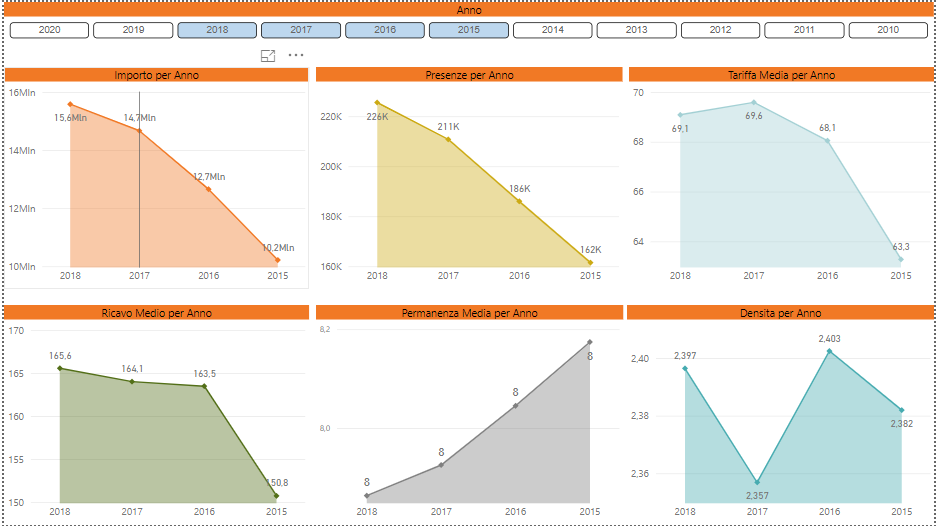
This is the result of the report. I can't get the "Permanenza Media" labels to appear correctly. Always 8 is displayed as an integer.
thank you so much
Solved! Go to Solution.
Hi @RiccardoBefore,
If the issue is resolved now, would you please mark a helpful reply as answer so we can close the thread?
Best Regards,
Qiuyun Yu
Hi Qiuyun Yu
Thank you.
Best Regards,
Riccardo
Hi @RiccardoBefore,
If the issue is resolved now, would you please mark a helpful reply as answer so we can close the thread?
Best Regards,
Qiuyun Yu
Hi @RiccardoBefore ,
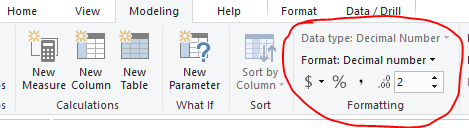
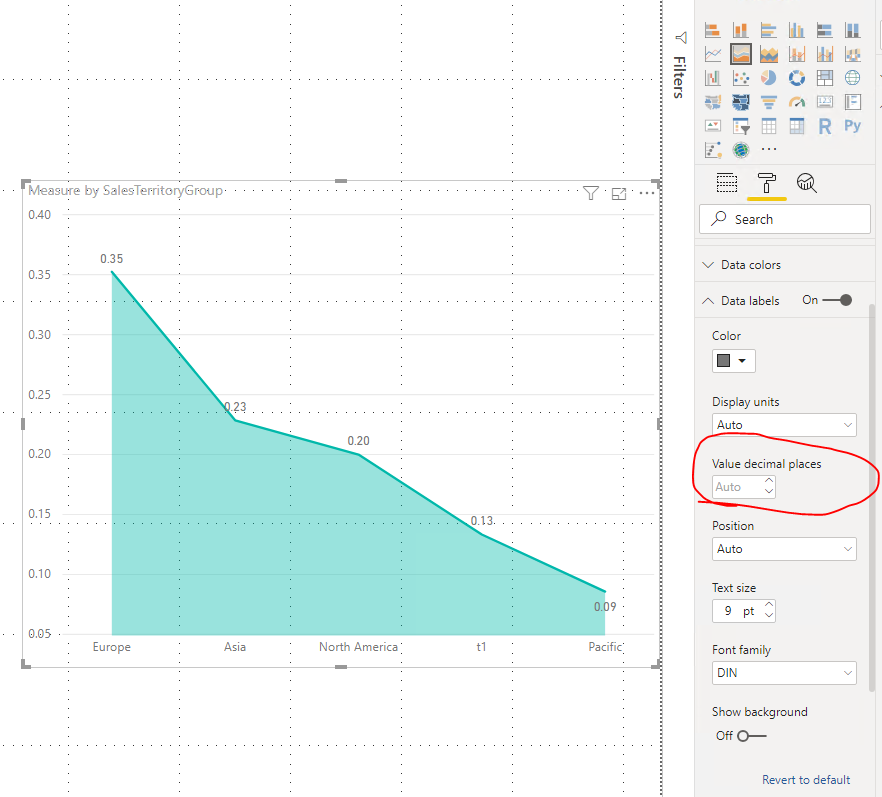
Please check the format and decimal places settings of this column in Modeling tab, also please check the Value decimal places setting for Data Label in Format pane of the chart. If Value decimal places is Auto, the data label value will show based on the setting in Modeling tab, you can set desired decimal places as well.
Best Regards,
Qiuyun Yu
The Power BI Data Visualization World Championships is back! Get ahead of the game and start preparing now!
| User | Count |
|---|---|
| 38 | |
| 37 | |
| 33 | |
| 32 | |
| 29 |
| User | Count |
|---|---|
| 132 | |
| 88 | |
| 82 | |
| 68 | |
| 64 |