Join us at FabCon Atlanta from March 16 - 20, 2026, for the ultimate Fabric, Power BI, AI and SQL community-led event. Save $200 with code FABCOMM.
Register now!The Power BI Data Visualization World Championships is back! Get ahead of the game and start preparing now! Learn more
I am doing a simple rowcount across two related tables and am getting inconsistent results.
In this first file I have paired the data set down to two IDs. In the Audit table I have 4 records for one ID and 5 records for the other. My "Record Count" custom column in the "Incidents" table calculates correctly.
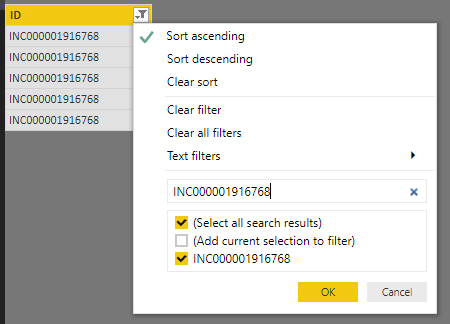
In this broken file, however I have loaded the full data set. The same 2 IDs from the first file have 4 and 5 records respectively, however it is calculating 5 records for both, even though one of them has 4. Any ideas why these are calculating incorrectly in the broken file?
Solved! Go to Solution.
Hi @Anonymous,
By checking the Audit table in broken file, I found that there existing 5 records for both IDs.
Best regards,
Yuliana Gu
Hi @Anonymous,
By checking the Audit table in broken file, I found that there existing 5 records for both IDs.
Best regards,
Yuliana Gu
Thanks Yuliana. After reviewing it again I see that it was operator error. I wasn't looking at the data correctly. Thanks for your time!
The Power BI Data Visualization World Championships is back! Get ahead of the game and start preparing now!
| User | Count |
|---|---|
| 39 | |
| 38 | |
| 38 | |
| 28 | |
| 27 |
| User | Count |
|---|---|
| 124 | |
| 88 | |
| 73 | |
| 66 | |
| 65 |