Join us at FabCon Atlanta from March 16 - 20, 2026, for the ultimate Fabric, Power BI, AI and SQL community-led event. Save $200 with code FABCOMM.
Register now!Get Fabric Certified for FREE during Fabric Data Days. Don't miss your chance! Request now
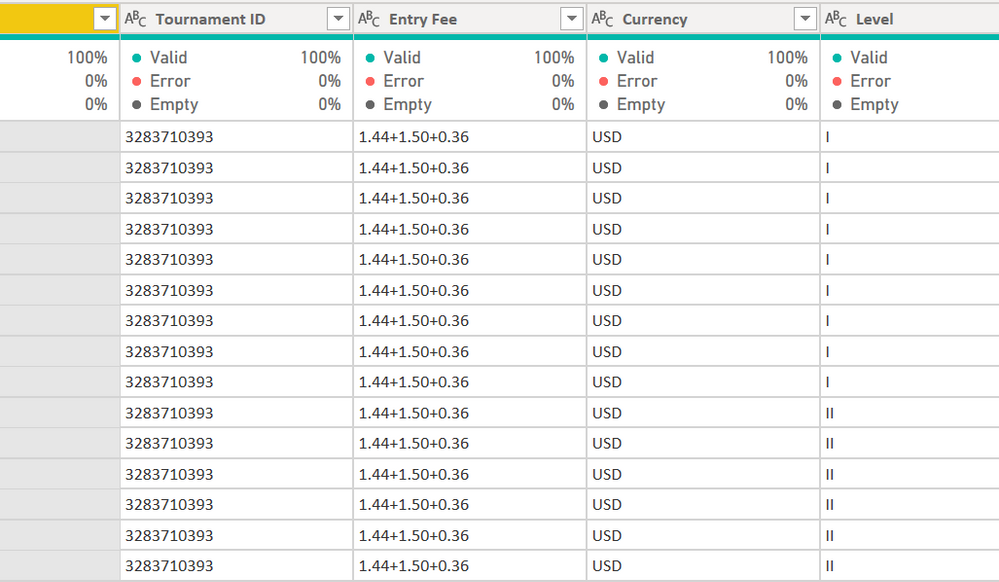
I have a simple equation stored as text. Is there a straight forward manner in which I can convert this to the mathematical answer, instead of splitting the colums by the + delimeter, storing the split mumers as a numer and then creating a new colun to get what I want?
Solved! Go to Solution.
Expression.Evaluate with the column should do it
I have the same problem - I need to evaluate a math expression like:
| ((1038*1000000)/27011675) |
| ((32*1000000)/7152834) |
| ((1038*1000000)/27011675) |
| ((32*1000000)/7152834) |
Expression.Evaluate with the column should do it
soz hotchilli, but as a newbie to m i still can't get my head around it. Here is the query i have. It's gone through a number of steps to get to the below. How do I use Expression.Evaluate against the whole query, which for the sake of simplicity is called #"Nearly There". I want to Evaluate the entire column Entry Fee. Thanks in advance
Check out the November 2025 Power BI update to learn about new features.
Advance your Data & AI career with 50 days of live learning, contests, hands-on challenges, study groups & certifications and more!