Join us at FabCon Atlanta from March 16 - 20, 2026, for the ultimate Fabric, Power BI, AI and SQL community-led event. Save $200 with code FABCOMM.
Register now!The Power BI Data Visualization World Championships is back! Get ahead of the game and start preparing now! Learn more
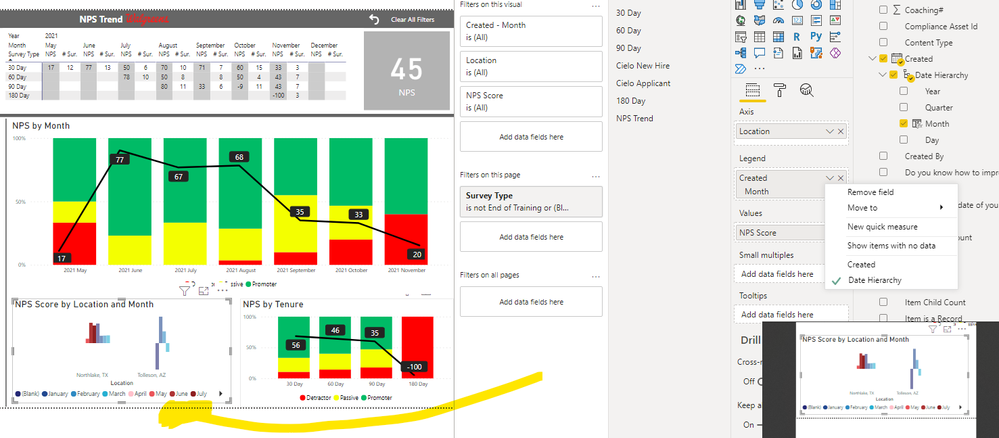
Using a clustered column chart. When I pull in a Date field into Axis - I can see all date hierarchy options available, Day, Month, Quarter, Year. However, when I pull the same date field into the legend field, the date Hierarchy defaults to only show Year. Is there a way around this? Looking to put this field in Legend and show months.
Thanks @KNP is there a way for it to show the year as well - something like 21Jan, 21Feb (or anythign similar)
Create a 'year-month' column in your data and add that to your date hierarchy.
| Have I solved your problem? Please click Accept as Solution so I don't keep coming back to this post, oh yeah, others may find it useful also ;). |
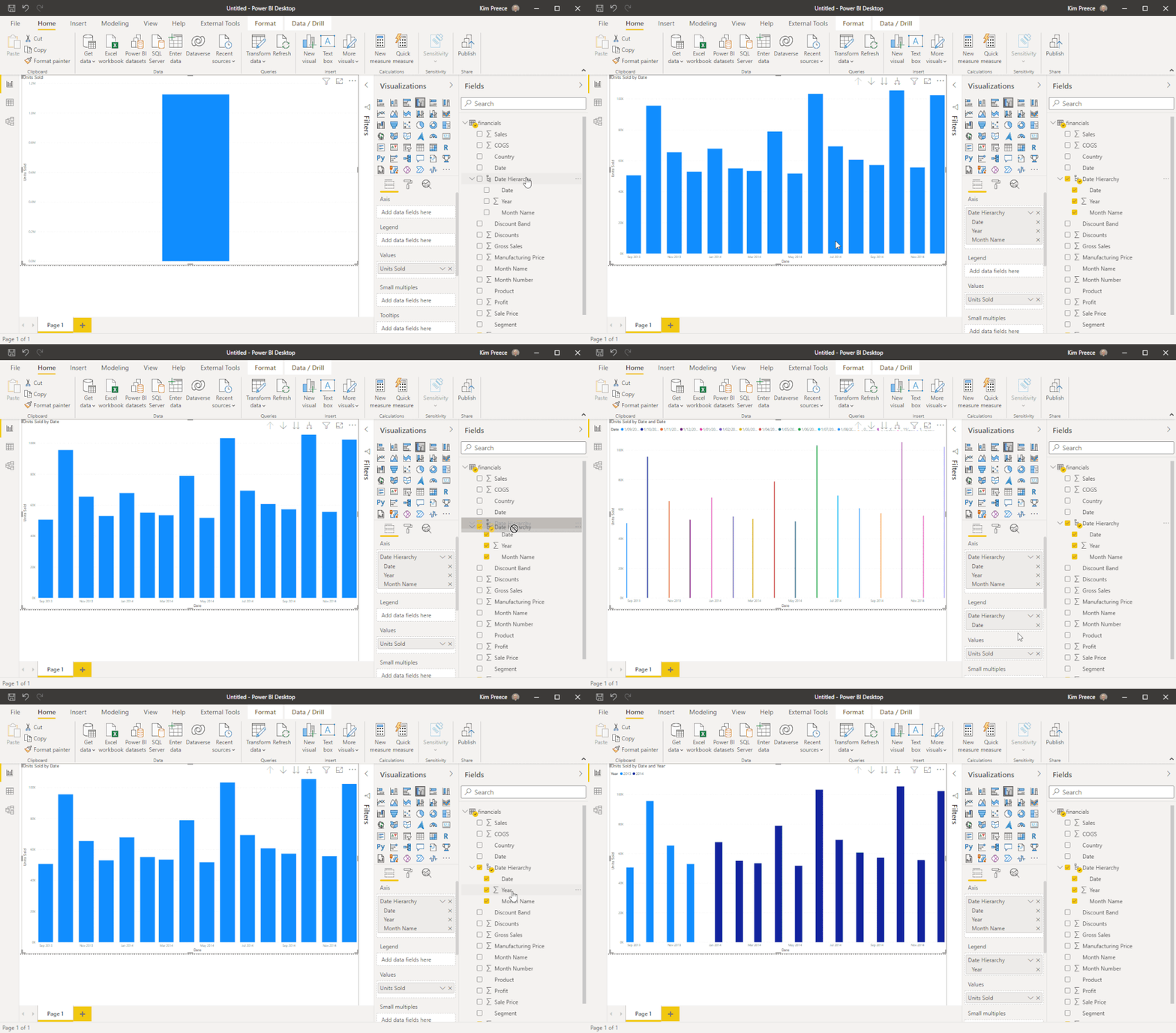
From your date hierarchy, expand and just drag the year to the legend.
See gif below.
| Have I solved your problem? Please click Accept as Solution so I don't keep coming back to this post, oh yeah, others may find it useful also ;). |
Check out the November 2025 Power BI update to learn about new features.
Advance your Data & AI career with 50 days of live learning, contests, hands-on challenges, study groups & certifications and more!
| User | Count |
|---|---|
| 57 | |
| 43 | |
| 41 | |
| 21 | |
| 17 |
| User | Count |
|---|---|
| 183 | |
| 114 | |
| 93 | |
| 62 | |
| 45 |