cancel
Showing results for 
Search instead for 
Did you mean: 

The Power BI Data Visualization World Championships is back! Get ahead of the game and start preparing now! Learn more

Reply
Anonymous
Not applicable

Year Filter

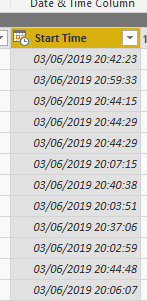
I have a date/time field in my data that has been formatted with the data type of Date/Time. 

start.PNG

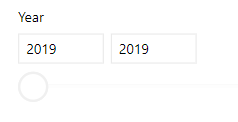
In the data when I got to put a filter pane on the report, it shows 2019 twice..


2019.PNG

Is there any reason why it would do this? Or how to get rid of it?

1 ACCEPTED SOLUTION
TeigeGao
Solution Sage
Solution Sage

Hi @Anonymous ,

This problem occurs because it puts the Date Hierarchy to the slicer field automatically, we can change it to the original column like below: 

v0CuPnfSIb.gif

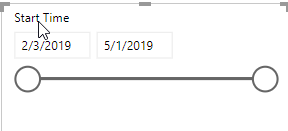
The result will like below: 

PBIDesktop_poWpkBgJxj.png

Best Regards,

Teige

View solution in original post

1 REPLY 1
TeigeGao
Solution Sage
Solution Sage

Hi @Anonymous ,

This problem occurs because it puts the Date Hierarchy to the slicer field automatically, we can change it to the original column like below: 

v0CuPnfSIb.gif

The result will like below: 

PBIDesktop_poWpkBgJxj.png

Best Regards,

Teige

Helpful resources

Announcements
Power BI DataViz World Championships

Power BI Dataviz World Championships

The Power BI Data Visualization World Championships is back! Get ahead of the game and start preparing now!

December 2025 Power BI Update Carousel

Power BI Monthly Update - December 2025

Check out the December 2025 Power BI Holiday Recap!

FabCon Atlanta 2026 carousel

FabCon Atlanta 2026

Join us at FabCon Atlanta, March 16-20, for the ultimate Fabric, Power BI, AI and SQL community-led event. Save $200 with code FABCOMM.