Don't miss your chance to take the Fabric Data Engineer (DP-600) exam for FREE! Find out how by attending the DP-600 session on April 23rd (pacific time), live or on-demand.
Learn moreNext up in the FabCon + SQLCon recap series: The roadmap for Microsoft SQL and Maximizing Developer experiences in Fabric. All sessions are available on-demand after the live show. Register now
Hello everyone,
I have a rather specifc problem I've not been able to solve.
I would like to calculate the number of weekdays that sit between a date range, but the date range is dynamic.
I have the following code as a starting point:
Days Lost =
VAR EndOfPeriod =
MAX ('Date Table'[Date])
VAR StartOfPeriod =
MIN ('Date Table'[Date])
RETURN
SUMX(Absence,
IFERROR(
DATEDIFF(
MAX(Absence[Begin Date],StartOfPeriod),
MIN(Absence[Calculated End Date],EndOfPeriod)
,DAY),0)
)However, this is limited as it also includes weekends. As an added complication I would also like my final measure to treat the dates as inclusive, so if the begin date is equal to the end date then that should be counted as 1 rather than 0.
Any help you can provide would be greatly appreciated.
Many thanks.
Thanks for your reply, unfortunately this isn't quite what I'm looking for. Let me try and clarify a little,
I have a data set including the following columns : Begin Date & Calculated End Date during which a specific event was active.
I would like to produce a graph that has Quarters on the axis, for example Q1 2017, Q2 2017 and so on. For each of these quarters I would like the total number of days spent active, summed over every row of my table.
Say for example my data had two rows:
Start Date Calculated End Date
01/01/2018 01/09/2018
01/02/2018 01/09/2018
My graph with quarters on the axis would show the following total Q1: 107 This would be made up of the 65 weekdays within Q1 from row 1 and the 42 weekdays in Q1 from row 2. For Q2 the graph would show 130, made up of the 65 weekdays in Q2 from row 1, and the 65 weekdays in Q2 from row 2.
I hope this is a little clearer, thanks for your help.
Hi @Phil1,
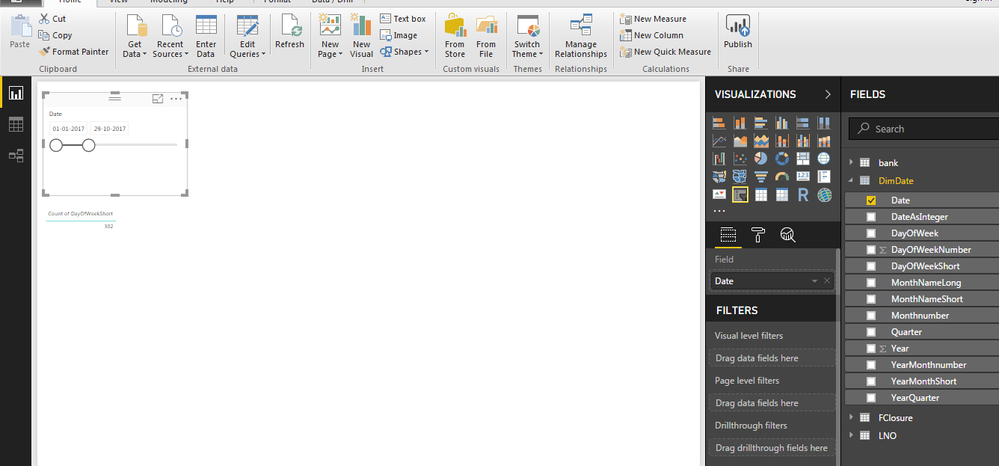
Just use calendar table(DimDate) join your table with Dim_Date and drag weekdays columns hope this will resove you issue.ion
Please accept this solution if this works for you
If you have recently started exploring Fabric, we'd love to hear how it's going. Your feedback can help with product improvements.
A new Power BI DataViz World Championship is coming this June! Don't miss out on submitting your entry.
Share feedback directly with Fabric product managers, participate in targeted research studies and influence the Fabric roadmap.
| User | Count |
|---|---|
| 48 | |
| 45 | |
| 41 | |
| 20 | |
| 17 |
| User | Count |
|---|---|
| 69 | |
| 64 | |
| 32 | |
| 31 | |
| 27 |