cancel
Showing results for 
Search instead for 
Did you mean: 

Level up your Power BI skills this month - build one visual each week and tell better stories with data! Get started

Reply

Waterfall Chart

Hi All,


I have a dashbaord in which I use the waterfall chart. I had disabled the default settings "Use Sentiment Colors" and used custom colors for each bar in the chart.  Somehow today when I opened the dashboard the colors had gone to the default setting of Sentiment colors. My custom setting had been disabled.

I could see the same change in the Power Bi Service portal as well.


I alo opened some previous versions of the dashboard that I had, and could see the same issue.


Please help me understand what is causing this issue in Desktop as well as Service portal.


Thanks!

1 ACCEPTED SOLUTION

Hi @veenashenolikar ,


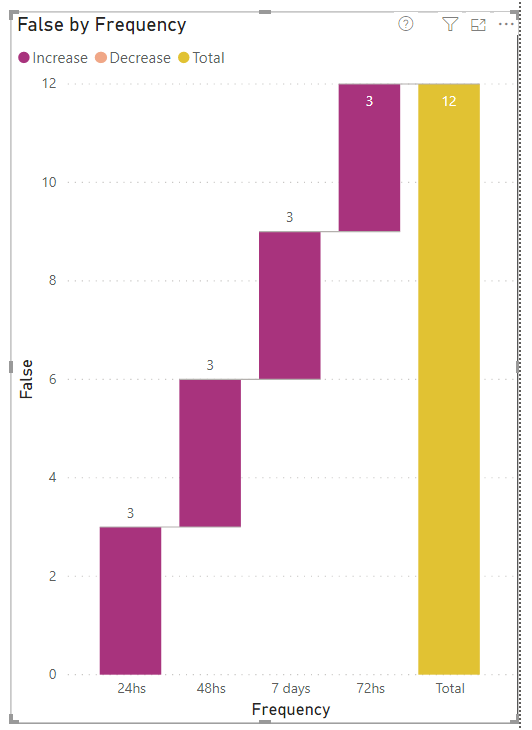
The reason I asked this is beacause when I do the same, my waterfall chart retains the custom colours.


wc.png

If this helps and resolves the issue, appreciate a Kudos and mark it as a Solution! 🙂


Thanks,

Pragati


Best Regards,

Pragati Jain


MVP logo


LinkedIn | Twitter | Blog YouTube 

Did I answer your question? Mark my post as a solution! This will help others on the forum!

Appreciate your Kudos!!

Proud to be a Super User!!

View solution in original post

5 REPLIES 5
Pragati11
Super User
Super User

Hi @veenashenolikar ,


The issue sounds like something I experieneced an year back - the custom colours getting reverted to default colours.

But, now I don't see such issues.

Are you on Power BI latest May 2020 update?


If this helps and resolves the issue, appreciate a Kudos and mark it as a Solution! 🙂


Thanks,

Pragati

Best Regards,

Pragati Jain


MVP logo


LinkedIn | Twitter | Blog YouTube 

Did I answer your question? Mark my post as a solution! This will help others on the forum!

Appreciate your Kudos!!

Proud to be a Super User!!

Hey @Pragati11 ,


No, I am using the March 2020 version.


How did you resolve the issue back then? How to prevent this from happening again?

Hi @veenashenolikar ,


Actually I didn't resolve the issue, it got resolved by itself. I experienced this on Pie-charts.

If you change the sentiment colours on your chart, save it, then open it again: does it retain your modified colors?


Thanks,

Pragati

Best Regards,

Pragati Jain


MVP logo


LinkedIn | Twitter | Blog YouTube 

Did I answer your question? Mark my post as a solution! This will help others on the forum!

Appreciate your Kudos!!

Proud to be a Super User!!

Hi @Pragati11 


No, it doesnt retain the changes. It just goes back to the default settings.


Thanks!

Hi @veenashenolikar ,


The reason I asked this is beacause when I do the same, my waterfall chart retains the custom colours.


wc.png

If this helps and resolves the issue, appreciate a Kudos and mark it as a Solution! 🙂


Thanks,

Pragati


Best Regards,

Pragati Jain


MVP logo


LinkedIn | Twitter | Blog YouTube 

Did I answer your question? Mark my post as a solution! This will help others on the forum!

Appreciate your Kudos!!

Proud to be a Super User!!

Helpful resources

Announcements
April Power BI Update Carousel

Power BI Monthly Update - April 2026

Check out the April 2026 Power BI update to learn about new features.

Fabric SQL PBI Data Days

Data Days 2026 coming soon!

Sign up to receive a private message when registration opens and key events begin.

New to Fabric survey Carousel

New to Fabric Survey

If you have recently started exploring Fabric, we'd love to hear how it's going. Your feedback can help with product improvements.

Power BI DataViz World Championships carousel

Power BI DataViz World Championships - June 2026

A new Power BI DataViz World Championship is coming this June! Don't miss out on submitting your entry.