cancel
Showing results for 
Search instead for 
Did you mean: 

The Power BI Data Visualization World Championships is back! Get ahead of the game and start preparing now! Learn more

Reply
bgatzemeyer
Frequent Visitor

Visuals changing size/location on different screen sizes

I am having a unique problem on a recently developed dashboard.  I wasn't able to find any relevant post so I will outline the issue and some things I have tried, without success, to remedy.

I built a benchmarking dashboard that compare 4 sites to each other with multiple metrics, I wanted to pass granular details for these sites utilizing tooltips.  To achieve this I used a blank measure in a card and set it to be transparent so the user hovers over the value in the matrix and it acts as a typical tooltip would.  I did it this way because of performance issues with the dashboard, it is insanely large and the matrix design loads much faster.  

Here are the differences between a view from my large monitor (27 Inch with 1920 x 1080 res) & laptop.  Although all the Blue areas have tooltips you can clearly see the "movement" in the light blue ones to the left of the first column of data.  I believe this is due to the matrix resizing (unsure why).  

I have tried the following:
View > Page View > Fit to Width
View > Page View > Fit to Page

View > Page View > Actual Size

Grouping all visuals together

Grouping visuals together and turning on "Lock aspect ratio"

I am open to all suggestions including a redesign of the visuals but can not abide with the sloppy project appearance for users...help!?


Monitor View:
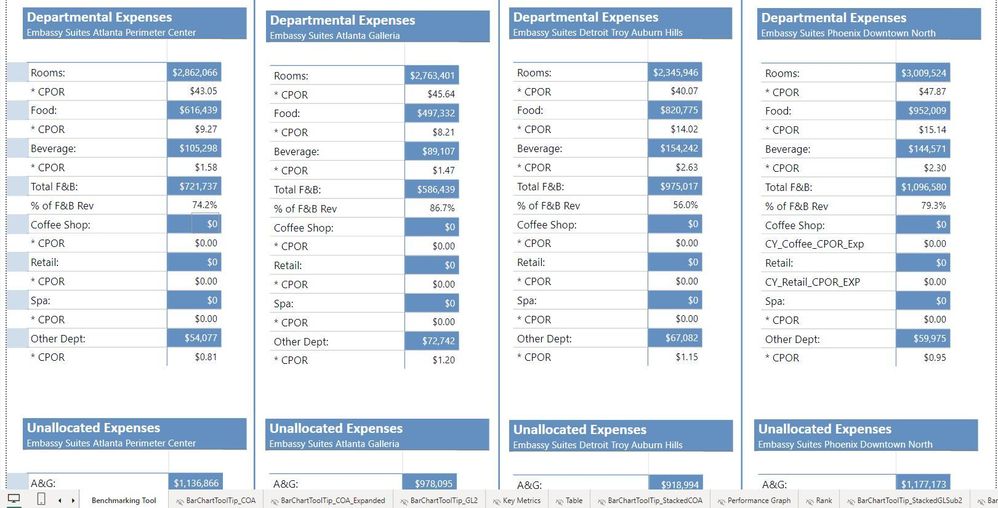
Monitor ViewMonitor View


Laptop View:

Laptop ViewLaptop View

1 ACCEPTED SOLUTION
bgatzemeyer
Frequent Visitor

Updated: I have found a resolution, I came to the conclussion that the screen size used to the load the page was causing the issues and optimizing for one distrubed the layering of the other.  I utilized simple navigation features to add a desktop vs laptop view in my reporting and optimized the pages to the appropriate links.  Two seperate pages with simplistic navigation.  

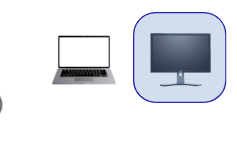
I just used PNG files for desktop monitor and laptop and linked to the formated page.


bgatzemeyer_0-1694792566562.png


View solution in original post

1 REPLY 1
bgatzemeyer
Frequent Visitor

Updated: I have found a resolution, I came to the conclussion that the screen size used to the load the page was causing the issues and optimizing for one distrubed the layering of the other.  I utilized simple navigation features to add a desktop vs laptop view in my reporting and optimized the pages to the appropriate links.  Two seperate pages with simplistic navigation.  

I just used PNG files for desktop monitor and laptop and linked to the formated page.


bgatzemeyer_0-1694792566562.png


Helpful resources

Announcements
Power BI DataViz World Championships

Power BI Dataviz World Championships

The Power BI Data Visualization World Championships is back! Get ahead of the game and start preparing now!

December 2025 Power BI Update Carousel

Power BI Monthly Update - December 2025

Check out the December 2025 Power BI Holiday Recap!

FabCon Atlanta 2026 carousel

FabCon Atlanta 2026

Join us at FabCon Atlanta, March 16-20, for the ultimate Fabric, Power BI, AI and SQL community-led event. Save $200 with code FABCOMM.