cancel
Showing results for 
Search instead for 
Did you mean: 

Learn from the best! Meet the four finalists headed to the FINALS of the Power BI Dataviz World Championships! Register now

Reply
misen13
Frequent Visitor

Visual filter - Highlights

Hello,


I have an issue with a filter I think. It is not doing what I want.


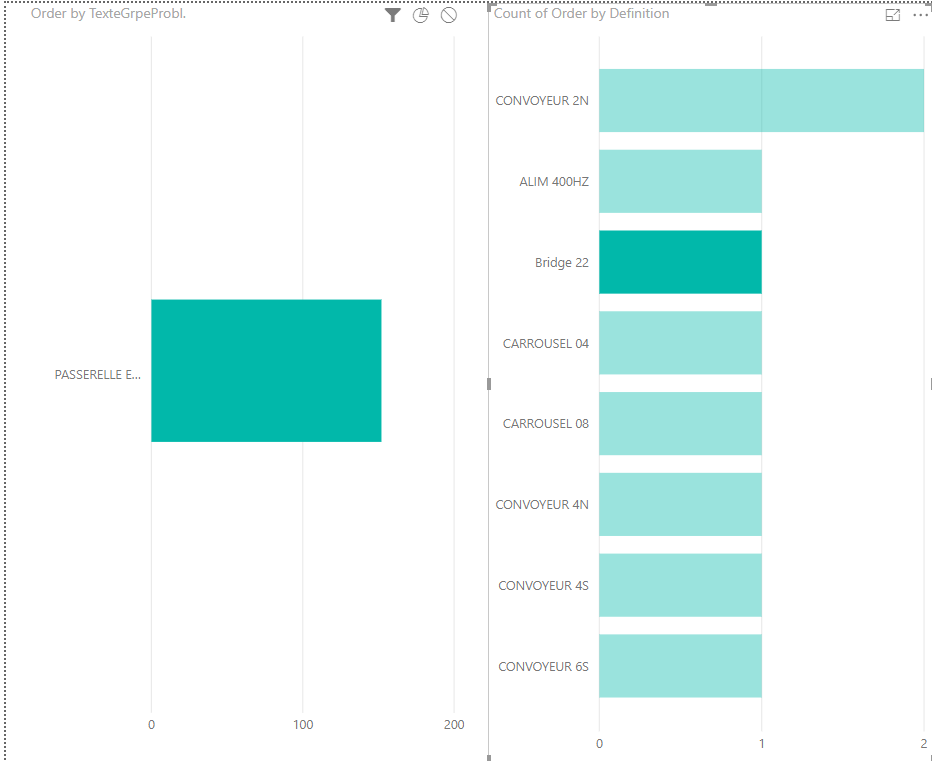
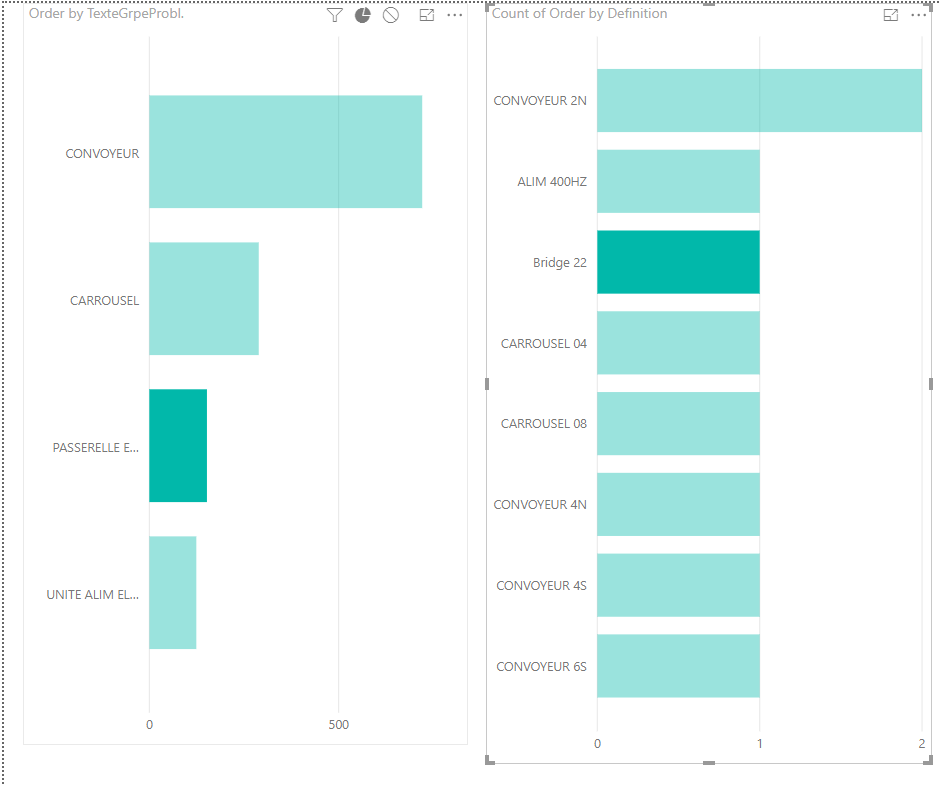
I'd like to be able to select an element from the first chart "Order by TexteGrpePrl." and it'll filter the second chart. (This works perfectly)


The problem I'm having is when I select an item from the second chart, it shows all items from the chart and highlights the selected one. When I have a list with a lots of items, it is kind of troublesome to find the selected one.


Is there a way to only show the selected one and hide the rest?


Thanks.


Screenshots: https://imgur.com/a/LLRb8kQ

File: https://ufile.io/697l1

1 ACCEPTED SOLUTION

Hi @misen13

When you select an item in one chart, the selected one is highlight, others become grey. so you could easily find the selected items from lists of items.

Currently, it doesn't support to hide(make items disappear) others but only show the selected one.


3.png

4.png


Best Regards

Maggie

View solution in original post

4 REPLIES 4
aaronwatt
Frequent Visitor

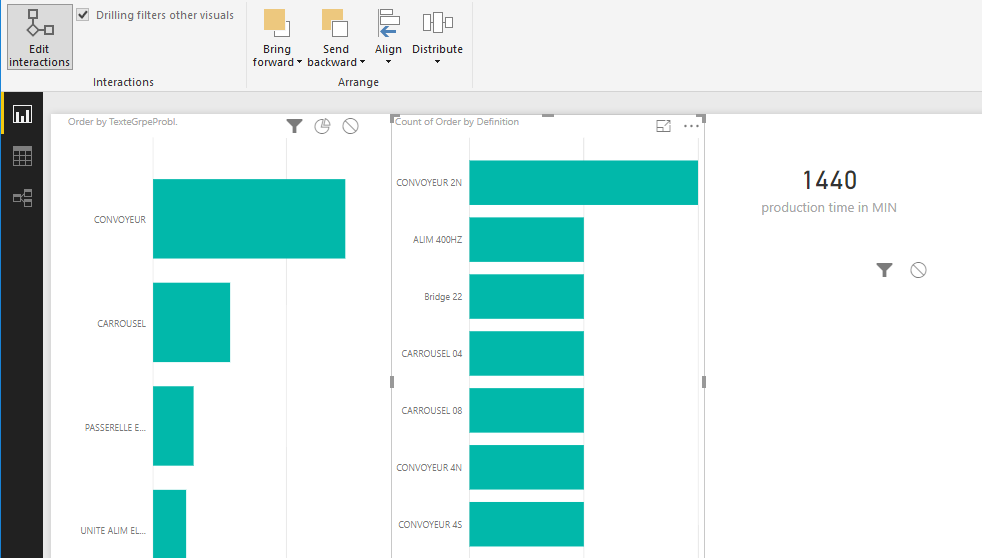
Select the first visual then go to format > edit interatctions then at the top of the visual click the filter button to enable it.


Capture.PNG

Hi,


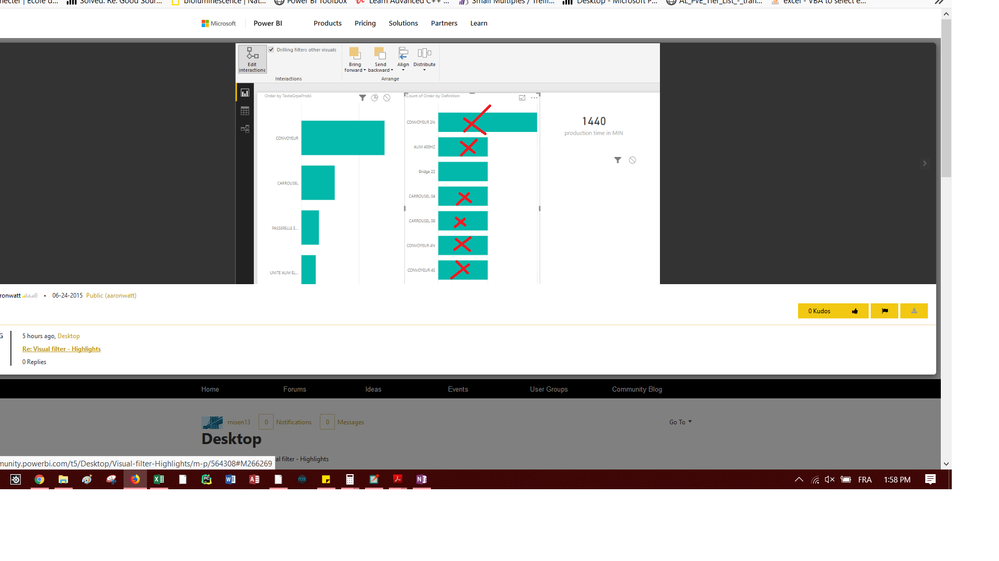
Is there a way to only show an item if it is clicked in the same chart?


IE:


If I click on Bridge 22, it hides everything but Bridge 22.


Thanks.OnlyShowOne.png

Hi @misen13

When you select an item in one chart, the selected one is highlight, others become grey. so you could easily find the selected items from lists of items.

Currently, it doesn't support to hide(make items disappear) others but only show the selected one.


3.png

4.png


Best Regards

Maggie

Hi v-juanli-msft,


Thanks!

Helpful resources

Announcements
Join our Fabric User Panel

Join our Fabric User Panel

Share feedback directly with Fabric product managers, participate in targeted research studies and influence the Fabric roadmap.

February Power BI Update Carousel

Power BI Monthly Update - February 2026

Check out the February 2026 Power BI update to learn about new features.

FabCon Atlanta 2026 carousel

FabCon Atlanta 2026

Join us at FabCon Atlanta, March 16-20, for the ultimate Fabric, Power BI, AI and SQL community-led event. Save $200 with code FABCOMM.