Learn from the best! Meet the four finalists headed to the FINALS of the Power BI Dataviz World Championships! Register now
Sorry if this has been covered elsewhere...I couldn't find it.
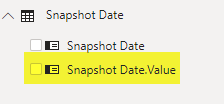
In Power BI Desktop, one of the SQL Server dimensions has an extra attribute [.Value]:
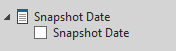
compared to Excel:
I can also see these date attributes also have a different icon to other fields. Can anyone help explain?
Thanks,
Ian.
Solved! Go to Solution.
Hello Ian,
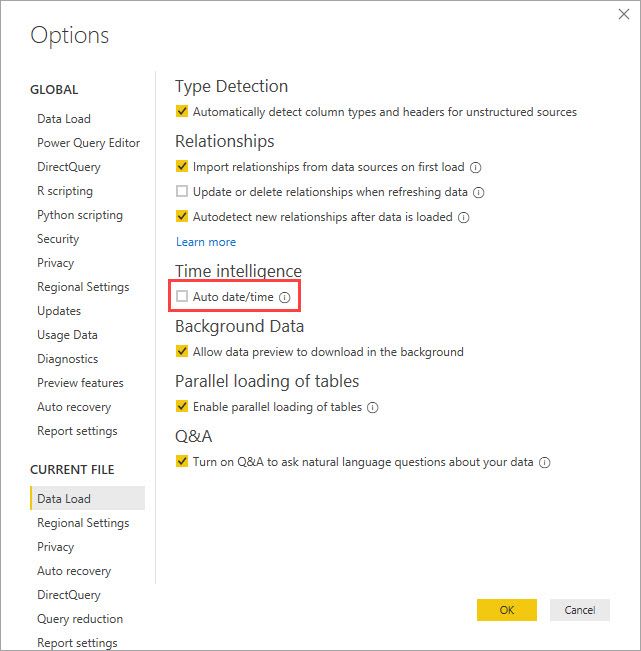
I believe that is from the Auto date/time that PowerBI does when the setting is left on and you have no date table marked in the model although it should be Snapshot Date.Date
Hello Ian,
I believe that is from the Auto date/time that PowerBI does when the setting is left on and you have no date table marked in the model although it should be Snapshot Date.Date
Thanks @jdbuchanan71 : much appreciated.
I'll talk to our developers; I get this when I try to turn it off:
Not a big deal; I can ignore it. A colleague just asked me about it and I thought I'd ask here. Thanks again.
| User | Count |
|---|---|
| 57 | |
| 43 | |
| 32 | |
| 16 | |
| 13 |
| User | Count |
|---|---|
| 84 | |
| 70 | |
| 37 | |
| 27 | |
| 24 |