cancel
Showing results for 
Search instead for 
Did you mean: 

Try your skills in the Power BI Dataviz World Championship! Round one ends June 26. Join now

Reply
Anonymous
Not applicable

Update version without losing reports

Hi,


I have developed several reports using the Power BI version from December 2019. But my colleague updated to the February 2021 version and cannot open my reports. 


Does this mean if I updated to February 2021, I would lose all of my reports? 


This seems like a serious restriction, as my organisation would effectively never be able to update the product without a considerable amount of time spent on re-creating every report. 


Any clarification or ideas to deal with this problem would be really appreciated

1 ACCEPTED SOLUTION

@Anonymous , I think, you should able to reach here in 2-3 jump. But not 100% sure(I have not tried, so can not commit). Metadata enhancement is one I remember is going to create some challenges.  So in between jump can help

Share with Power BI Enthusiasts: Full Power BI Video (20 Hours) YouTube
Microsoft Fabric Series 60+ Videos YouTube
Microsoft Fabric Hindi End to End YouTube

View solution in original post

3 REPLIES 3
amitchandak
Super User
Super User

@Anonymous , seem like not updated for a long time.

Try to update to an in-between release ( before metadata enhancement rolled out). Open report and check and then move to more latest version


You can find the old releases here

https://docs.microsoft.com/en-us/power-bi/desktop-latest-update-archive

Share with Power BI Enthusiasts: Full Power BI Video (20 Hours) YouTube
Microsoft Fabric Series 60+ Videos YouTube
Microsoft Fabric Hindi End to End YouTube
Anonymous
Not applicable

Thanks for the help.


So I should be able to update, then open the reports first in July 2020 (for example). Then update again, and open them in Feb 2021? 


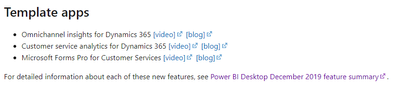
Just one other question, to download an old version would I go via "See Power BI Desktop feature summary"

the_machine_11_0-1615895482160.png


@Anonymous , I think, you should able to reach here in 2-3 jump. But not 100% sure(I have not tried, so can not commit). Metadata enhancement is one I remember is going to create some challenges.  So in between jump can help

Share with Power BI Enthusiasts: Full Power BI Video (20 Hours) YouTube
Microsoft Fabric Series 60+ Videos YouTube
Microsoft Fabric Hindi End to End YouTube

Helpful resources

Announcements
Fabric Data Days is here Carousel

Fabric Data Days 2026

Don't miss out on Data Days, June 15 through August 7. Learn Fabric, Power BI, SQL, AI and more.

May Power BI Update Carousel

Power BI Monthly Update - May 2026

Check out the May 2026 Power BI update to learn about new features.

Power BI DataViz World Championships carousel

Power BI DataViz World Championships - June 2026

A new Power BI DataViz World Championship is coming this June! Don't miss out on submitting your entry.