Don't miss your chance to take the Fabric Data Engineer (DP-600) exam for FREE! Find out how by attending the DP-600 session on April 23rd (pacific time), live or on-demand.
Learn moreNext up in the FabCon + SQLCon recap series: The roadmap for Microsoft SQL and Maximizing Developer experiences in Fabric. All sessions are available on-demand after the live show. Register now
Hello, I am a new Power BI user and have been having difficulty following some of the tutorials due to an inability to click on Manage Relationships. The button is greyed out on the Home tab and I cannot proceed with Auto-Detect.
I have tried different data sources such as connecting to MailChimp as well as using simple Excel spreadsheets. No matter what I do, I cannot get the application to generate any visuals based on even the most basic relationships.
Does anyone have any insight into what might be causing this?
Thanks, in advance!
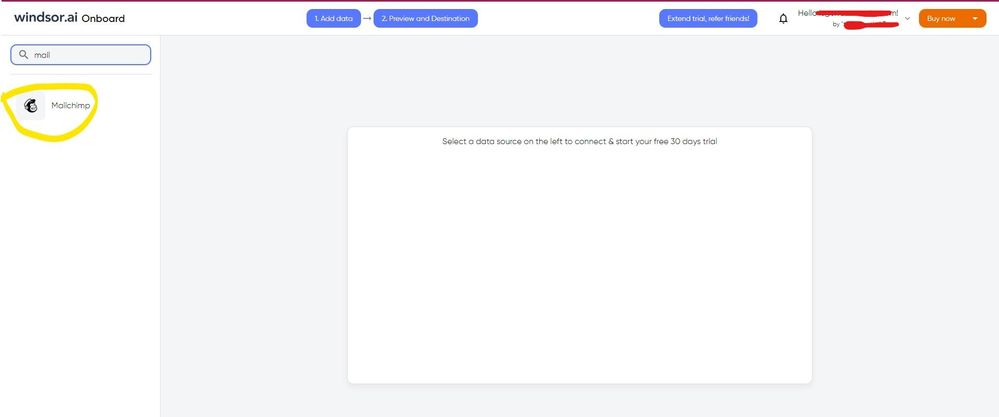
Hello @postlethwaite As a workaround, maybe you can use a 3rd party connector to connect directly to Mailchimp instead of using Excel to connect. I've tried windsor.ai, supermetrics and funnel.io. I stayed with windsor because it is much cheaper so just to let you know other options. In case you wonder, to make the connection first search for the Mailchimp connector in the data sources list:
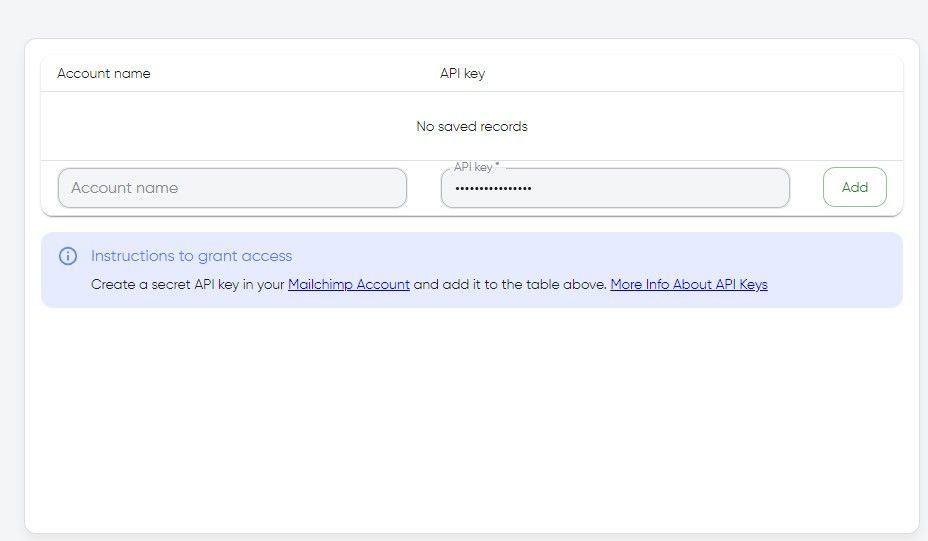
After that, you will have to first create a secret API key in your Mailchimp account and then using your credentials add your account to the platform.
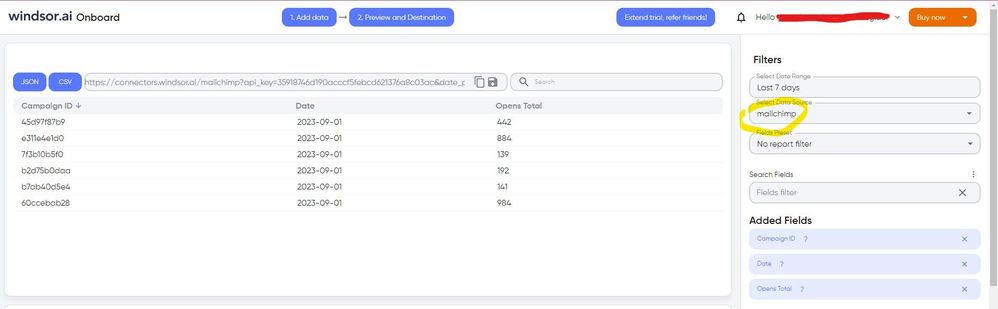
Once you’ve done this, you can proceed and go to the “Preview and destination” step
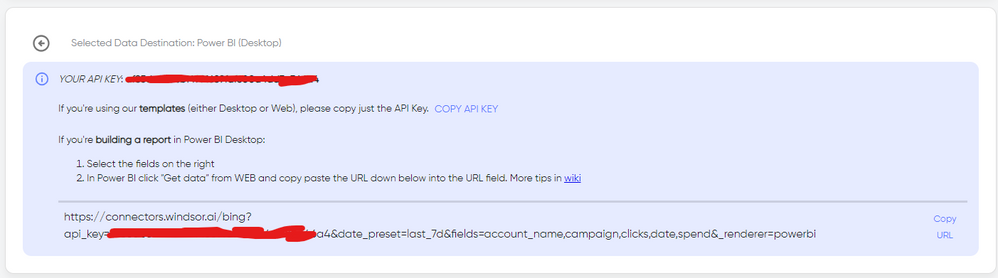
There just select the fields you need. Finally, just select PBI as your data destination and finally just copy and paste the url on PBI --> Get Data --> Web --> Paste the url.
Download the latest version of Power BI Desktop and try again.
If you have recently started exploring Fabric, we'd love to hear how it's going. Your feedback can help with product improvements.
A new Power BI DataViz World Championship is coming this June! Don't miss out on submitting your entry.
Share feedback directly with Fabric product managers, participate in targeted research studies and influence the Fabric roadmap.
| User | Count |
|---|---|
| 48 | |
| 45 | |
| 41 | |
| 20 | |
| 17 |
| User | Count |
|---|---|
| 69 | |
| 64 | |
| 32 | |
| 31 | |
| 27 |