cancel
Showing results for 
Search instead for 
Did you mean: 

Get Fabric Certified for FREE during Fabric Data Days. Don't miss your chance! Request now

Reply
Anonymous
Not applicable

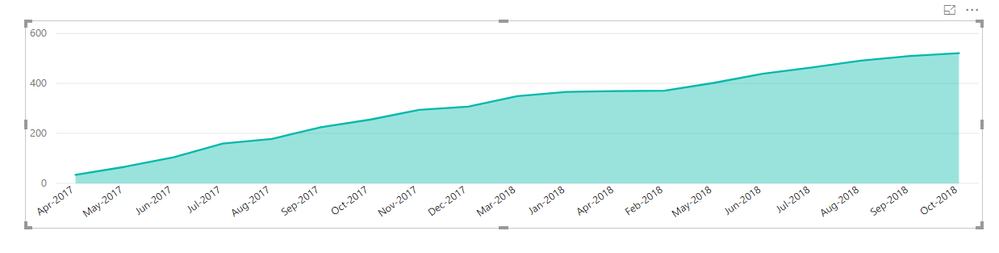
Trend of cumulative backlog

i have a case where i have to show a cumulative backlog of appilcations. 


My case is: we receive applictions and  we have a due date of 30 days if the staff asks for a extention the due date will be 45 days.


we need to show a cummulative backlog graph of applications that are overdue (i.e >30 days if extention not  requested

> 45 days  if extention requested )


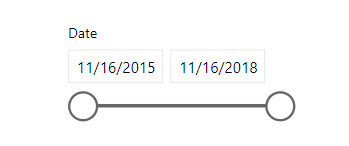
it should be acting accordingly with the date slicer that is comming from other table where i ahve a connection with date the column and the application received date in over main table.


Capture1.PNGCapture2.PNG

2 REPLIES 2
v-juanli-msft
Community Support
Community Support

Hi @Anonymous

Assume your applictions data table is like

start date received date extention request
10/1/2015 12/1/2015 no
1/1/2016 1/25/2016 no
2/1/2016 4/5/2016 yes
1/1/2017 1/5/2017 no
1/1/2017 2/25/2017 yes
1/1/2018 2/19/2018 yes
1/1/2015 10/1/2015 no
2/1/2017 3/5/2017 no
1/1/2018 2/10/2018 no
1/31/2018 3/10/2018 no


To get the count of rows which are overdue, Create measures  

days between = DATEDIFF(MAX([start date]),MAX([received date]),DAY)

count = CALCULATE(COUNTROWS(Sheet1),FILTER(Sheet1,
([extention request]="yes"&&[days between]>45)||
([extention request]="no"&&[days between]>30)))
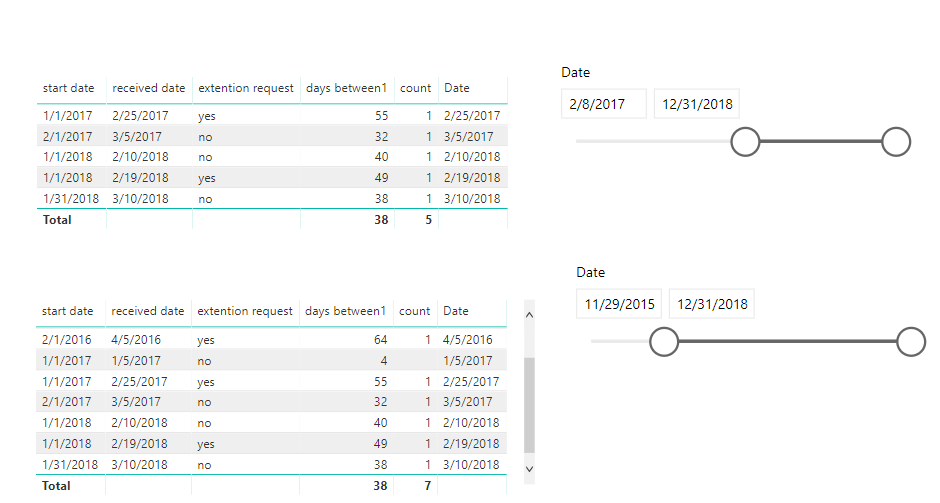
 

 8.png


To get cummulative sum of backlog of applications that are overdue

Create measures

cumulative = SUMX(FILTER(SUMMARIZE(ALLSELECTED(Sheet1),[received date],"countrosw",
CALCULATE(COUNTROWS(Sheet1),FILTER(Sheet1,[extention request]="yes"&&[days between1]>45
||[extention request]="no"&&[days between1]>30))),
[received date]<=MAX([received date])),
[countrosw])
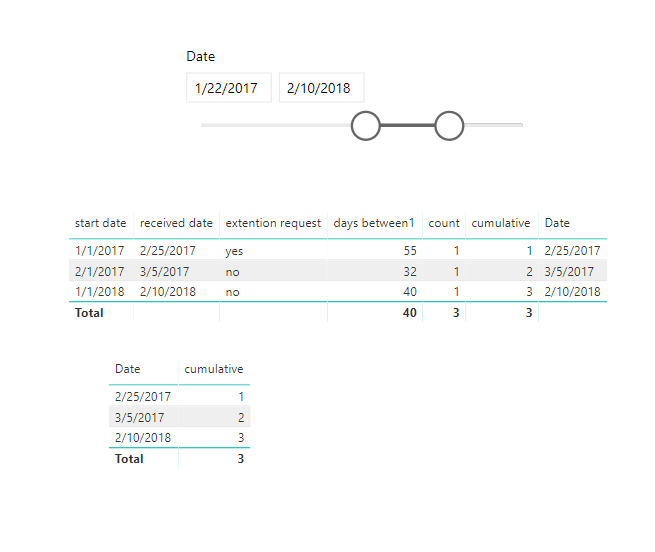
9.png

Best Regards

Maggie


Ashish_Mathur
Super User
Super User

Hi,


Share a dataset and show the expected result in a Table format.  Once the Table is ready, we can easily create an Area graph.


Regards,
Ashish Mathur
http://www.ashishmathur.com
https://www.linkedin.com/in/excelenthusiasts/

Helpful resources

Announcements
November Power BI Update Carousel

Power BI Monthly Update - November 2025

Check out the November 2025 Power BI update to learn about new features.

Fabric Data Days Carousel

Fabric Data Days

Advance your Data & AI career with 50 days of live learning, contests, hands-on challenges, study groups & certifications and more!

FabCon Atlanta 2026 carousel

FabCon Atlanta 2026

Join us at FabCon Atlanta, March 16-20, for the ultimate Fabric, Power BI, AI and SQL community-led event. Save $200 with code FABCOMM.

Top Solution Authors
Top Kudoed Authors