cancel
Showing results for 
Search instead for 
Did you mean: 

Next up in the FabCon + SQLCon recap series: The roadmap for Microsoft SQL and Maximizing Developer experiences in Fabric. All sessions are available on-demand after the live show. Register now

Reply
Anonymous
Not applicable

Table.Combine: Combine all queries in a group

Hello,


Our organization has a few reports that need a static lookback at results for each of our fiscal periods. An example is our accounts recevables aging list. It needs to be pulled each month and then combined to show our monthly aging schedules. 


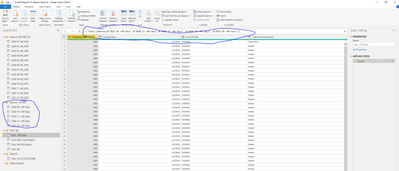
I was wondering if there is a way to reference a power query group (an organized group of queries) so that we don't have to manually type each query name in Table.Combine() when we upload a new month? If not, should we submit a request to get this feature added?


I've researched this for about an hour and haven't come up with anything yet! Hopefully you guys can help out?


jprins112_0-1612899059239.png


1 ACCEPTED SOLUTION
Anonymous
Not applicable

Hi @Anonymous,

Can please share some dummy data with a similar data structure? It should help us clarify your scenario and test to coding formula.

How to Get Your Question Answered Quickly

BTW, if your files are stored in a folder, you can try to use a folder connector to get the list of first and direct use combine function with that file lists. (Table.Combine function use list as the parameter, you can try to use 'source name' and 'column name' to extract the file list)

let
    Source = Table.Combine(QueryName[ColumnName])
in
    Source

M query operator 
Regards,

Xiaoxin Sheng

View solution in original post

3 REPLIES 3
Tonio_EG
Regular Visitor

Hi, have you figured out a way to do this?

Anonymous
Not applicable

Hi @Anonymous,

Can please share some dummy data with a similar data structure? It should help us clarify your scenario and test to coding formula.

How to Get Your Question Answered Quickly

BTW, if your files are stored in a folder, you can try to use a folder connector to get the list of first and direct use combine function with that file lists. (Table.Combine function use list as the parameter, you can try to use 'source name' and 'column name' to extract the file list)

let
    Source = Table.Combine(QueryName[ColumnName])
in
    Source

M query operator 
Regards,

Xiaoxin Sheng

PhilipTreacy
Super User
Super User

@Anonymous 

How are you loadng all these tables?  Are they from files or a folder?

Have you tried the Folder connector which allows you to easily combine files in the way you are describing?

regards

Phil


Did I answer your question? Then please mark my post as the solution.
If I helped you, click on the Thumbs Up to give Kudos.


Blog :: YouTube Channel :: Connect on Linkedin


Proud to be a Super User!


Helpful resources

Announcements
New to Fabric survey Carousel

New to Fabric Survey

If you have recently started exploring Fabric, we'd love to hear how it's going. Your feedback can help with product improvements.

Power BI DataViz World Championships carousel

Power BI DataViz World Championships - June 2026

A new Power BI DataViz World Championship is coming this June! Don't miss out on submitting your entry.

Join our Fabric User Panel

Join our Fabric User Panel

Share feedback directly with Fabric product managers, participate in targeted research studies and influence the Fabric roadmap.

March Power BI Update Carousel

Power BI Community Update - March 2026

Check out the March 2026 Power BI update to learn about new features.