Join us at FabCon Atlanta from March 16 - 20, 2026, for the ultimate Fabric, Power BI, AI and SQL community-led event. Save $200 with code FABCOMM.
Register now!The Power BI Data Visualization World Championships is back! Get ahead of the game and start preparing now! Learn more
Hello everyone!
I would like to generate a dynamic table relatedParts by filtering out information which is selected by the user on a slicer.
Could anyone please help me with this?
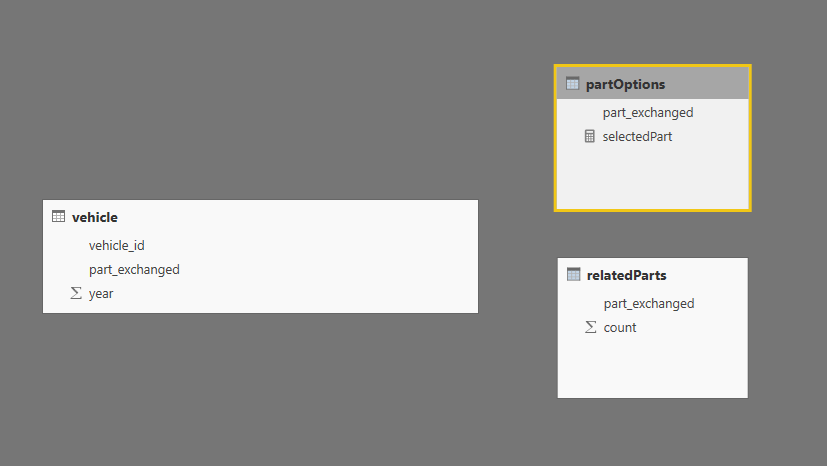
partOptions = DISTINCT(vehicle[part_exchanged])
selectedPart = SELECTEDVALUE( partOptions[part_exchanged], "A")
relatedParts =
SUMMARIZE (
FILTER ( vehicle, ( vehicle[vehicle_id] in CALCULATETABLE(DISTINCT(vehicle[vehicle_id]), FILTER(vehicle, vehicle[part_exchanged] = [selectedPart]))
&& vehicle[part_exchanged] <> [selectedPart] ) ),
vehicle[part_exchanged],
"count", COUNT ( vehicle[vehicle_id] )
)Solved! Go to Solution.
Hi srtamrakar,
Firstly, power bi doesn't support dynamic calculate column or dynamic calculate table. In addion, you can create a measure using pattern: calculate(..., filter()), then drag the measure to your chart.
Regards,
Jimmy Tao
Hi srtamrakar,
Firstly, power bi doesn't support dynamic calculate column or dynamic calculate table. In addion, you can create a measure using pattern: calculate(..., filter()), then drag the measure to your chart.
Regards,
Jimmy Tao
The Power BI Data Visualization World Championships is back! Get ahead of the game and start preparing now!
| User | Count |
|---|---|
| 39 | |
| 37 | |
| 33 | |
| 32 | |
| 29 |
| User | Count |
|---|---|
| 133 | |
| 88 | |
| 85 | |
| 68 | |
| 64 |