Hello Community,
Trying to subract different columns from different tables and having no luck. Have tried various formulas and nothing seems to work. The resulting sum (total and at the row level) is a gigantic number that makes no sense.
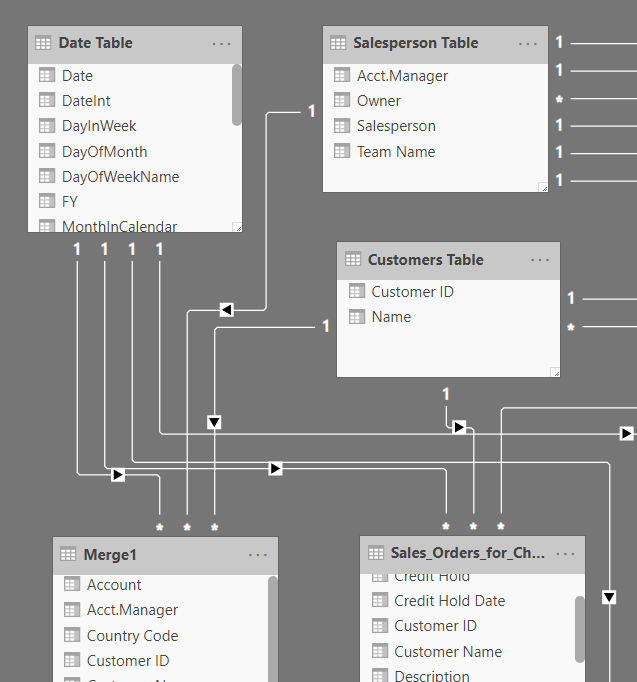
I need to subract "Potential" in the Merge1 table, from "Net Price" in the Sales Orders table. There is no direct relationship between the tables, but I guess both are indirectly connected thru the Date Table, and thru the Customers Table (Customer ID).
Est Close date on the Merge1 table is connected to Dates in the Date Table. Due Date on the Sales_Orders is also connect to Dates. Customer ID is connect to the same named fields in each table. All filtering and cross filtering works.
There is not a one-to-one match between the rows on the tables. In other words I am not subtracting Row1 from one table and Row 2 from another table. There are a lot more rows in the Sales_Orders tables then there are in the Merge1 table.
I just simply need to subtract the sum of Potential from the sum of Net Price in whatever filter context is selected. For example, filtering on January should give me the total Potential for January, and the total potential for Net Price (it does this perfectly now). What I need is a the correct formula to subtract those two things regardless of filter context (so with or without out a filter applied). Thanks in advance for any help!