This is best Fabric, Power BI, SQL and AI community event. How do we know? The last event sold out! Save €200 with code FABCMTY200.
Register nowA new Data Days event is coming soon! This time we’re going bigger than ever. Fabric, Power BI, SQL, AI and more. Don't miss out.
Hi all,
I'm fairly new to Power BI, so apologies if this comes across naive. I've trawled through these forums but can't seem to find a definitive answer.
To explain my problem, I have exported a historical RAG status file showing how a client has changed status between Green, Amber and Red.
What I'm trying to acheive is the date across the horizontal access, and having Green, Amber and Red up the Vertical Access, and a line going across showing the change in status over time.
The issue is the vertical axis will only allow me to count the number of times green, amber and/or red appears. I tried using the Gantt Chart visualisation, which almost worked, but it created multiple tasks for each colour, so I ended up with 10 green rows, 5 amber, etc....
Can anyone think of a solution?
Many thanks for your help!
Alex
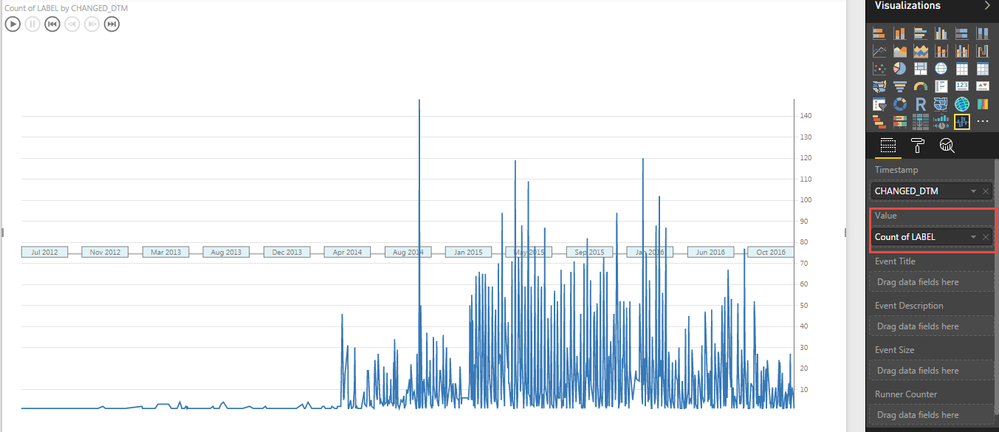
See if this visual can work for you. OR you can use Scatter plot with Dates as Play axis.
Hi Bhavesh,
Thanks for your response. Unfortunately it's still not what I'm looking for as the Value field still counts the number of Green/Amber/Red instances, rather than plotting the change between them.
Many thanks,
Alex
Check out the May 2026 Power BI update to learn about new features.
Sign up to receive a private message when registration opens and key events begin.
If you have recently started exploring Fabric, we'd love to hear how it's going. Your feedback can help with product improvements.
| User | Count |
|---|---|
| 29 | |
| 28 | |
| 25 | |
| 19 | |
| 14 |
| User | Count |
|---|---|
| 53 | |
| 47 | |
| 27 | |
| 20 | |
| 19 |