Join us at FabCon Atlanta from March 16 - 20, 2026, for the ultimate Fabric, Power BI, AI and SQL community-led event. Save $200 with code FABCOMM.
Register now!The Power BI Data Visualization World Championships is back! Get ahead of the game and start preparing now! Learn more
Hi,
Is there any way to have a Stacked Column Chart showing the values, percentage and the totals?
Please see the demo file here.
Thank you,
Tamir
hi, @Tamiri
After my research , I'm afraid it couldn't achieve in Power BI for now.
But you may try to custom Tooltips in Power BI Desktop.
For example:
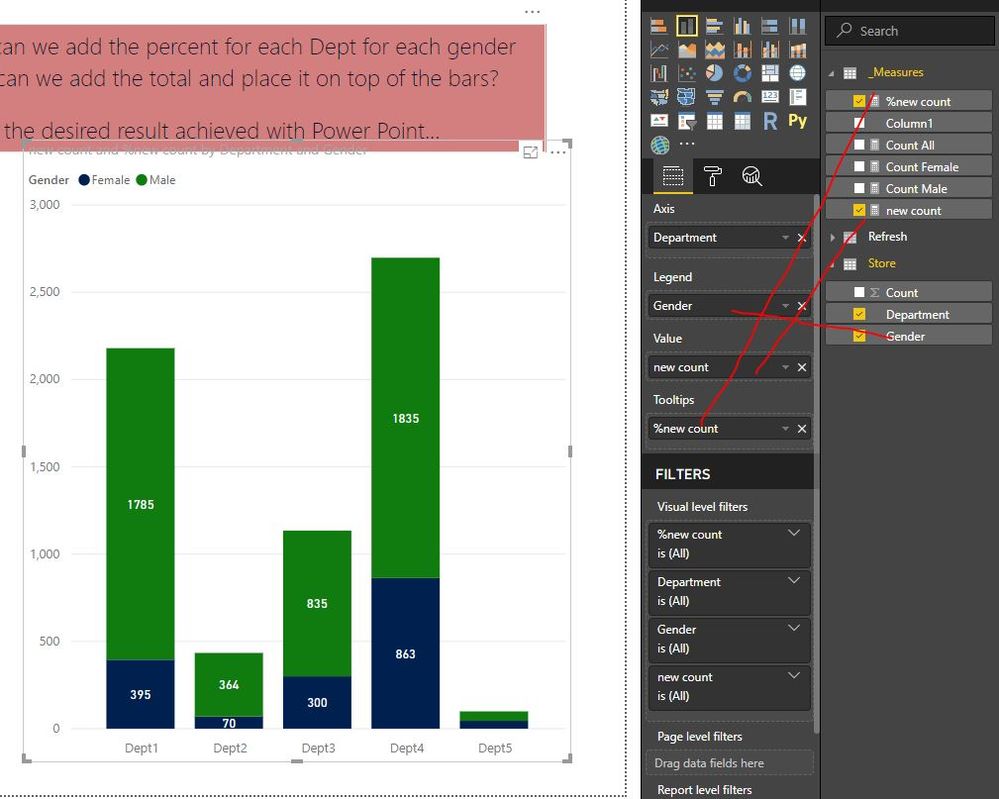
Create a new count measure and %new count measure
new count = CALCULATE (
SUM ( Store[Count] )
)%new count = [new count]/CALCULATE(SUM(Store[Count]),ALL(Store[Gender]))
Then darg new count into Value and field Gender into Lengend and %new count into Tooltips
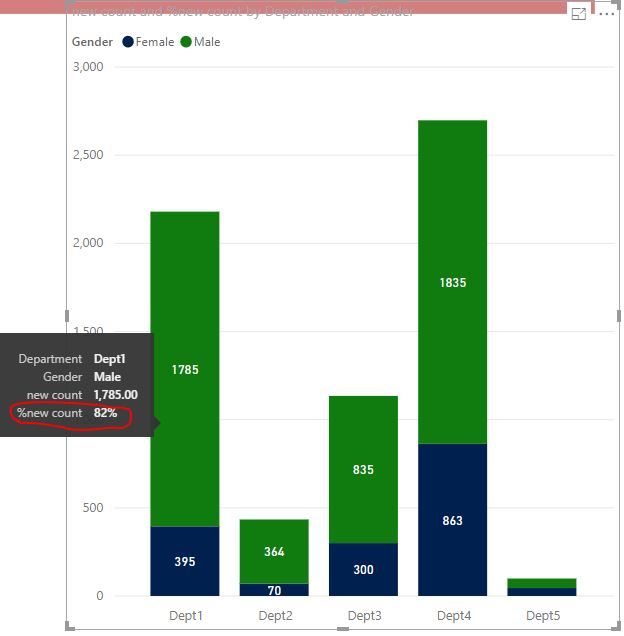
Result:
For your requirement, you could post your new idea in Power BI ideas and make this feature coming sooner.
Best Regards,
Lin
The Power BI Data Visualization World Championships is back! Get ahead of the game and start preparing now!
Check out the November 2025 Power BI update to learn about new features.
| User | Count |
|---|---|
| 59 | |
| 46 | |
| 42 | |
| 23 | |
| 18 |
| User | Count |
|---|---|
| 192 | |
| 125 | |
| 99 | |
| 67 | |
| 48 |