cancel
Showing results for 
Search instead for 
Did you mean: 

The Power BI Data Visualization World Championships is back! Get ahead of the game and start preparing now! Learn more

Reply
CWitts
Frequent Visitor

Sorting multiple columns

I have a direct query from Oracle database which is correctly sorted on import.  When I go to transform data, I can set the sort I want (four different column) and the result is correct.  However, when I create a table the sort is being completely ignored, so the end user is not going to see the information as I need them to. 

Does anyone have any ideas on why this is and how I can resolve it?

4 REPLIES 4
Ttaylor9870
Helper III
Helper III

Hi @CWitts,


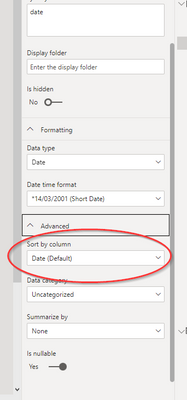
You could maybe make a calculated column using SWITCH to assign e.g ABC = 1 then sort whatever column you want based on the results of that swtich statement. You can sort your column by clicking on model view then finding the column you'd like sorted and and assign the newly created SWTITCH statment in this field...


Ttaylor9870_0-1677169754853.png

Many Thanks,


Taylor 😎


Ttaylor9870
Helper III
Helper III

What are the 4 columns and what order do you want them ordered? I have solved a similar issue before

I want to sort the following:  Customer number, Item, numerical number of type of item (1, 2, 3) and sequence number

CWitts
Frequent Visitor

Further clarification:  I have a large data set and for each "customer" there are multiple items that are listed and against each item, sub groups. EG

Row number Customer  Item        Numerical number of type    seq
001 ABC       Fruit      1                           001
002 ABC       Fruit      1                           002
003 ABC       Veg        1                           001
004 ABC       Veg        2                           001
005 XYZ       Fruit      3                           001   
006 XYZ       Fruit      1                           001
007 XYZ       Fruit      1                           002


I need to sort this so all ABC rows are together with Fruit above Veg, type 1 above type 2, etc.  So the above would resort wo row number 005 would appear at the bottom.


Hope that helps.


Helpful resources

Announcements
Power BI DataViz World Championships

Power BI Dataviz World Championships

The Power BI Data Visualization World Championships is back! Get ahead of the game and start preparing now!

December 2025 Power BI Update Carousel

Power BI Monthly Update - December 2025

Check out the December 2025 Power BI Holiday Recap!

FabCon Atlanta 2026 carousel

FabCon Atlanta 2026

Join us at FabCon Atlanta, March 16-20, for the ultimate Fabric, Power BI, AI and SQL community-led event. Save $200 with code FABCOMM.