
Don't miss your chance to take exam DP-600 or DP-700 on us!
Request nowLearn from the best! Meet the four finalists headed to the FINALS of the Power BI Dataviz World Championships! Register now
Lets say I have column chart where:
- Value is "Count Distinct of a column ID" (with duplicates thus distinct count)
- Axis is column B with categories
How can I sort this graph based on the Value (Distinct Count of IDs)?
I do not want to modify the table to remove duplicates as it contains other columns with information and also has relations to a different table.
I do not want to create another table with deduplicated IDs for this graph as I would not be able to have all the relations that I'm using on a different column.
Solved! Go to Solution.
HI @Exanimis,
Add a calculated column to calculate distinct count based on current group, then use sort by column function to use this calculated column as sort column of column who used on value field.
Sort by column in Power BI Desktop
Regards,
Xiaoxin Sheng
HI @Exanimis,
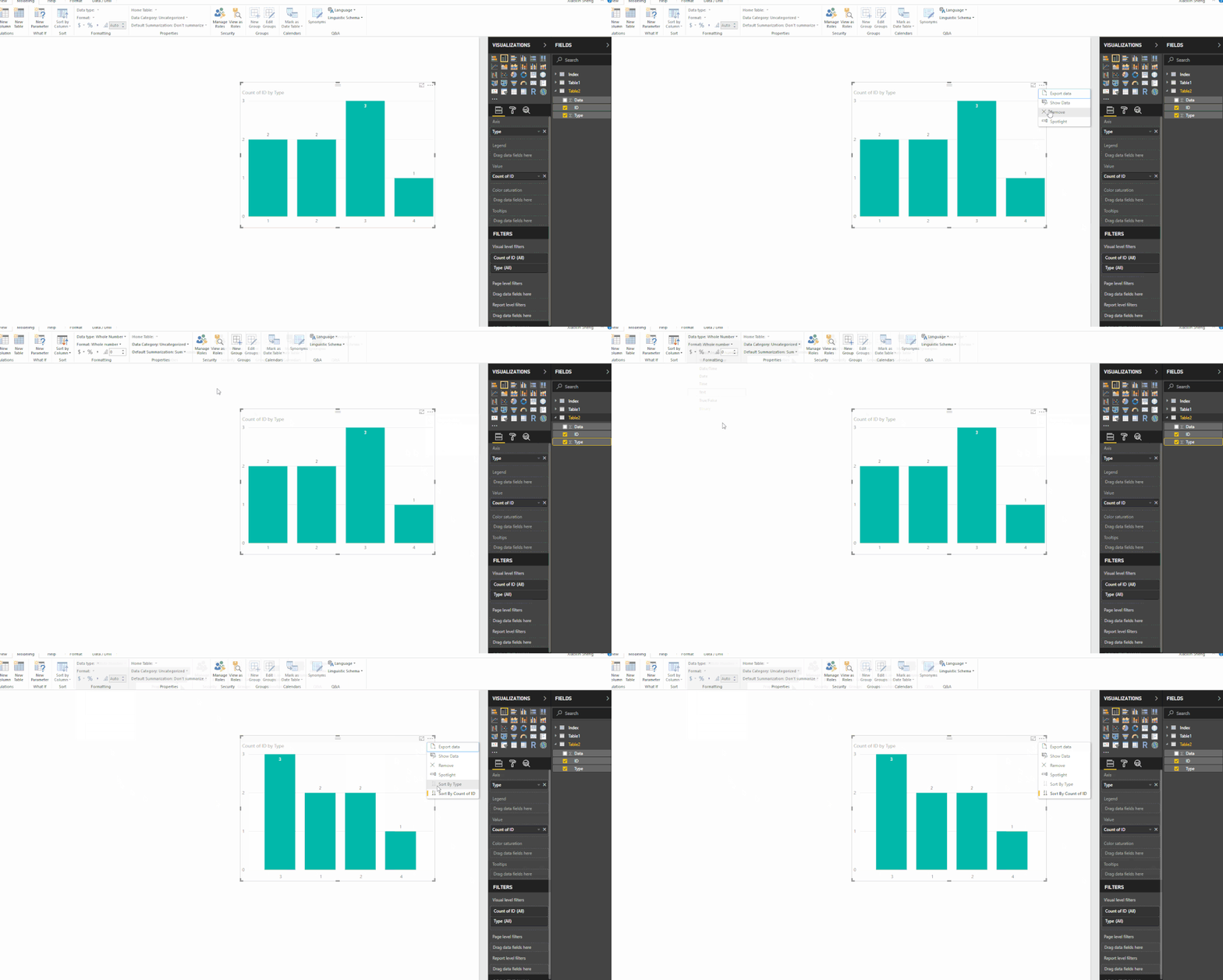
Please modify your type column to text type, it seems like default sort feature disabled when you use numeric value as axis.
For this scenario, you not need calculate column anymore.
Regards,
Xiaoxin Sheng
HI @Exanimis,
Add a calculated column to calculate distinct count based on current group, then use sort by column function to use this calculated column as sort column of column who used on value field.
Sort by column in Power BI Desktop
Regards,
Xiaoxin Sheng
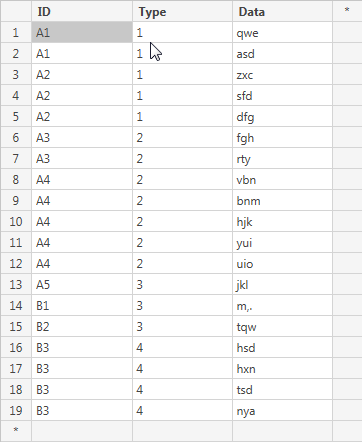
Actually there was a problem with your solution. It does not sort it at all or returns an error. Let me give you an example.
DATA:
Sort:
Calculated column:
HI @Exanimis,
Please modify your type column to text type, it seems like default sort feature disabled when you use numeric value as axis.
For this scenario, you not need calculate column anymore.
Regards,
Xiaoxin Sheng
Thank you for help, really nice and easy solution. Not sure why I did not think of that 🙂
Share feedback directly with Fabric product managers, participate in targeted research studies and influence the Fabric roadmap.
Check out the February 2026 Power BI update to learn about new features.
| User | Count |
|---|---|
| 50 | |
| 40 | |
| 37 | |
| 14 | |
| 14 |
| User | Count |
|---|---|
| 85 | |
| 69 | |
| 37 | |
| 29 | |
| 27 |