cancel
Showing results for 
Search instead for 
Did you mean: 

The Power BI Data Visualization World Championships is back! Get ahead of the game and start preparing now! Learn more

Reply
Richard76
Helper II
Helper II

Slicers

Hi Folks,

looking some help on slicers . I have a 7 page report which syncs slicers to each different page. I would like to make the slicers invisible on some pages but still have the filtered data showing down the left hand side of the page so the user does not get lost .

Is this possible ?? 


Thanks

Richard

1 ACCEPTED SOLUTION
v-piga-msft
Resident Rockstar
Resident Rockstar

Hi @Richard76,

looking some help on slicers . I have a 7 page report which syncs slicers to each different page. I would like to make the slicers invisible on some pages but still have the filtered data showing down the left hand side of the page so the user does not get lost .

Is this possible ?? 


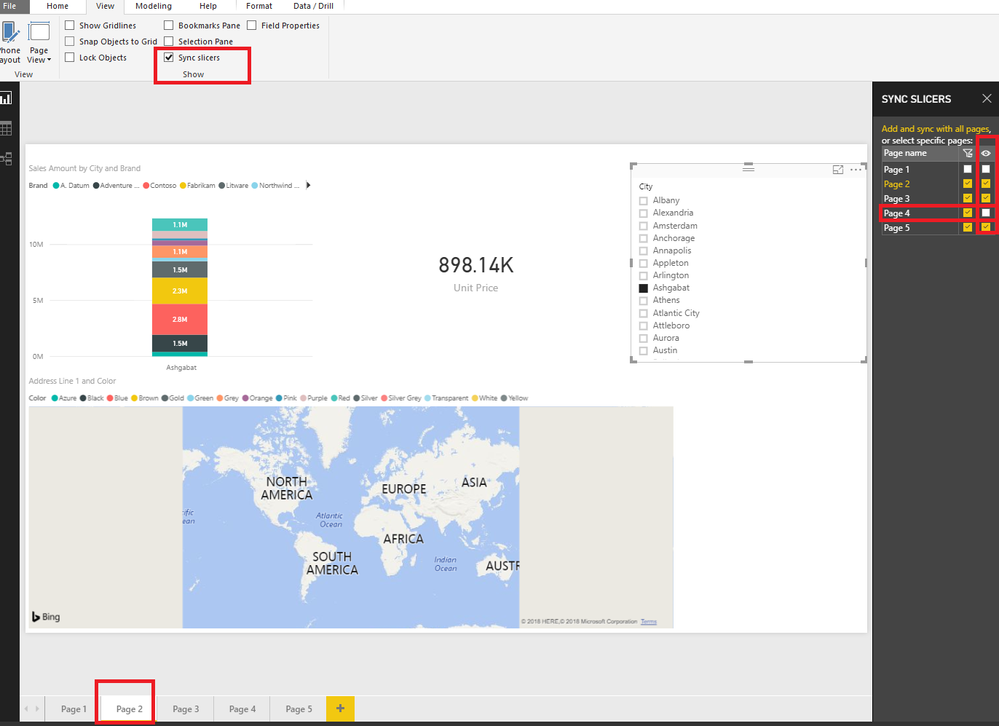
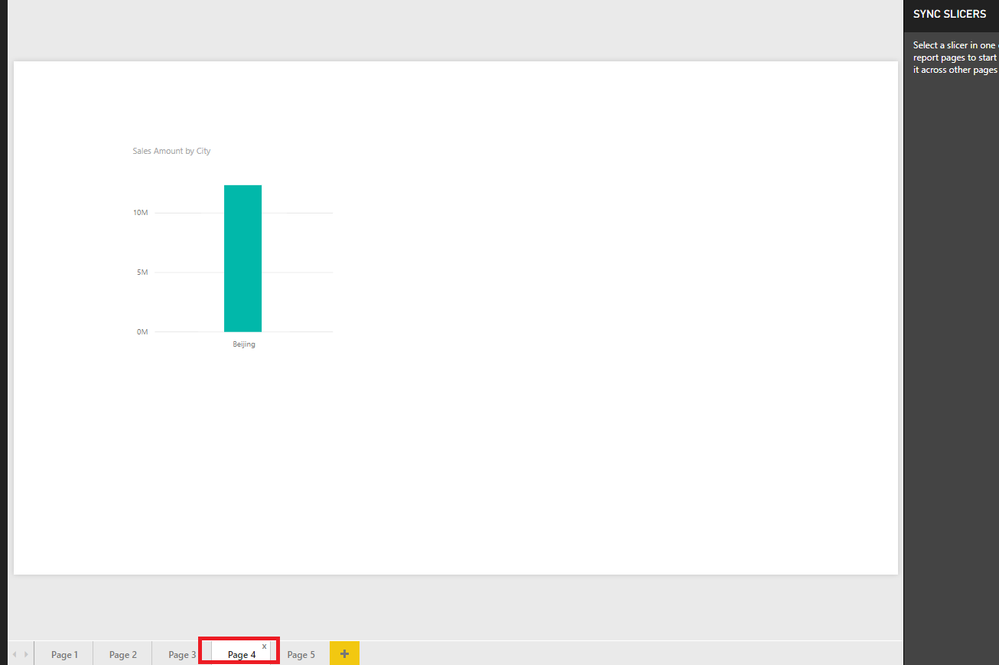
Yes, you could set the Slicer invisible in the Sync Slicer Pane.


Click the Slicer you created first time and you will see the Sync Slicer Pane, then you could set the Slicers in which Pages could be visible.


Capture.PNG


Untitled.png


Hope it can help you!


Best Regards,

Cherry

Community Support Team _ Cherry Gao
If this post helps, then please consider Accept it as the solution to help the other members find it more quickly.

View solution in original post

2 REPLIES 2
v-piga-msft
Resident Rockstar
Resident Rockstar

Hi @Richard76,

looking some help on slicers . I have a 7 page report which syncs slicers to each different page. I would like to make the slicers invisible on some pages but still have the filtered data showing down the left hand side of the page so the user does not get lost .

Is this possible ?? 


Yes, you could set the Slicer invisible in the Sync Slicer Pane.


Click the Slicer you created first time and you will see the Sync Slicer Pane, then you could set the Slicers in which Pages could be visible.


Capture.PNG


Untitled.png


Hope it can help you!


Best Regards,

Cherry

Community Support Team _ Cherry Gao
If this post helps, then please consider Accept it as the solution to help the other members find it more quickly.
Anonymous
Not applicable

@Richard76,

You can use the Bookmark feature to hide certain components on your report page. This link should help https://docs.microsoft.com/en-us/power-bi/desktop-bookmarks

Helpful resources

Announcements
Power BI DataViz World Championships

Power BI Dataviz World Championships

The Power BI Data Visualization World Championships is back! Get ahead of the game and start preparing now!

December 2025 Power BI Update Carousel

Power BI Monthly Update - December 2025

Check out the December 2025 Power BI Holiday Recap!

FabCon Atlanta 2026 carousel

FabCon Atlanta 2026

Join us at FabCon Atlanta, March 16-20, for the ultimate Fabric, Power BI, AI and SQL community-led event. Save $200 with code FABCOMM.