Don't miss your chance to take the Fabric Data Engineer (DP-700) exam on us!
Learn moreNext up in the FabCon + SQLCon recap series: The roadmap for Microsoft SQL and Maximizing Developer experiences in Fabric. All sessions are available on-demand after the live show. Register now
Dear all,
I have a series of reports that display information from different fact tables. These fact tables are all related to a date table. The fact tables have different date ranges from one another.
I wish to use a date slicer (using information from the date table) in the different reports against the different fact tables.
Is there a way to filter the slicer (automagically and not by setting a filter manually with fixed values) so that it will only show the dates that are valid for a given report. At the moment it shows all values in the date table even if these do not appear in the fact tables. This means user can select date values for which no data exists.
I know I can manually filter the date slicer in each report, however this won't be a very good solution as the dataset grows.
Thank you,
Ben
Solved! Go to Solution.
Hi robertsbd,
>> Is there a way to filter the slicer (automagically and not by setting a filter manually with fixed values)
It’s not supported to set default values for the slicer, you can use below methods to achieve your requirement.
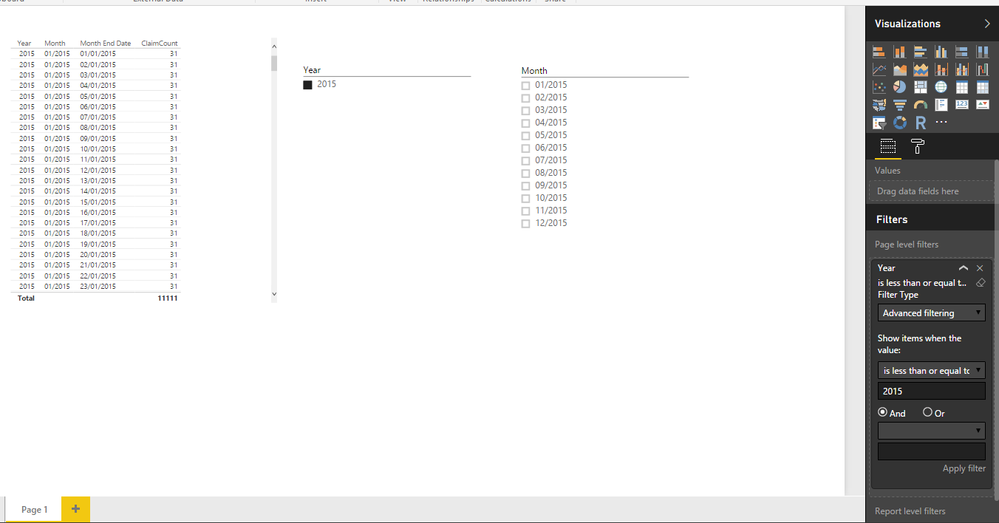
1. Page level filter.
2. Query parameter.
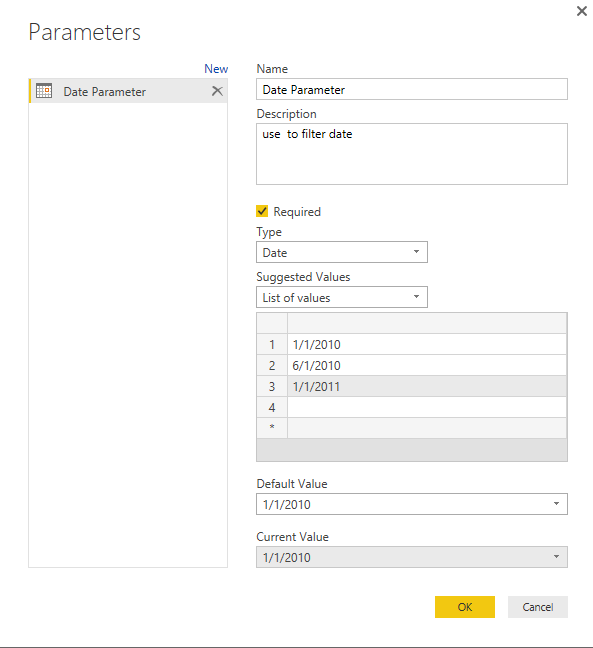
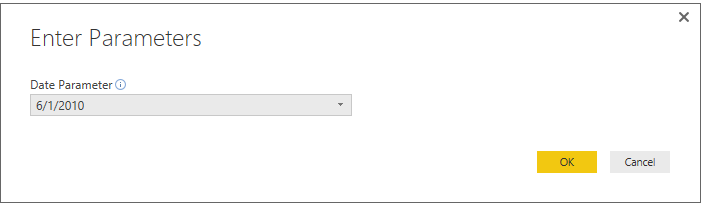
Open the query edit, click on ‘Manage Parameters’ to add a new parameter.
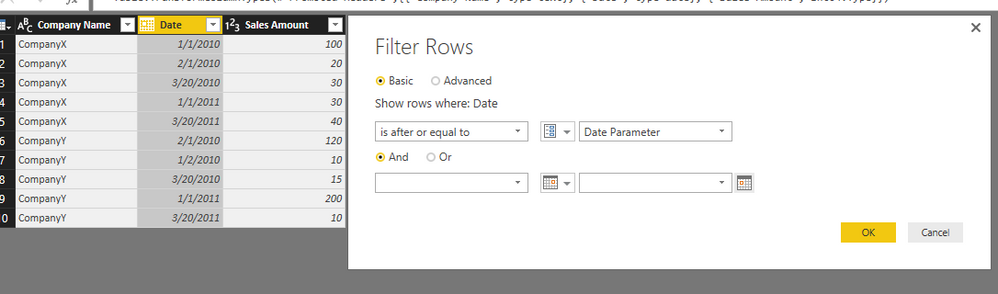
Add a column filter.
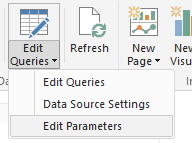
Click ‘Close & Apply’ to save the change, use ‘Edit Parameters’ to modify the parameter which use on the filter.
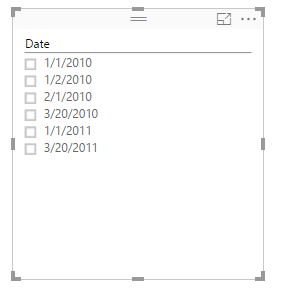
Slicer value:
3. Dax formula.(AnkitPatira’s point)
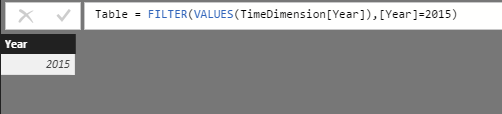
Writer a dax formula to filter the year.
Create a slicer with the new year column.
Regards,
Xiaoxin Sheng
Thanks all,
I can see those different approaches are all good solutions.
In the end what i did was create a conditional column on the date table (in power query). I then created a true/false column defining hether to include a given date value in the filter, based on the min and max date values in the fact tables. I then use these columns to filter the different pages on the date table.
Hi robertsbd,
>> Is there a way to filter the slicer (automagically and not by setting a filter manually with fixed values)
It’s not supported to set default values for the slicer, you can use below methods to achieve your requirement.
1. Page level filter.
2. Query parameter.
Open the query edit, click on ‘Manage Parameters’ to add a new parameter.
Add a column filter.
Click ‘Close & Apply’ to save the change, use ‘Edit Parameters’ to modify the parameter which use on the filter.
Slicer value:
3. Dax formula.(AnkitPatira’s point)
Writer a dax formula to filter the year.
Create a slicer with the new year column.
Regards,
Xiaoxin Sheng
@Anonymous In that case just use date column from the fact table which will onl show available dates.
If you have recently started exploring Fabric, we'd love to hear how it's going. Your feedback can help with product improvements.
A new Power BI DataViz World Championship is coming this June! Don't miss out on submitting your entry.
Share feedback directly with Fabric product managers, participate in targeted research studies and influence the Fabric roadmap.
| User | Count |
|---|---|
| 56 | |
| 47 | |
| 44 | |
| 20 | |
| 20 |
| User | Count |
|---|---|
| 73 | |
| 72 | |
| 34 | |
| 33 | |
| 31 |