Join us at FabCon Atlanta from March 16 - 20, 2026, for the ultimate Fabric, Power BI, AI and SQL community-led event. Save $200 with code FABCOMM.
Register now!Get Fabric Certified for FREE during Fabric Data Days. Don't miss your chance! Request now
Hello Community,
Please see below and provide your suggestion.
I have created disconnected slicer and when end user select “Company” it should only display “True” result and when end user select “District” is should display all the “True” result and “False” result.
I have used SELECTEDVALUE(SLICER SELECTION) with SWITCH but I am not sure what to write inside SWITCH statement.
Thanks
RAW DATA | |
Amount | Result |
11 | TRUE |
22 | FALSE |
33 | TRUE |
44 | TRUE |
55 | FALSE |
Slicer Selection |
Company |
District |
Solved! Go to Solution.
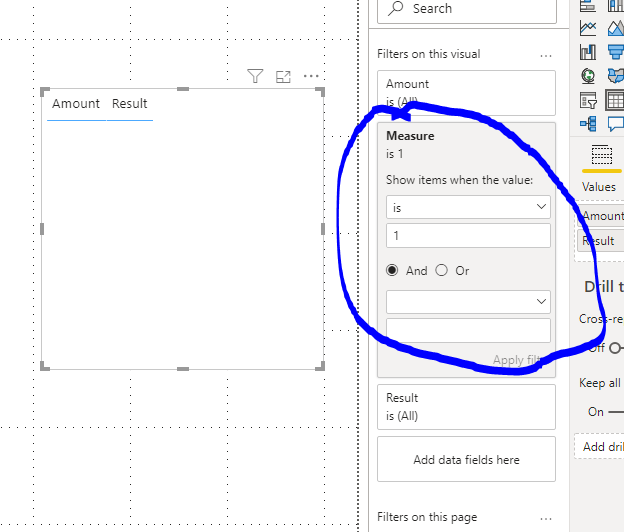
You can create a measure and add it to visual level filter:
Measure = SWITCH(SELECTEDVALUE(Table2[slicer]),"Company",IF(MAX('Table'[Result])="True",1,0),"District",1,0)
If this post helps, then please consider Accept it as the solution to help the other members find it more quickly.
Best Regards,
Dedmon Dai
You can create a measure and add it to visual level filter:
Measure = SWITCH(SELECTEDVALUE(Table2[slicer]),"Company",IF(MAX('Table'[Result])="True",1,0),"District",1,0)
If this post helps, then please consider Accept it as the solution to help the other members find it more quickly.
Best Regards,
Dedmon Dai
Check out the November 2025 Power BI update to learn about new features.
Advance your Data & AI career with 50 days of live learning, contests, hands-on challenges, study groups & certifications and more!