Join us at FabCon Atlanta from March 16 - 20, 2026, for the ultimate Fabric, Power BI, AI and SQL community-led event. Save $200 with code FABCOMM.
Register now!The Power BI Data Visualization World Championships is back! Get ahead of the game and start preparing now! Learn more
Hi!
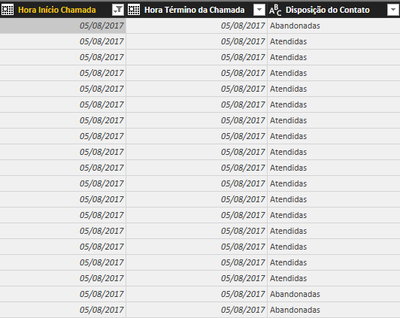
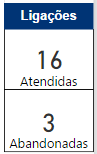
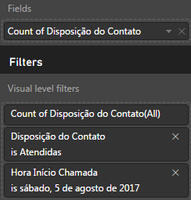
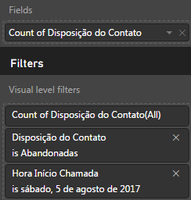
I've created 2 cards with different values from the same column according by the date. Follow images for a better undestanding:
Assuming that are 19 entries for 05/08/2017, 16 entries as "Atendidas" and 3 entries "Abandonadas", how can I change the card value to percentual of the total (84% Atendidas / 16% Abandonadas) ?
Tks!
Solved! Go to Solution.
There are multiple ways to do this, here is one: Create a new measure
Thanks @Anonymous! Using the VAR function solve the problem! But when I change the day that there're no entry of "abandonadas", the card shows (Blank).
How can I upgrade this code to add "ISBLANK" function?
% of Atendidas = VAR Total_of_Atendidas = CALCULATE (COUNTA ('Relatório Detalhado de Chamadas'[Disposição do Contato]);'Relatório Detalhado de Chamadas'[Disposição do Contato] = "Atendidas")
RETURN
DIVIDE (Total_of_Atendidas; COUNTA ('Relatório Detalhado de Chamadas'[Disposição do Contato]))
You should be able to click the drop down on your field and expand "Show value as" and then "Percent of grand total".
If not, then you would need to create a couple measures like:
Attendees = CALCULATE(COUNT([Contado]),FILTER(Table,[Contado]="Attendee")) / CALCULATE(COUNT([Contado]),ALL(Table))
| Quarter | Brand | Region | Sales (NBR CARS) | ||||
| 1 | Nissan | lyon | 14 | lyon | Paris | ||
| 1 | Nissan | Paris | 30 | 32% | 68% |
The Power BI Data Visualization World Championships is back! Get ahead of the game and start preparing now!
| User | Count |
|---|---|
| 38 | |
| 36 | |
| 33 | |
| 31 | |
| 28 |
| User | Count |
|---|---|
| 129 | |
| 88 | |
| 79 | |
| 68 | |
| 63 |