Don't miss your chance to take the Fabric Data Engineer (DP-600) exam for FREE! Find out how by attending the DP-600 session on April 23rd (pacific time), live or on-demand.
Learn moreNext up in the FabCon + SQLCon recap series: The roadmap for Microsoft SQL and Maximizing Developer experiences in Fabric. All sessions are available on-demand after the live show. Register now
Hello all,
We have a financial Power BI report which can basically be viewed by anyone in the organisation, however, only a limited number of people can see the profitability figure.
Right now, I am creating role-level-security with two groups (one can see the restricted figure and one cannot). However, this is quite cumbersome for me because I need to add people one by one into the right group, eventhough they are supposed to still see the unrestricted figures in any circumstances.
Is there an option to restrict only a certain data in the report? So that if a person is added in the group with the right to see data, they can see it. Otherwise, they can still see the rest of the data.
Thanks,
Hi @Anonymous,
I think you can take a look at below link which told about use RLS with USERNAME fucntion to achieve dynamic RLS.
>>Is there an option to restrict only a certain data in the report?
I'd like to suggest you enable the filter on specific data table and turn off 'apply security filter in both directions' option to apply security filter effect on only one side.
Regards.
Xiaoxin Sheng
Hi @Anonymous,
First of all thank you very much for your help! Sorry I did not explain the case clear enough. Let's say I have this table:
Business: Profit
A 13
B 14
C 15
Only managers can see profit for A, other people can only see the rest (B and C and other business). I have the list of managers, but not the list of other people (basically anyone else in the organisation). I have tried dynamic rls, but can not find any solution so that I dont need to go to the Power BI service and add each of the other people in.
Is there a solution to this case? Thank you!
Hi @Anonymous,
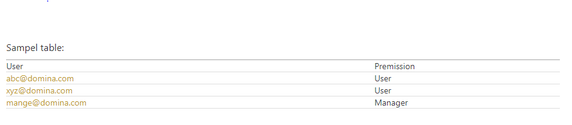
I think you need to create role table to add tag for users.(mark normal user and manage)
For rls filter condition, I'd like to suggest you to use username find out role tag. If tag not manager, filter on Business column with value not equal to "A", otherwise not enable filter.
Sampel table:
| User | Premission |
| abc@domina.com | User |
| xyz@domina.com | User |
| mange@domina.com | Manager |
Measure:
Permission = LOOKUPVALUE(Table[Role],Table[User],USERNAME())
Filter expression:
IF (
ISERROR ( SEARCH ( "Manager", [Permission] ) ) = FALSE (),
TRUE (),
[Business] <> "A"
)
Regards,
Xiaoxin Sheng
Hi @Anonymous:
So I still need to include each normal user in this role table?
I am looking for a solution so I can avoid doing so, as there are endless number of normal users. I would like to manage only the list of managers, and anyone who is not in that list, will automatically have normal user right. Is there a way to do so?
Thanks,
Van
HI @Anonymous,
>>So I still need to include each normal user in this role table?
Nope, my formula only check manager tag, if formula can't find specific user's tag, it will also return error and will be catched by ISERROR function.
Regards,
Xiaoxin Sheng
Hi @Anonymous,
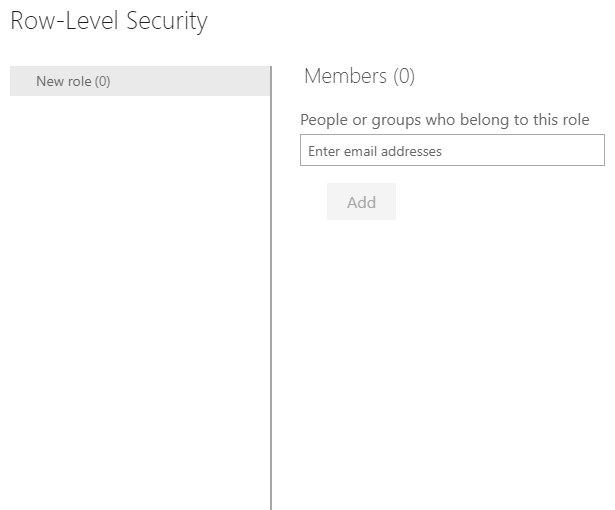
Sorry for the late following up from this topic. I test the solution that you suggested. However, I still need to add each users on the row-level security in the app version. Otherwise, they will see this error message. Are there any other solutions to avoid doing so, as there are countless number of people that I would need to add here? Thank you!
If you have recently started exploring Fabric, we'd love to hear how it's going. Your feedback can help with product improvements.
A new Power BI DataViz World Championship is coming this June! Don't miss out on submitting your entry.
Share feedback directly with Fabric product managers, participate in targeted research studies and influence the Fabric roadmap.
| User | Count |
|---|---|
| 48 | |
| 45 | |
| 41 | |
| 20 | |
| 17 |
| User | Count |
|---|---|
| 69 | |
| 63 | |
| 32 | |
| 31 | |
| 23 |