cancel
Showing results for 
Search instead for 
Did you mean: 

The Power BI Data Visualization World Championships is back! Get ahead of the game and start preparing now! Learn more

Reply
samue_an
Helper I
Helper I

Searching and highlighting a point on a Map - Without removing other points

Hi All, need some help please, I've mapped out many points using lat + long, but I want to search for a specific point and let the map center to this point.


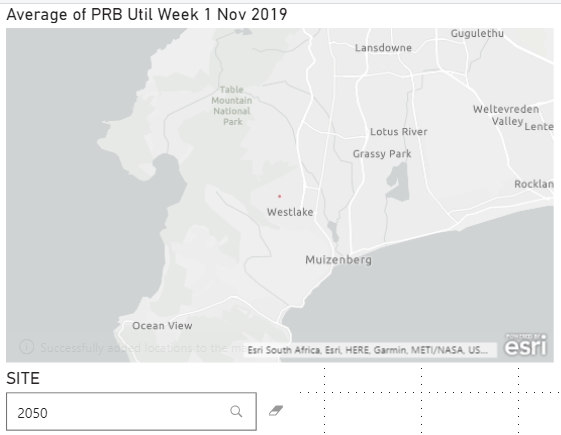
It works with the search added visual, but the problem is that all other points are removednothing searched displays ALL - greatnothing searched displays ALL - greatonly searched point remains, all others not displayed - not what i wantonly searched point remains, all others not displayed - not what i want and only the found point remains visible.


I still want to display all the other points but I just want the found point to be centered?


Is this possible and thanks in advance?

1 ACCEPTED SOLUTION
v-alq-msft
Community Support
Community Support

Hi, @samue_an 


Based on your description, it is unavailable to achieve your requirement directly. As a workaround, you may execute the following steps.


Here is my sample.

a1.png


You may create a calculated table and a measure as follows.


Calculated table: CitySlicer = DISTINCT('Orders'[ShipCity])

Measure: 
Color = 
IF(
    SELECTEDVALUE('Orders'[ShipCity]) = SELECTEDVALUE(CitySlicer[ShipCity]),
    "#FF0000",
    "#D3D3D3"
)


Result:

a2.png


Best Regards

Allan


If this post helps, then please consider Accept it as the solution to help the other members find it more quickly.

View solution in original post

3 REPLIES 3
samue_an
Helper I
Helper I

I'm profusely sorry about this, been inundated with other work, not even had the time to test the solution but looks like a good workaround, thanks a stack for your help.

v-alq-msft
Community Support
Community Support

Hi, @samue_an 


If you take the answer of someone, please mark it as the solution to help the other members who have same problems find it more quickly. If not, let me know and I'll try to help you further. Thanks.


Best Regards

Allan

v-alq-msft
Community Support
Community Support

Hi, @samue_an 


Based on your description, it is unavailable to achieve your requirement directly. As a workaround, you may execute the following steps.


Here is my sample.

a1.png


You may create a calculated table and a measure as follows.


Calculated table: CitySlicer = DISTINCT('Orders'[ShipCity])

Measure: 
Color = 
IF(
    SELECTEDVALUE('Orders'[ShipCity]) = SELECTEDVALUE(CitySlicer[ShipCity]),
    "#FF0000",
    "#D3D3D3"
)


Result:

a2.png


Best Regards

Allan


If this post helps, then please consider Accept it as the solution to help the other members find it more quickly.

Helpful resources

Announcements
Power BI DataViz World Championships

Power BI Dataviz World Championships

The Power BI Data Visualization World Championships is back! Get ahead of the game and start preparing now!

November Power BI Update Carousel

Power BI Monthly Update - November 2025

Check out the November 2025 Power BI update to learn about new features.

FabCon Atlanta 2026 carousel

FabCon Atlanta 2026

Join us at FabCon Atlanta, March 16-20, for the ultimate Fabric, Power BI, AI and SQL community-led event. Save $200 with code FABCOMM.