cancel
Showing results for 
Search instead for 
Did you mean: 

The Power BI Data Visualization World Championships is back! Get ahead of the game and start preparing now! Learn more

Reply
KevinW_SDP
Helper I
Helper I

SSAS Current User Blank

I created a Tabular cube in SSAS 2017. I have Row Level Security in the cube and it works great. I still need to be able to see who the logged in user is though to do some claculations. I have tried the following measures:


Current User:=USERNAME()


Current User:=USERPRINCIPALNAME()


If I browse the cube using Management Studio,  I see values. However, if I browse the cube using Power BI Desktop, the measure is blank. I published the report to a Power BI Reporting server to see if that would help and the measure is still blank.


Any thoughts? 

6 REPLIES 6
amitchandak
Super User
Super User

Your user are coming from same verication system like active directory etc ?

Share with Power BI Enthusiasts: Full Power BI Video (20 Hours) YouTube
Microsoft Fabric Series 60+ Videos YouTube
Microsoft Fabric Hindi End to End YouTube

Yes, it is using active directory and all users are in the same domain. The systems I am loggin onto are computers on the domain so they should be picking up the Windows user. This works when using SSMS, just not Power BI.

@KevinW_SDP ,


Have your sever AD been added as an admin of the cube instance? You can refer to the doc below:

https://powerbi.microsoft.com/en-us/blog/how-authentication-with-analysis-services-live-connections-...


Community Support Team _ Jimmy Tao

If this post helps, then please consider Accept it as the solution to help the other members find it more quickly.

Yes, it connects and the Dynamic Row Level Security works. I am able to log into a machine as different users and verify that I can see the data related only to that user. 


I have a service account set up that everything runs through. The service account is a domain account that is dedicated to this task and has the appropriate permissions as far as I can tell since the Row Level Security is working fine.


The part that isn't working is me being able to use the following calculation as it just returns blank.

Current User:=USERNAME()


It seems to work in the row level security filter DAX, but doesn't display anything when using it in a calculation.

@KevinW_SDP ,


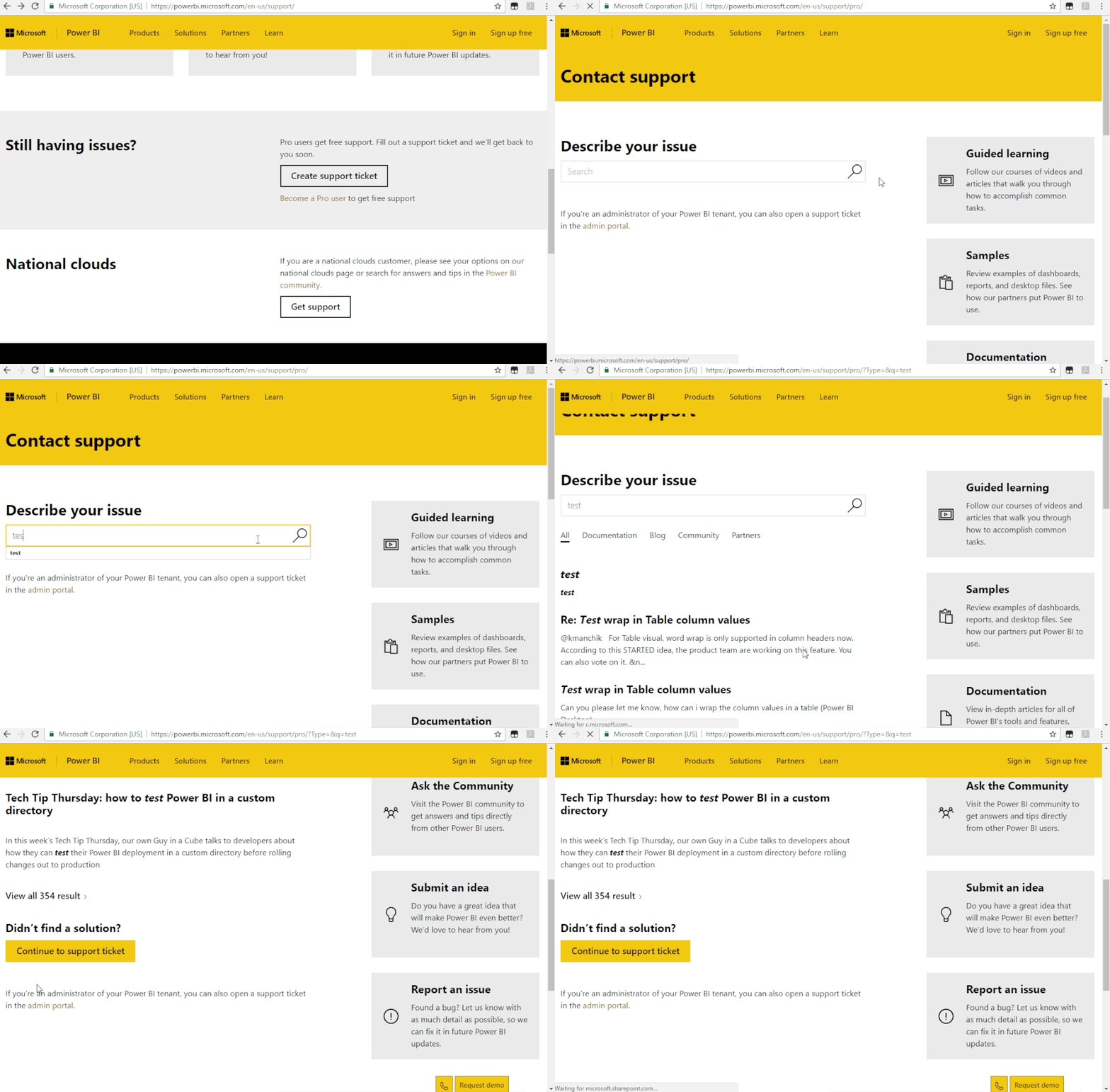
Both username() and userprincipalname() works well on my side. Will return the domain name in a calculate column on my side so I'm afraid I could not reproduce this issue. I would suggest you create a support ticket here for further analysis.

Support Ticket.gif 

Regards,

Jimmy Tao

Thank you. I just put in a ticket and will update with an answer if Microsoft is able to help me figure out the issue.

Helpful resources

Announcements
Power BI DataViz World Championships

Power BI Dataviz World Championships

The Power BI Data Visualization World Championships is back! Get ahead of the game and start preparing now!

December 2025 Power BI Update Carousel

Power BI Monthly Update - December 2025

Check out the December 2025 Power BI Holiday Recap!

FabCon Atlanta 2026 carousel

FabCon Atlanta 2026

Join us at FabCon Atlanta, March 16-20, for the ultimate Fabric, Power BI, AI and SQL community-led event. Save $200 with code FABCOMM.