Learn from the best! Meet the four finalists headed to the FINALS of the Power BI Dataviz World Championships! Register now
Hi,
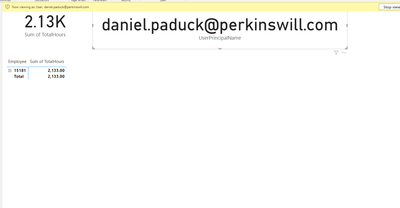
I am doing a simple test of RLS. Essentially, my test is that when a user logs into view the report they just see their hours. Thus, in the desktop I view as myself and I have:
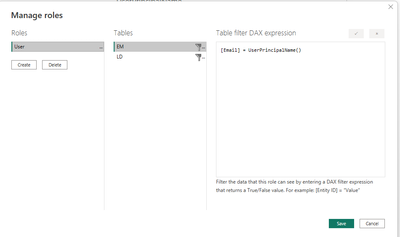
My roles are the following:
It is the same for EM and LD. Thus, Email = UserPrincipalName().
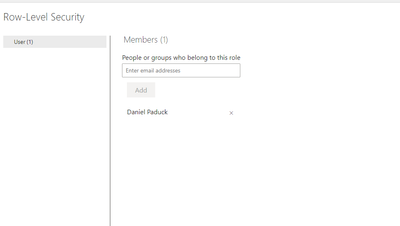
In the Tenant, I added myself to the user role:
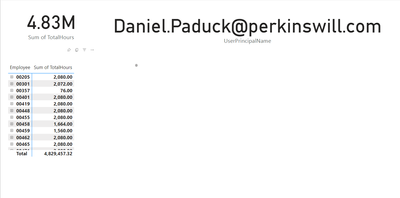
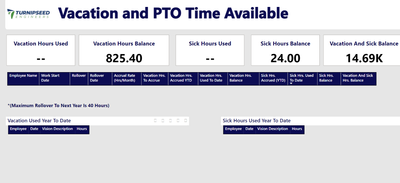
But when I view the report, I have all the data:
Not sure how to fix this since it does work for other users.
Thank!
Solved! Go to Solution.
@danielpaduck RLS does not work for anyone with a workspace role such as Owner, Member or Contributor. It only works if you are a Viewer role.
Does RLS not work if you are the admin for entire tenant?
@danielpaduck RLS does not work for anyone with a workspace role such as Owner, Member or Contributor. It only works if you are a Viewer role.
Hi, I made myself a Viewer in the workspace and still seeing the same results. Thus, the Card visuals show total amounts:
But for other employees/users, the RLS is working as expected.
That is what I though, too. But I put a member into a Viewer role and he still had the same results. But I will have him test again. Thanks
A new Power BI DataViz World Championship is coming this June! Don't miss out on submitting your entry.
Share feedback directly with Fabric product managers, participate in targeted research studies and influence the Fabric roadmap.
| User | Count |
|---|---|
| 50 | |
| 33 | |
| 32 | |
| 18 | |
| 17 |
| User | Count |
|---|---|
| 64 | |
| 64 | |
| 41 | |
| 27 | |
| 24 |