cancel
Showing results for 
Search instead for 
Did you mean: 

July 7 - July 17 | Round 2 of the Power BI Dataviz World Championships. Don't miss your chance! Learn more

Reply
pbi138
Frequent Visitor

Retain drill-down level when toggle between two maps

So I have two maps and use the bookmark/toggle button image link method to switch between the two.


The problem is that when I drill-down in one and then switch to another one (which uses exactly the same hierarchy), the drill down action needs to be repeated by the user, which is confusing for them as it is the same map as far as they are concerned. Just wondering whether there is a workaround for this?


As a side question- is it possible to bookmark drill-down mode so that the users don't have to switch it on every time? I don't think it is, just asking, maybe somebody has some ideas...


Many thanks in advance for your help!

2 REPLIES 2
v-yulgu-msft
Microsoft Employee
Microsoft Employee

Hi @pbi138,


For the first question, to keep the drill down level when switching between two bookmarks, based on my test, this is not available now. As you said, users have to click the drill down button again. You could submit this idea here


For the second question that to bookmark drill-down mode, it is achievable. 


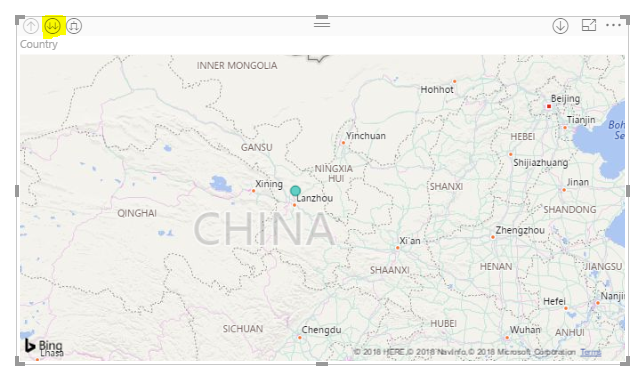
Below is the original view of map visual. Before adding the new bookmark, click the drill down button.

1.PNG


After drill down, the map visual display data on next level. Now, you can add the new bookmark, current drill-down mode will be saved.

3.PNG


Best regards,

Yuliana Gu

Community Support Team _ Yuliana Gu
If this post helps, then please consider Accept it as the solution to help the other members find it more quickly.

Thanks for your reply Yuliana. Unfortunatelly this is not working. As soon as you deploy to Power BI service or close and re-open the report from Power BI desktop, Drill down mode is reset to off again. If you deploy to the service, edit the report in the service, add a bookmark with drill down mode on, save, close and reopen the report, it's gone as well.


Cheers,


Tom

Helpful resources

Announcements
FabCon and SQLCon Barcelona 2026

FabCon & SQLCon – Barcelona 2026

Join us in Barcelona for FabCon and SQLCon, the Fabric, Power BI, SQL, and AI community event. Save €200 with code FABCMTY200.

60 days of Data Days Carousel

Data Days 2026

Join Data Days 2026: 60 days of free live/on-demand sessions, challenges, study groups, and certification opportunities.

Power BI DataViz World Championships carousel

Power BI DataViz World Championships - June 2026

A new Power BI DataViz World Championship is coming this June! Don't miss out on submitting your entry.

Top Solution Authors