Join us at FabCon Atlanta from March 16 - 20, 2026, for the ultimate Fabric, Power BI, AI and SQL community-led event. Save $200 with code FABCOMM.
Register now!The Power BI Data Visualization World Championships is back! Get ahead of the game and start preparing now! Learn more
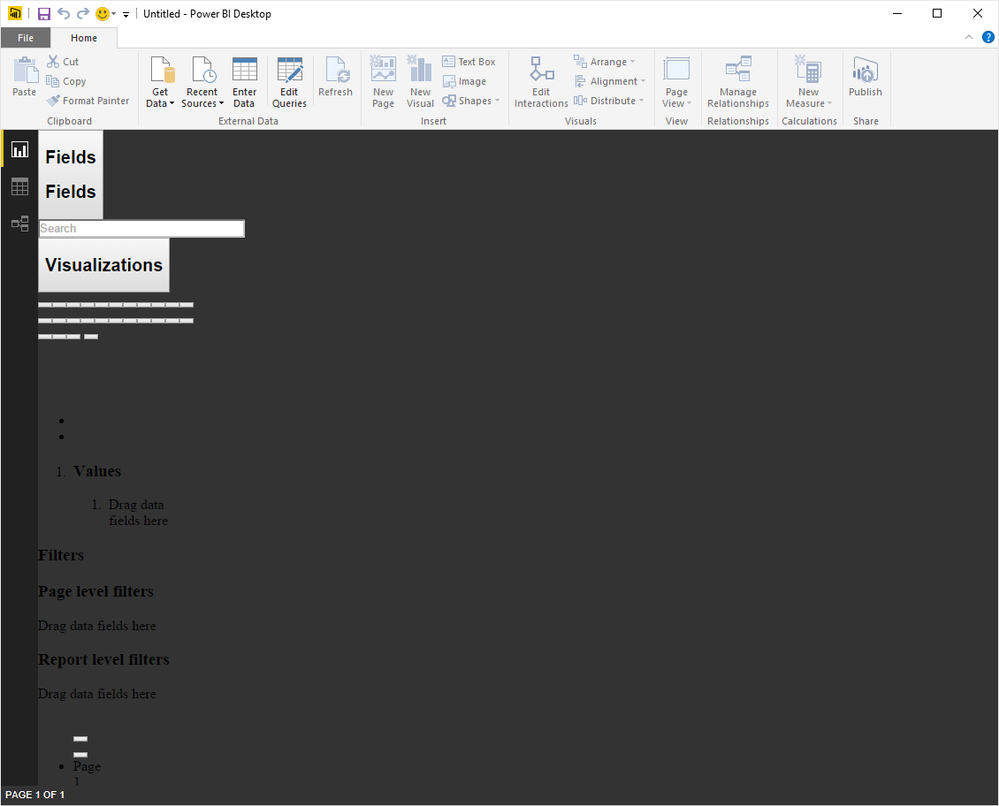
I've just installed PowerBI desktop, and the display seems broken. This is on Windows 10 Enterprise x64 immediately after loading. I've tried both the x86 and x64 versions of PowerBI, but exactly the same problem. (Needless to say, yes I've rebooted...)
Anyone else seeing this..? Are there some pre-requisites for PowerBI desktop that are required?
Yeah I did that, but not optimistic 😕
What version of Internet Explorer is on your computer? The rendering engine is HTML5 and PBI depends on IE to provide that.
IE 11.0.10240.16644 on Windows 10 Enterprise x64.
I was wondering about PowerBIs reliance on IE as the GUI does look like what would happen if a modern website was loaded into an ancient browser. I've reset IE settings to defaults, but no joy.
Can you check for updates to IE? Either way, you're meeting system requirements, so definitely submit as a bug if you haven't yet.
All updates installed from Windows Update.
Where is the correct place to submit bugs for PowerBI Desktop? (I've done the smiley face thing).
In PBI Desktop the 'Send a Frown' File menu option is the official bug report mechanism. If you've already sent an email through that dialogue, then that's fine.
The Power BI Data Visualization World Championships is back! Get ahead of the game and start preparing now!
| User | Count |
|---|---|
| 46 | |
| 42 | |
| 34 | |
| 31 | |
| 21 |
| User | Count |
|---|---|
| 135 | |
| 126 | |
| 98 | |
| 80 | |
| 65 |