Hi,
I'm new to Power Query and i have a problem which i cannot solve, so i need a bit help 
I need to retreive all records from an API which allow max 200 results per query.
This is the query which allow me to retreive the first 200 records.
= Json.Document(Web.Contents("https://eu.app.clio.com/api/v2/activities?limit=200&offset=0", [Headers=[Authorization="TOKEN"]]))
The result of this query is like this:

But as you can see the next_offset is not 201 as it didn't start from 0.
Then second part of the problem the real data needed is in the activities [List] and it's a list of Records
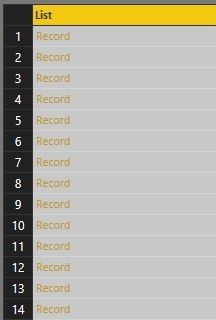
Which contains the data needed.
As you can see the Column1.id correspond to the next_offset value in my first pictures
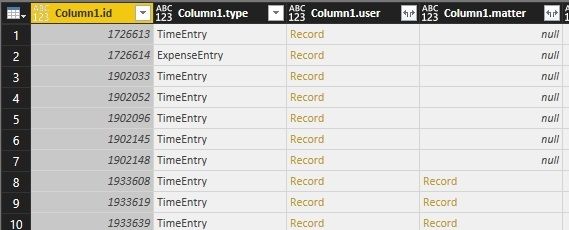
What i wanted to do is a recursive Query but i was not able to write something working.
Here is my last working step using a parameter to execute the query:
let
    Source = (next_offset as text) => let
    Source = Json.Document(Web.Contents("https://eu.app.clio.com/api/v2/activities?limit=200&offset=" & next_offset, [Headers=[Authorization="TOKEN"]])),
        #"Converted to Table" = Record.ToTable(Source),
        #"Transposed Table" = Table.Transpose(#"Converted to Table"),
        #"Promoted Headers" = Table.PromoteHeaders(#"Transposed Table", [PromoteAllScalars=true]),
        #"Changed Type" = Table.TransformColumnTypes(#"Promoted Headers",{{"activities", type any}, {"records", Int64.Type}, {"limit", Int64.Type}, {"next_offset", Int64.Type}, {"order_dir", type text}, {"total_records", Int64.Type}, {"published_at", type datetime}})
    in
        #"Changed Type"
in
    Source
I understand that for a first project using an API query it's not an easy project.
I'm sorry i cannot provide access to the API as it need credential and so access to confidential data.
But a free trial account can be created on https://www.clio.com/eu/
If anyone has an idea on how to solve it, i would be grateful to him / her.


