Join us at FabCon Atlanta from March 16 - 20, 2026, for the ultimate Fabric, Power BI, AI and SQL community-led event. Save $200 with code FABCOMM.
Register now!The Power BI Data Visualization World Championships is back! Get ahead of the game and start preparing now! Learn more
Dear Power BI Fellows
I have a table which I need to filter using two date parameters (max date and min date).
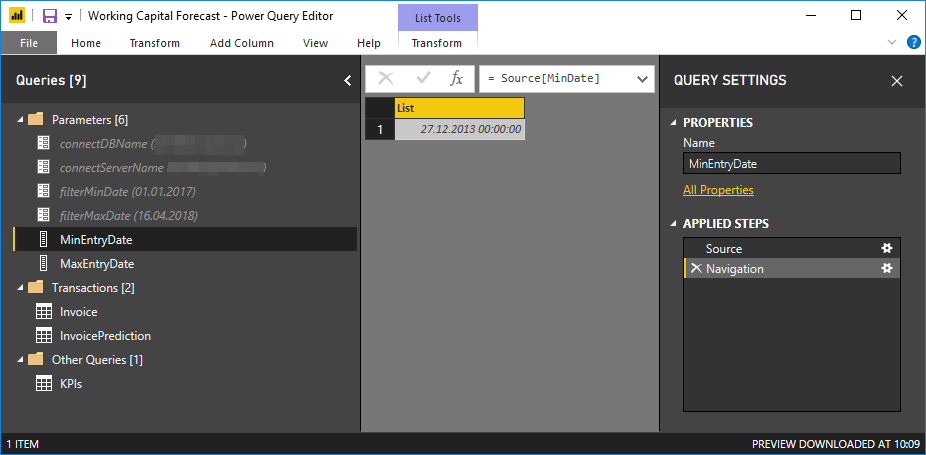
1. Create a list query
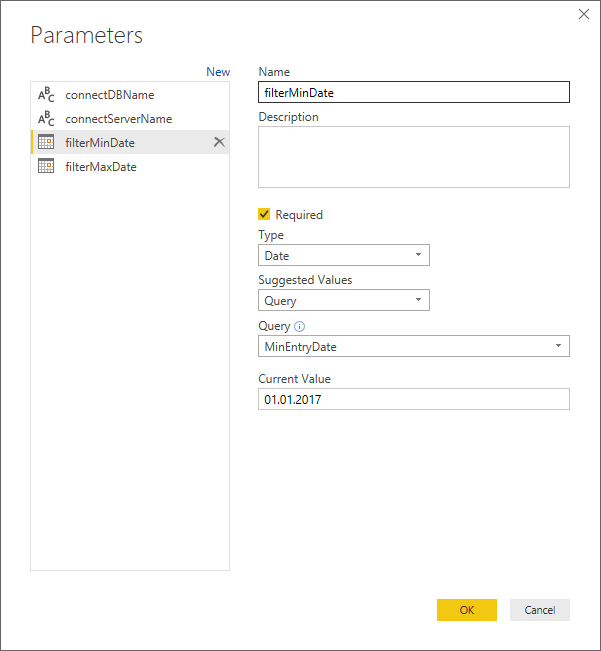
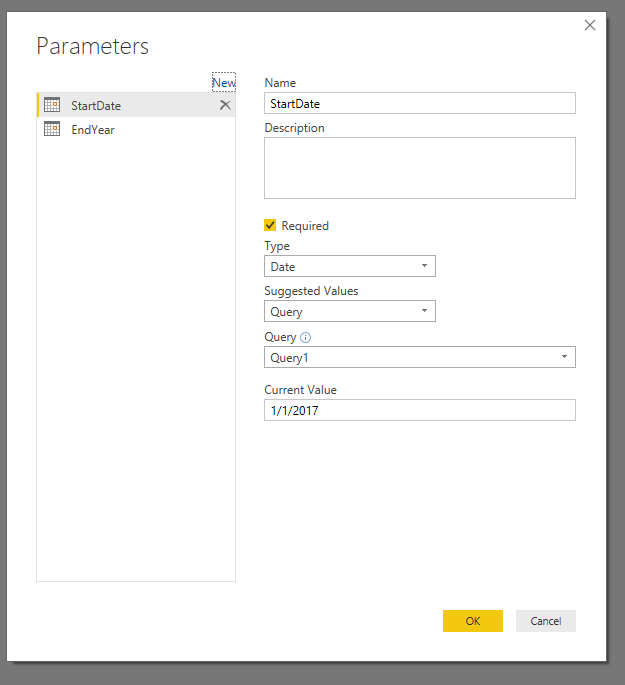
2. Create a date parameter with List Query as Source. I also set Current Value manually.
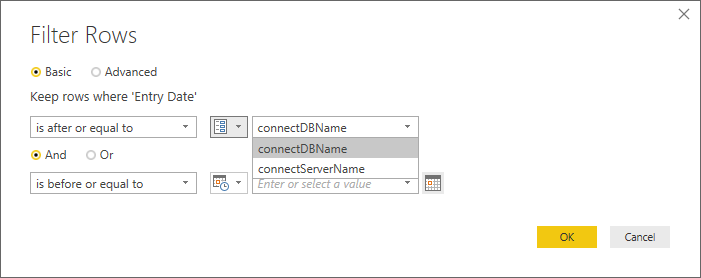
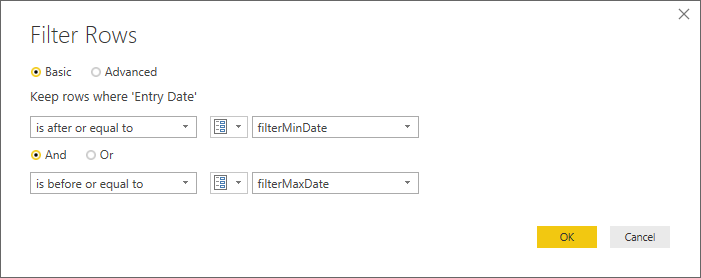
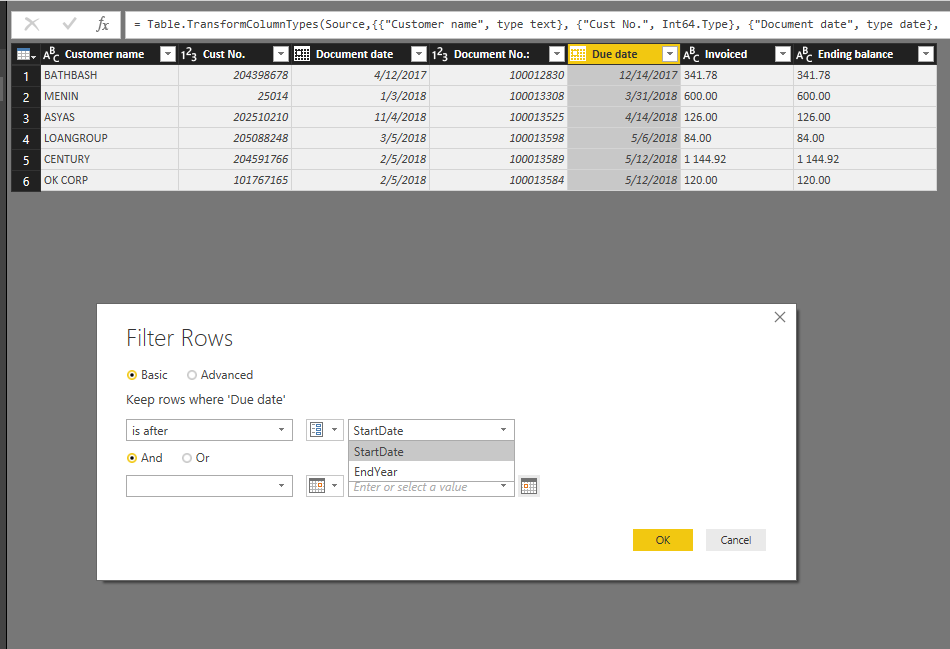
3. Now, I would like to use this parameter filterMinDate to filter the date column [Entry Date] of another loaded table. But my created parameter does not show up in the filter!
What am I doing wrong?
Thank you,
Igor.
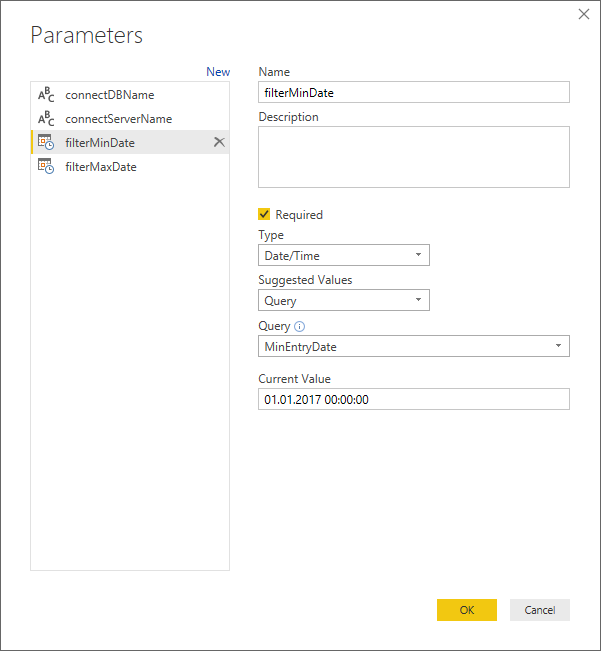
Okay, so I managed to get the parameter to appear in the date filter by changing its type to Date/Time.
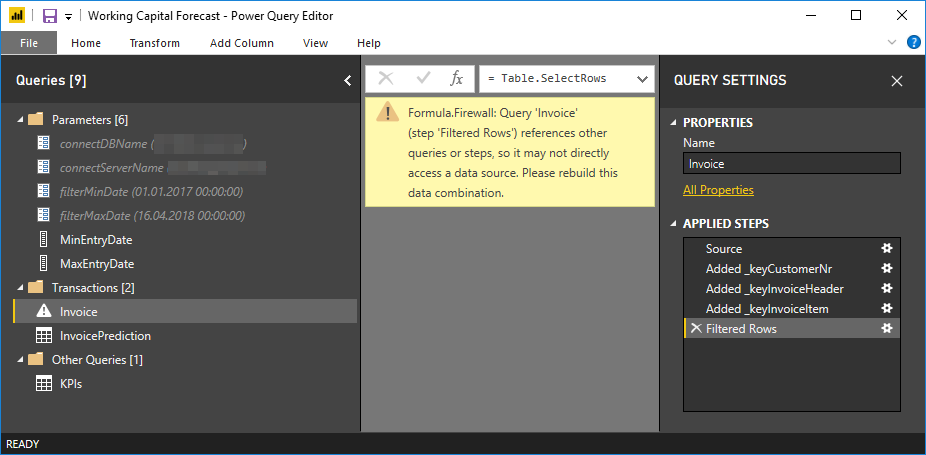
However, now I get this error:
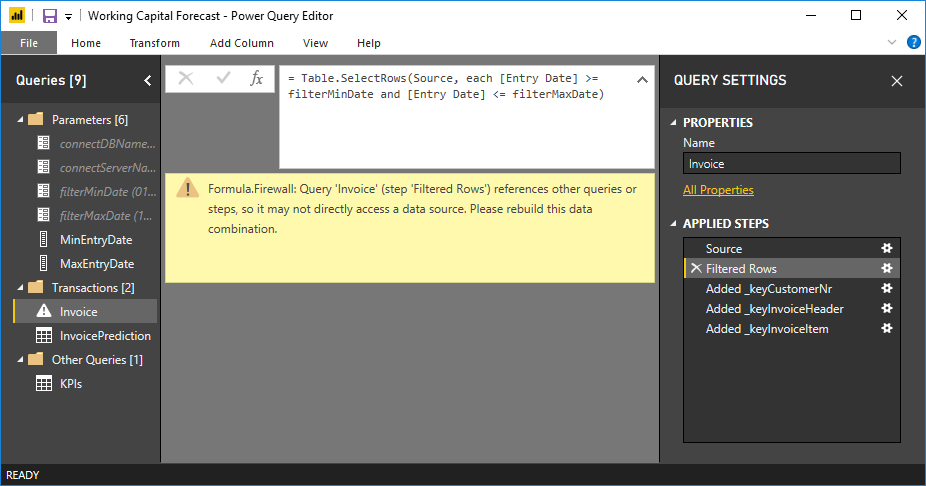
Formula.Firewall: Query 'Invoice' (step 'Filtered Rows') references other queries or steps, so it may not directly access a data source. Please rebuild this data combination.
I found a blog post that explains how to fix this in Excel Power Query: https://www.excelguru.ca/blog/2015/03/11/power-query-errors-please-rebuild-this-data-combination/, but I am unable to reproduce it in PBI.
Please help.
Hi @izhilin,
I guess you have added those 3 columns above your filtered row step from different tables in your report.
So if possible, move the filtered rows steps to before the column additions. i.e. Next to the source step.
Hopefully, that should solve the issue
Regards,
Thejeswar
Thanks for the reply.
Actually the 3 added columns are calculated from the same table.
Anyway, I moved the Filter step right after the Source step. However, I still get this Formula.Firewall error!
I understand that both parameters filterMinDate and filterMaxDate come from SQL Queries. But I still cannot figure out the "it may not directly access a data source".
Why then is there an option to use Query as source for parameter at all?
Hello @izhilin,
I tried the things that you specified and it works fine for me.
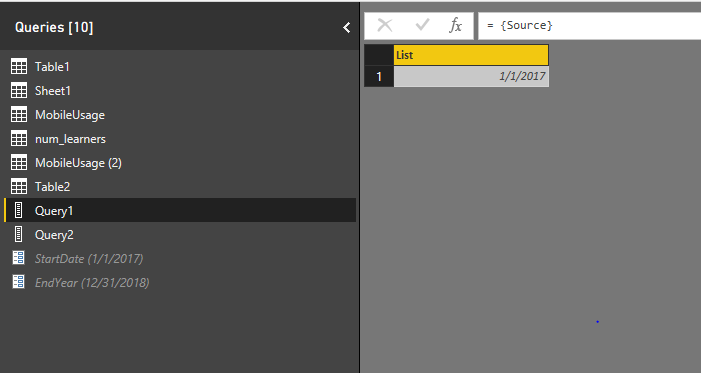
Find below the screenshots
List Query
Parameter Creation
Setting up Filter
The Issue might be something else like...May be the value supplied to your parameter is not in proper date format. Just check once if your parameter and the column you are filtering on match the format?
Regards,
Thejeswar
The Power BI Data Visualization World Championships is back! Get ahead of the game and start preparing now!
| User | Count |
|---|---|
| 40 | |
| 35 | |
| 34 | |
| 31 | |
| 28 |
| User | Count |
|---|---|
| 137 | |
| 102 | |
| 71 | |
| 67 | |
| 65 |