Hi There!
Right now I can use plotly with Power BI via Python.
However, it shows the graph in another window:
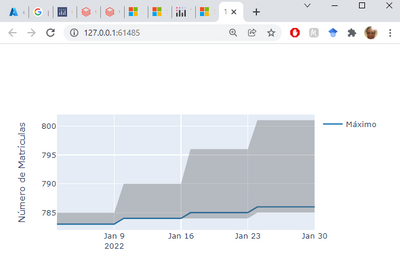
Inside of Power BI I get this:
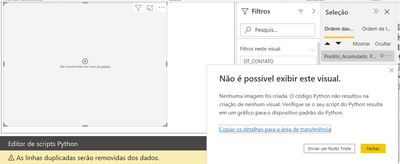
It says: It is not possible to show this visual. No Image was created. Check whether your Python script results in a standard device graph of Python.
Here is my code:
# dataset = pandas.DataFrame(Predito_Acumulado, Predito_Acumulado_l, Predito_Acumulado_u, DT_CONTATO)
# dataset = dataset.drop_duplicates()
# Cole ou digite aqui seu código de script:
baux = dataset
import plotly.graph_objs as go

fig = go.Figure([

    go.Scatter(
        name='Máximo',
        x=baux['DT_CONTATO'],
        y=baux['Predito_Acumulado'],
        mode='lines',
        line=dict(color='rgb(31, 119, 180)'),
    ),
    go.Scatter(
        name='Predição',
        x=baux['DT_CONTATO'],
        y=baux['Predito_Acumulado_u'],
        mode='lines',
        marker=dict(color="#444"),
        line=dict(width=0),
        showlegend=False
    ),
    go.Scatter(
        name='Mínimo',
        x=baux['DT_CONTATO'],
        y=baux['Predito_Acumulado_l'],
        marker=dict(color="#444"),
        line=dict(width=0),
        mode='lines',
        fillcolor='rgba(68, 68, 68, 0.3)',
        fill='tonexty',
        showlegend=False
    )
])
fig.update_layout(
    yaxis_title='Número de Matrículas',
    hovermode="x"
)
fig.show()
Thanks!!


