cancel
Showing results for 
Search instead for 
Did you mean: 

The Power BI Data Visualization World Championships is back! Get ahead of the game and start preparing now! Learn more

Reply
Tumitran_1576
Frequent Visitor

Power BI clustered chart too long - How to show full version?

Hi friends,


I'm creating a clustered column chart for my work with Power BI. However, the number of value is too long that need to use a scroll bar. Therefore, when I export it to powerpoint, it will show as picture which can not move the scroll bar.


How to fix this (mean how Power BI can show the full width of clustered chart?).


One more point. I dont know why the blank space between each column is different?


Thanks a lot.

5 REPLIES 5
Anonymous
Not applicable

Hi @Tumitran_1576,

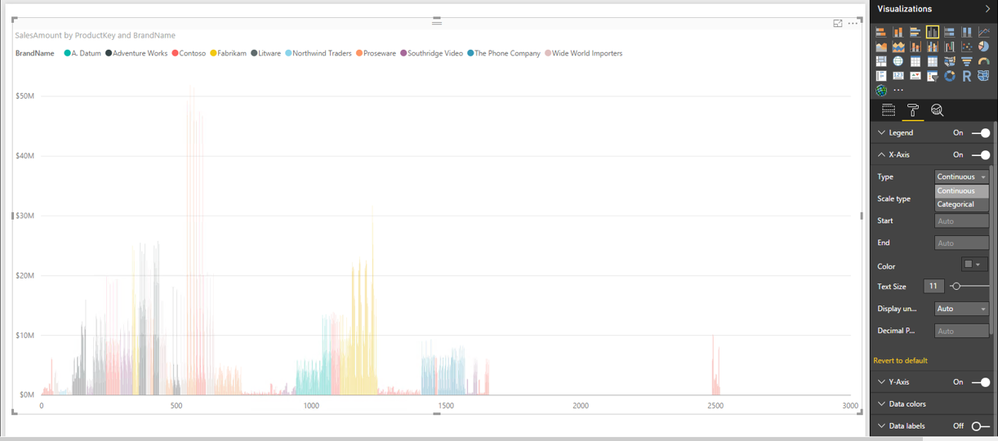
You can change Type of X-Axis from Categorical to Continuous, this way, you will not have scroll bar in clustered column chart. There is an example for your reference.
1.PNG2.PNG

In addition, as you add a field into Legend section of the chart, the blank space is different. If you remove field from Legend section, you should not get such issue.

Thanks,
Lydia Zhang

Thanks @Anonymous (Lydia),


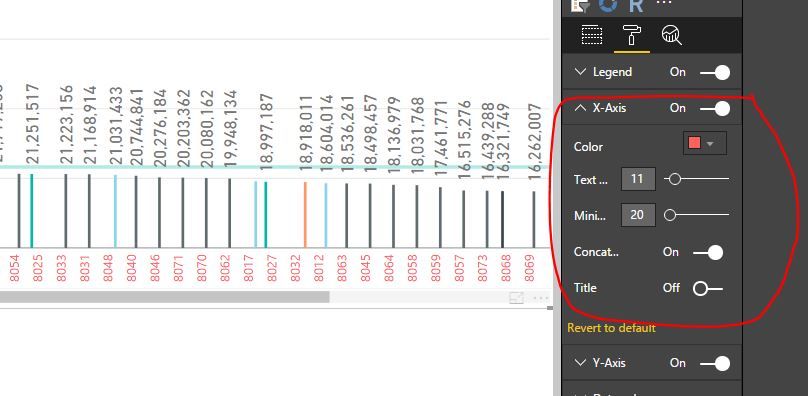
But which version of Power BI are you using? I use Power BI Desktop.


I cannot find the Type within X-axis like yours.


Capture.JPG

Anonymous
Not applicable

Hi @Tumitran_1576,

My Power BI Desktop version is: 2.43.4647.541 64-bit (February 2017).

The Type option is only avaliable when you drag numeric type or Date type field to Axis. In your sceanrio, you drag text field to Axis, right? If so, you can change the data type of the field to whole number, then you can change the Type of X-Axis.

Thanks,
Lydia Zhang

Hi @Anonymous,


I've got the idea, thanks for your help. It can show full chart now.


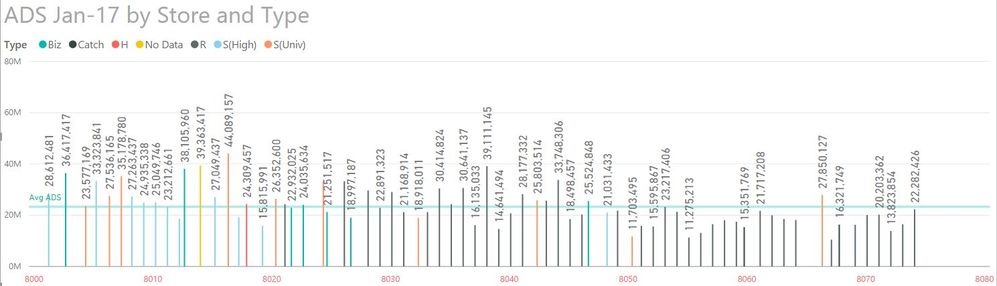
However, the x-axis in the chart is the Name of all my store. So, after changing to number, with Type: Continuous, it will show as range, which is not the purpose of this chart.


Capture 1.JPG


Anonymous
Not applicable

Hi @Tumitran_1576,

In this case, I would recommend you submit a feedback in this thread about that scroll bar in visuals is not displayed properly.

Thanks,
Lydia Zhang

Helpful resources

Announcements
Power BI DataViz World Championships

Power BI Dataviz World Championships

The Power BI Data Visualization World Championships is back! Get ahead of the game and start preparing now!

November Power BI Update Carousel

Power BI Monthly Update - November 2025

Check out the November 2025 Power BI update to learn about new features.

FabCon Atlanta 2026 carousel

FabCon Atlanta 2026

Join us at FabCon Atlanta, March 16-20, for the ultimate Fabric, Power BI, AI and SQL community-led event. Save $200 with code FABCOMM.