Join us at FabCon Atlanta from March 16 - 20, 2026, for the ultimate Fabric, Power BI, AI and SQL community-led event. Save $200 with code FABCOMM.
Register now!The Power BI Data Visualization World Championships is back! Get ahead of the game and start preparing now! Learn more
HI all,
I have a quick question about using some conditional formatting in Power BI:
From what I've read and seen, conditional formatting is not possible on stacked bar charts at this point in time. I was wondering if there was a workaround or other type of chart I could use to mimic the same output. Here is the scenario:
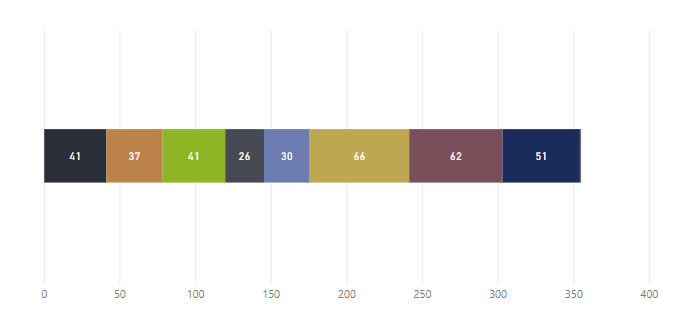
I have a stacked bar chart here that represents production builds at an assembly station. Each data block is one unique build. What I would like is if the color of the data block would be red or green depending on if the build time (the white numbers shown) is greater or less than the predicted cycle time for that build. For example, for Data Block #1, if the cycle time is 35 minutes and it took 41 minutes to build, this data block would flag red.
I know this may not be possible in stacked column charts, but I was wondering if this could be something that could be done with a workaround or a custom visual? Ideally, something like a stacked gauge chart would be awesome.
Please let me know if you guys have any insight.
Thanks,
Farhan
Solved! Go to Solution.
Hi Farhandsome,
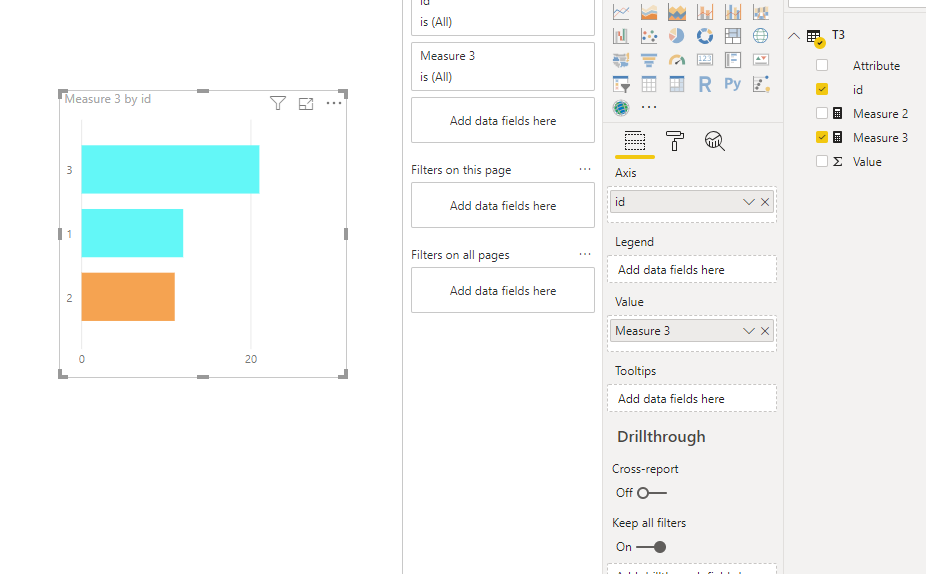
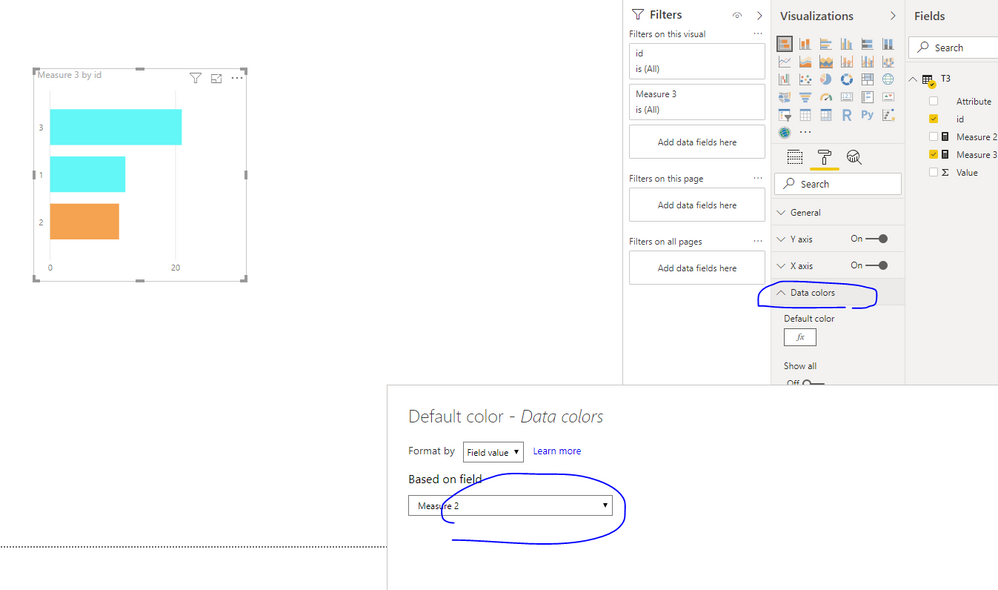
As I know , when you insert field in Legend of chart, you couldn't set the conditinal formatting on data colors. So if you want to set conditional formatting, you could use chart like below
Best Regards,
Zoe Zhi
If this post helps, then please consider Accept it as the solution to help the other members find it more quickly.
Hi Farhandsome,
As I know , when you insert field in Legend of chart, you couldn't set the conditinal formatting on data colors. So if you want to set conditional formatting, you could use chart like below
Best Regards,
Zoe Zhi
If this post helps, then please consider Accept it as the solution to help the other members find it more quickly.
The Power BI Data Visualization World Championships is back! Get ahead of the game and start preparing now!
| User | Count |
|---|---|
| 39 | |
| 37 | |
| 33 | |
| 32 | |
| 29 |
| User | Count |
|---|---|
| 133 | |
| 88 | |
| 85 | |
| 68 | |
| 64 |