
cancel
Showing results for 
Search instead for 
Did you mean: 

The Power BI Data Visualization World Championships is back! Get ahead of the game and start preparing now! Learn more

Reply
amalrio
Helper V
Helper V

Page size on desktop and service

Hi, 

I have a report with multiple pages, 


I have a cousom page background set up which is an image set to Normal (in image fit setting on page background).

in the page size I have setup all the pages to be 16:9 (type on page size setting).


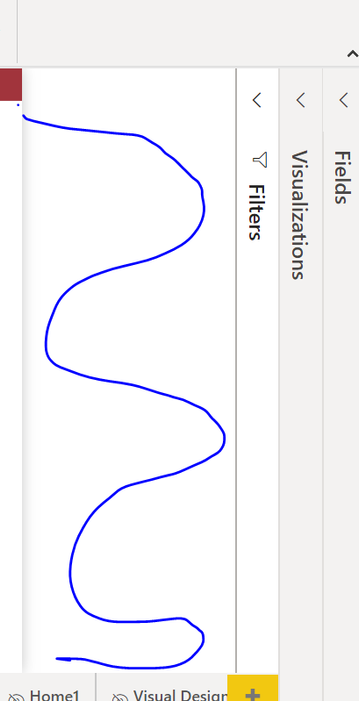
issue is, I see diffrent space on the side of the page on desktop as well as in the powerBI service, when a user navigate pages it does not seem to be the same size. below images one has less space on the side (blue spiral) where other one has more space. 


Does anyone know what I am doing wrong.


more space on the both sides

pagesize1.PNG

Less space on the both side

pagesize2.PNG

1 ACCEPTED SOLUTION
amitchandak
Super User
Super User

@amalrio , On desktop. Based on What panes you open and page size, desktop, keep on adjusting to page size and ratio. Basically best zoom in/out based on your setting. Same is true for Power bi service. Based on different user screen resolution and browser resolution it will try to fit in best.


refer these

https://docs.microsoft.com/en-us/power-bi/consumer/end-user-report-view

https://docs.microsoft.com/en-us/power-bi/create-reports/power-bi-report-display-settings

Share with Power BI Enthusiasts: Full Power BI Video (20 Hours) YouTube
Microsoft Fabric Series 60+ Videos YouTube
Microsoft Fabric Hindi End to End YouTube

View solution in original post

1 REPLY 1
amitchandak
Super User
Super User

@amalrio , On desktop. Based on What panes you open and page size, desktop, keep on adjusting to page size and ratio. Basically best zoom in/out based on your setting. Same is true for Power bi service. Based on different user screen resolution and browser resolution it will try to fit in best.


refer these

https://docs.microsoft.com/en-us/power-bi/consumer/end-user-report-view

https://docs.microsoft.com/en-us/power-bi/create-reports/power-bi-report-display-settings

Share with Power BI Enthusiasts: Full Power BI Video (20 Hours) YouTube
Microsoft Fabric Series 60+ Videos YouTube
Microsoft Fabric Hindi End to End YouTube

Helpful resources

Announcements
Power BI DataViz World Championships

Power BI Dataviz World Championships

The Power BI Data Visualization World Championships is back! Get ahead of the game and start preparing now!

December 2025 Power BI Update Carousel

Power BI Monthly Update - December 2025

Check out the December 2025 Power BI Holiday Recap!

FabCon Atlanta 2026 carousel

FabCon Atlanta 2026

Join us at FabCon Atlanta, March 16-20, for the ultimate Fabric, Power BI, AI and SQL community-led event. Save $200 with code FABCOMM.