Join us at FabCon Atlanta from March 16 - 20, 2026, for the ultimate Fabric, Power BI, AI and SQL community-led event. Save $200 with code FABCOMM.
Register now!Get Fabric Certified for FREE during Fabric Data Days. Don't miss your chance! Request now
Good afternoon, a few days ago this problem began to occur when trying to make a connection to sharepoint sites.
Ah someone has happened something similar to him, or they know of some possible solution.
In advance, thank you.
Hi, @Anonymous
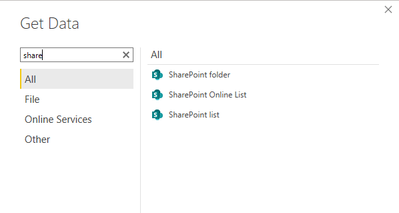
I'd like to suggest you use sharepoint connector to make a connection to sharepoint sites. You may check memory usage on the machine when the error happans and reduce you memory load to see if it works.
About sharepoint connector, please refer to the following document.
Create a report on a SharePoint List
Best Regards
Allan
If this post helps, then please consider Accept it as the solution to help the other members find it more quickly.
@lsosa ,what are your Oadat sources. Check the memory setting there.
refer if these can help
https://www.designmind.com/business-intelligence/power-bi-performance-issues/
https://blog.crossjoin.co.uk/2020/01/20/visual-has-exceeded-the-available-resources-error-power-bi/
Also, don't use the OData connector with SharePoint. Use the SharePoint connectors instead as it handles the extended data correctly.
I've got videos of how to connect with these connectors at https://getstartedwithpowerbi.com. Scroll to the bottom to see the list.
Hope this helps,
--Treb, MVP
@Anonymous , what are your Oadat sources. Check the memory setting there.
refer if these can help
https://www.designmind.com/business-intelligence/power-bi-performance-issues/
https://blog.crossjoin.co.uk/2020/01/20/visual-has-exceeded-the-available-resources-error-power-bi/
Check out the November 2025 Power BI update to learn about new features.
Advance your Data & AI career with 50 days of live learning, contests, hands-on challenges, study groups & certifications and more!