Join us at FabCon Atlanta from March 16 - 20, 2026, for the ultimate Fabric, Power BI, AI and SQL community-led event. Save $200 with code FABCOMM.
Register now!The Power BI Data Visualization World Championships is back! Get ahead of the game and start preparing now! Learn more
Hello all,
I am building a dash of my area and I need to insert a calendar with the oncall schedule for the month.
My dataset is like that:
| Name | Date | Phone number |
| John | 01/01/2020 | +514545 |
| Mary | 01/02/2020 | +1987411 |
| John | 01/03/2020 | +514545 |
| John | 01/04/2020 | +514545 |
etc
In fact, I extract 2 informations from here:
1) A month calendar with the name and phonenumber whithin the days
2) A simple text with today's name and phone number.
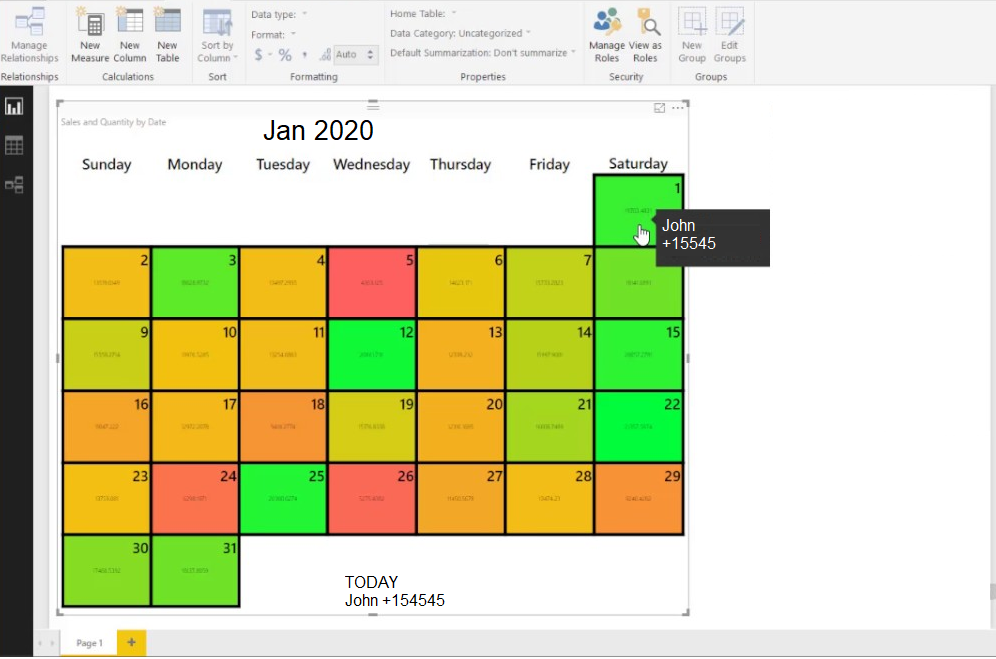
Something like this:
Thank you very much
Solved! Go to Solution.
Hi @aaconti ,
You can achieve your requirement by using custom visual "Custom Calendar by Akvelon" suggested by @amitchandak or Beyondsoft Calendar:
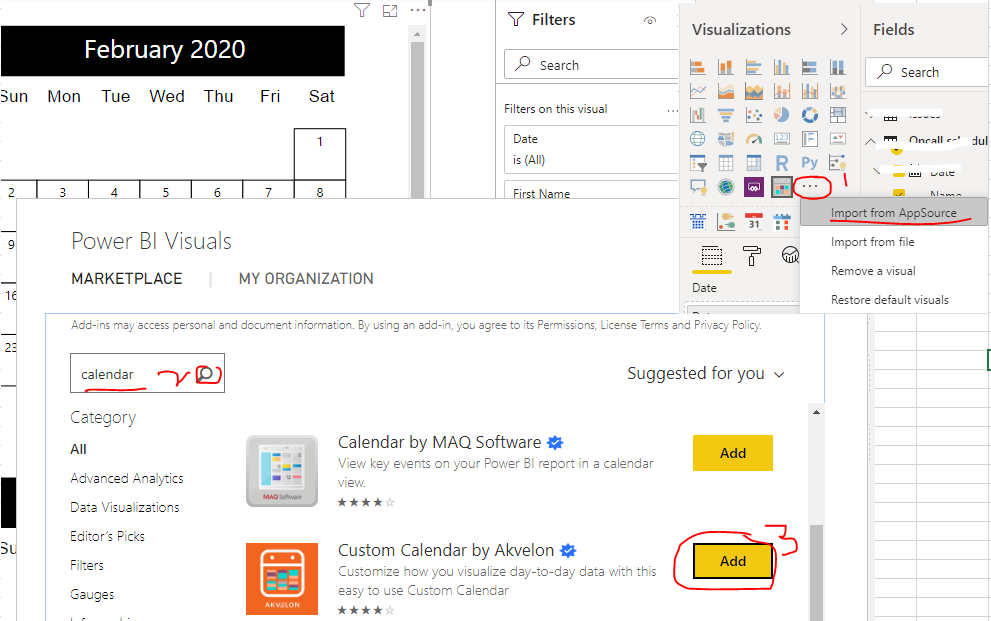
1. Navigate to "Visualizations" pane, click "..." then select "Import from AppSource"
2. Search and find the related visual
3. Click "Add"
Get custom visual
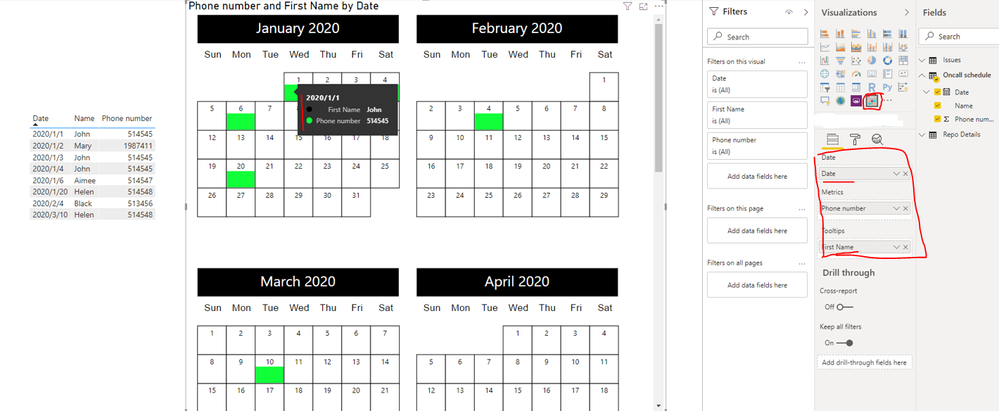
Use visual to display the data
Best Regards
Rena
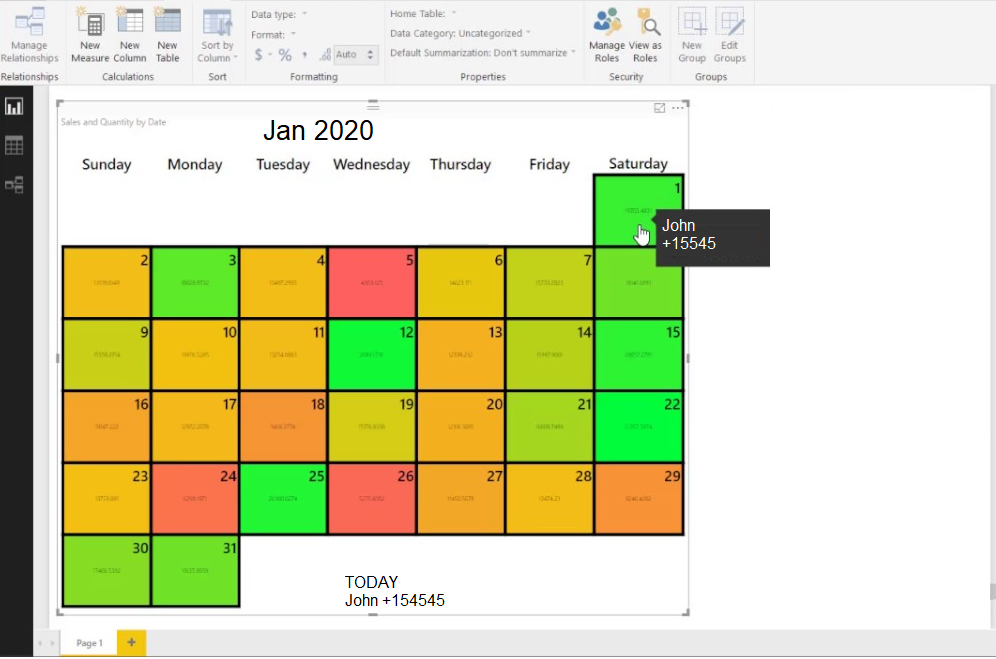
What I need is something very similar to that:
Hi @aaconti ,
You can achieve your requirement by using custom visual "Custom Calendar by Akvelon" suggested by @amitchandak or Beyondsoft Calendar:
1. Navigate to "Visualizations" pane, click "..." then select "Import from AppSource"
2. Search and find the related visual
3. Click "Add"
Get custom visual
Use visual to display the data
Best Regards
Rena
Check, if these can help
https://appsource.microsoft.com/en-us/product/power-bi-visuals/WA104381179?tab=Overview
The Power BI Data Visualization World Championships is back! Get ahead of the game and start preparing now!
Check out the November 2025 Power BI update to learn about new features.
| User | Count |
|---|---|
| 59 | |
| 46 | |
| 42 | |
| 23 | |
| 18 |
| User | Count |
|---|---|
| 190 | |
| 122 | |
| 96 | |
| 66 | |
| 47 |