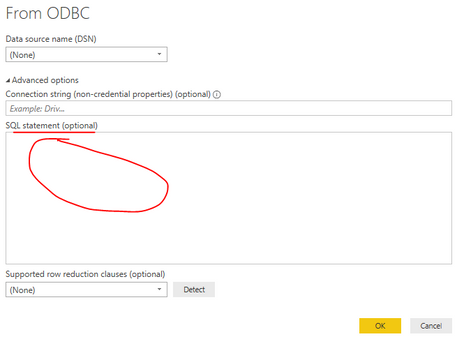
Hi All, i am working on a project to migrate Tableau and SAS users to PowerBI.
The current ways of working are as below.
1. Users write/have custom queries in SAS to bring data from DWH(IBM Netezza).
2. Data comes in SAS objects.
3. Users exports this data in excel.
4. User connects the excel with Power BI for analysis.
What i am trying to replace the above with:
1. Users write custom/native query in Power BI.
2. Users bring the data in Power BI for analysis/visualization.
To connect to"IBM Netezza" Power BI needs ODBC to be configured, the "IBM Netezza" connector is not working (not sure why)
Could someone help/guide me to "How can i write custom/native queries for ODBC connection".