cancel
Showing results for 
Search instead for 
Did you mean: 

Get Fabric Certified for FREE during Fabric Data Days. Don't miss your chance! Request now

Reply
bw70316
Helper V
Helper V

Model Relationships Returning Wrong Counts. Must have multiple Filters/Months comparison in on Viz

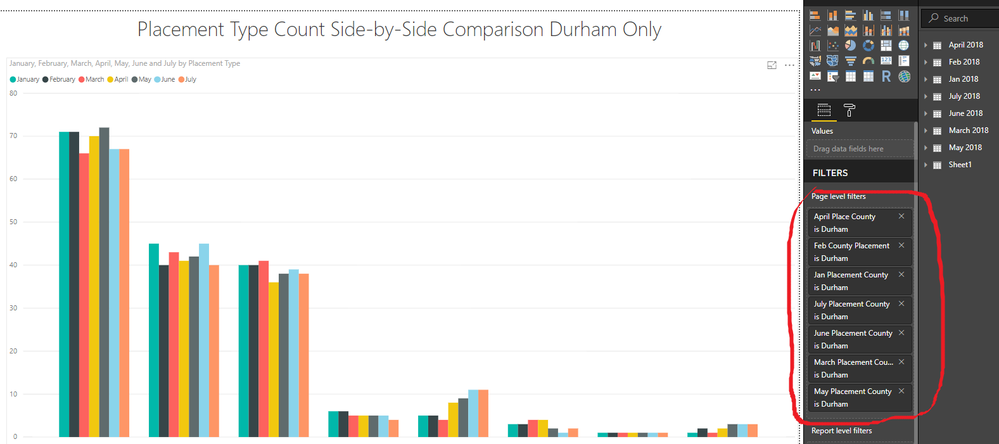
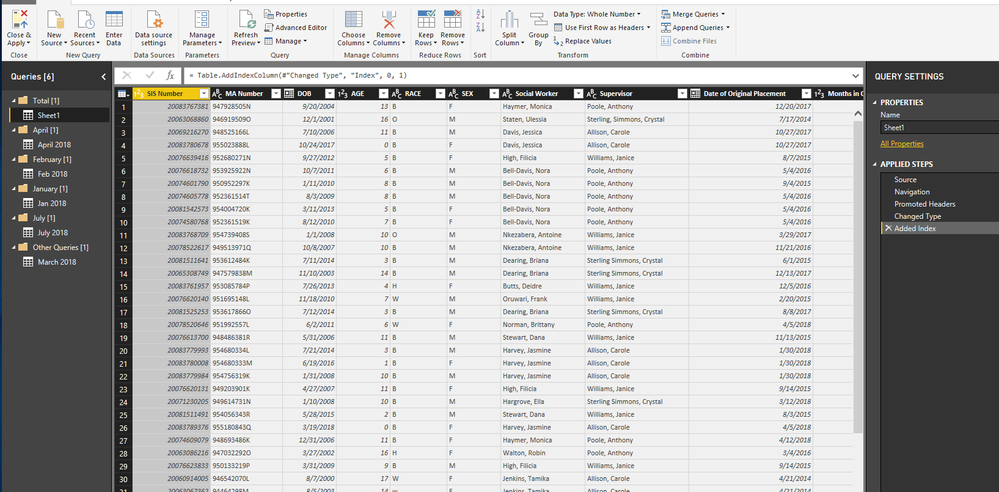
I am trying to compare multiple months data for count of placements. I was able to achieve this with composite models, but they won't publish to PBI. I have put my monthly files into groups so that they can be compared on one viz. I have created a total sheet comprised of all months to serve as a universal X-axis. 


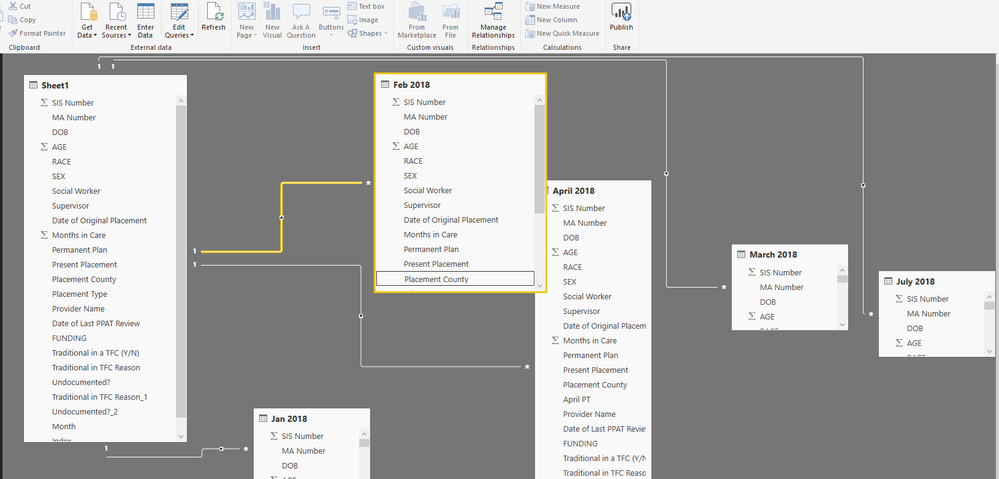
To create my relationships, I am using a Many to One with a Single Cross Directional Filter by connecting through implemented index columns. When I create the viz, they seemingly look correct but are off by 2-8 numbers in the count?


UPDATE: I need to filter each placement by the county for each month (see bottom picture), which is why i split the tables separately and created groups for them in my edit queries. Any advice on how to create this model would be appreciated. I have included a photo below of the viz I developed using Composite Models, but again I am trying to create a dashboard for my boss, which is not currently permitted with PBI. 
 

 CM edit queries.png

Models.pngfacebook sdf.png

1 ACCEPTED SOLUTION
Greg_Deckler
Community Champion
Community Champion

Would need more information like sample data. Please see this post regarding How to Get Your Question Answered Quickly: https://community.powerbi.com/t5/Community-Blog/How-to-Get-Your-Question-Answered-Quickly/ba-p/38490


But, honestly, it seems a little weird to me to have your data separated out into separate tables for each month versus just having a single table with a month column.


Follow on LinkedIn
@ me in replies or I'll lose your thread!!!
Instead of a Kudo, please vote for this idea
Become an expert!: Enterprise DNA
External Tools: MSHGQM
YouTube Channel!: Microsoft Hates Greg
Latest book!:
DAX For Humans

DAX is easy, CALCULATE makes DAX hard...

View solution in original post

3 REPLIES 3
Greg_Deckler
Community Champion
Community Champion

Would need more information like sample data. Please see this post regarding How to Get Your Question Answered Quickly: https://community.powerbi.com/t5/Community-Blog/How-to-Get-Your-Question-Answered-Quickly/ba-p/38490


But, honestly, it seems a little weird to me to have your data separated out into separate tables for each month versus just having a single table with a month column.


Follow on LinkedIn
@ me in replies or I'll lose your thread!!!
Instead of a Kudo, please vote for this idea
Become an expert!: Enterprise DNA
External Tools: MSHGQM
YouTube Channel!: Microsoft Hates Greg
Latest book!:
DAX For Humans

DAX is easy, CALCULATE makes DAX hard...

You were right. I just needed to utilize the months filter by county instead of each one individually. Thanks for pointing me in the right direction

Hi @bw70316


It seems you've got the solution. If it is, please mark the helpful reply as solution. If not, please share some data sample and expected output. You can upload it to OneDrive or Dropbox and post the link here.


Regards,

Cherie

Community Support Team _ Cherie Chen
If this post helps, then please consider Accept it as the solution to help the other members find it more quickly.

Helpful resources

Announcements
November Power BI Update Carousel

Power BI Monthly Update - November 2025

Check out the November 2025 Power BI update to learn about new features.

Fabric Data Days Carousel

Fabric Data Days

Advance your Data & AI career with 50 days of live learning, contests, hands-on challenges, study groups & certifications and more!

FabCon Atlanta 2026 carousel

FabCon Atlanta 2026

Join us at FabCon Atlanta, March 16-20, for the ultimate Fabric, Power BI, AI and SQL community-led event. Save $200 with code FABCOMM.

Top Solution Authors
Top Kudoed Authors