Hi @magus ,
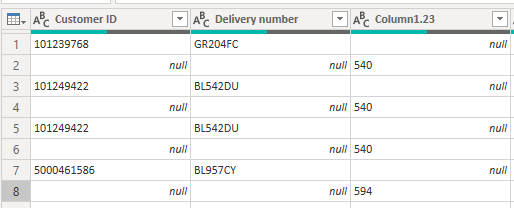
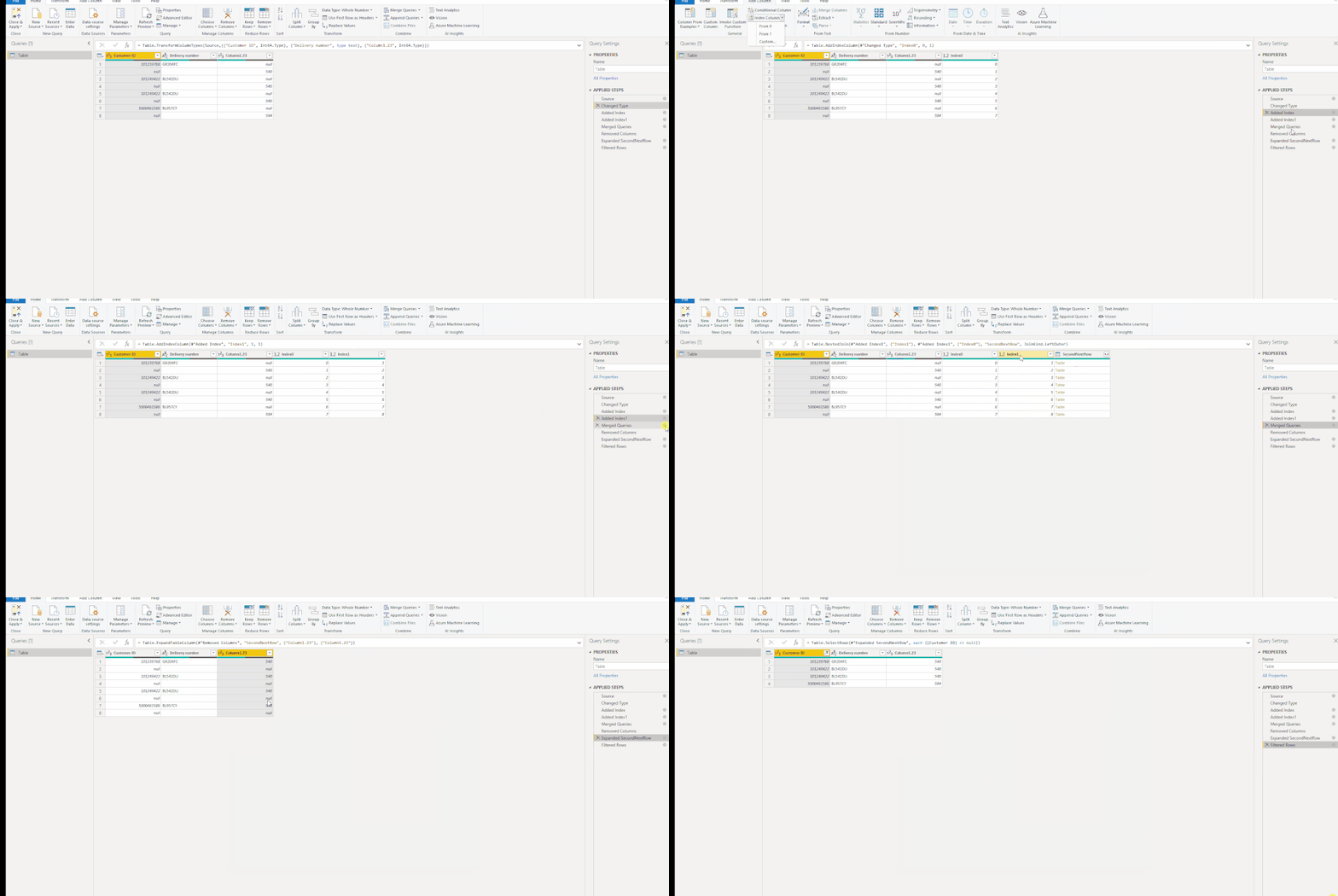
Try to add Index columns and join the table with itself:
let
    Source = Table.FromRows(Json.Document(Binary.Decompress(Binary.FromText("pco9DoAgDAXgu7yZoa0t0FWMLk4mDoZw/2sIjK5O7ydfrWBiWTzFjIDjEtK99IYWKkYGmNJcA6qrSP/W01S2+yc0ItLIluOUbqk8H+mK1l4=", BinaryEncoding.Base64), Compression.Deflate)), let _t = ((type nullable text) meta [Serialized.Text = true]) in type table [#"Customer ID" = _t, #"Delivery number" = _t, Column1.23 = _t]),
    #"Changed Type" = Table.TransformColumnTypes(Source,{{"Customer ID", Int64.Type}, {"Delivery number", type text}, {"Column1.23", Int64.Type}}),
    #"Added Index" = Table.AddIndexColumn(#"Changed Type", "Index0", 0, 1),
    #"Added Index1" = Table.AddIndexColumn(#"Added Index", "Index1", 1, 1),
    #"Merged Queries" = Table.NestedJoin(#"Added Index1", {"Index1"}, #"Added Index1", {"Index0"}, "SecondNextRow", JoinKind.LeftOuter),
    #"Removed Columns" = Table.RemoveColumns(#"Merged Queries",{"Column1.23", "Index0", "Index1"}),
    #"Expanded SecondNextRow" = Table.ExpandTableColumn(#"Removed Columns", "SecondNextRow", {"Column1.23"}, {"Column1.23"}),
    #"Filtered Rows" = Table.SelectRows(#"Expanded SecondNextRow", each ([Customer ID] <> null))
in
    #"Filtered Rows"
Reference: How to shift cells up or down in Power BI?
Best regards
Icey
If this post helps,then consider Accepting it as the solution to help other members find it faster.