FabCon is coming to Atlanta
Join us at FabCon Atlanta from March 16 - 20, 2026, for the ultimate Fabric, Power BI, AI and SQL community-led event. Save $200 with code FABCOMM.
Register now!- Power BI forums
- Get Help with Power BI
- Desktop
- Service
- Report Server
- Power Query
- Mobile Apps
- Developer
- DAX Commands and Tips
- Custom Visuals Development Discussion
- Health and Life Sciences
- Power BI Spanish forums
- Translated Spanish Desktop
- Training and Consulting
- Instructor Led Training
- Dashboard in a Day for Women, by Women
- Galleries
- Data Stories Gallery
- Themes Gallery
- Contests Gallery
- QuickViz Gallery
- Quick Measures Gallery
- Visual Calculations Gallery
- Notebook Gallery
- Translytical Task Flow Gallery
- TMDL Gallery
- R Script Showcase
- Webinars and Video Gallery
- Ideas
- Custom Visuals Ideas (read-only)
- Issues
- Issues
- Events
- Upcoming Events
The Power BI Data Visualization World Championships is back! Get ahead of the game and start preparing now! Learn more
- Power BI forums
- Forums
- Get Help with Power BI
- Desktop
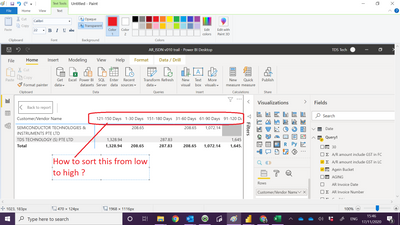
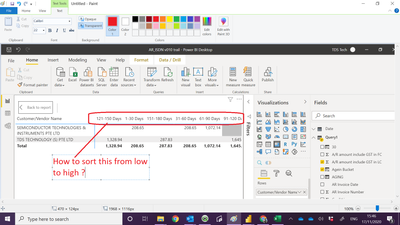
- May i know how to sort the Aging 1- 30 come first
- Subscribe to RSS Feed
- Mark Topic as New
- Mark Topic as Read
- Float this Topic for Current User
- Bookmark
- Subscribe
- Printer Friendly Page

- Mark as New
- Bookmark
- Subscribe
- Mute
- Subscribe to RSS Feed
- Permalink
- Report Inappropriate Content
May i know how to sort the Aging 1- 30 come first


- Mark as New
- Bookmark
- Subscribe
- Mute
- Subscribe to RSS Feed
- Permalink
- Report Inappropriate Content
@Anonymous create a calculated column as shown below
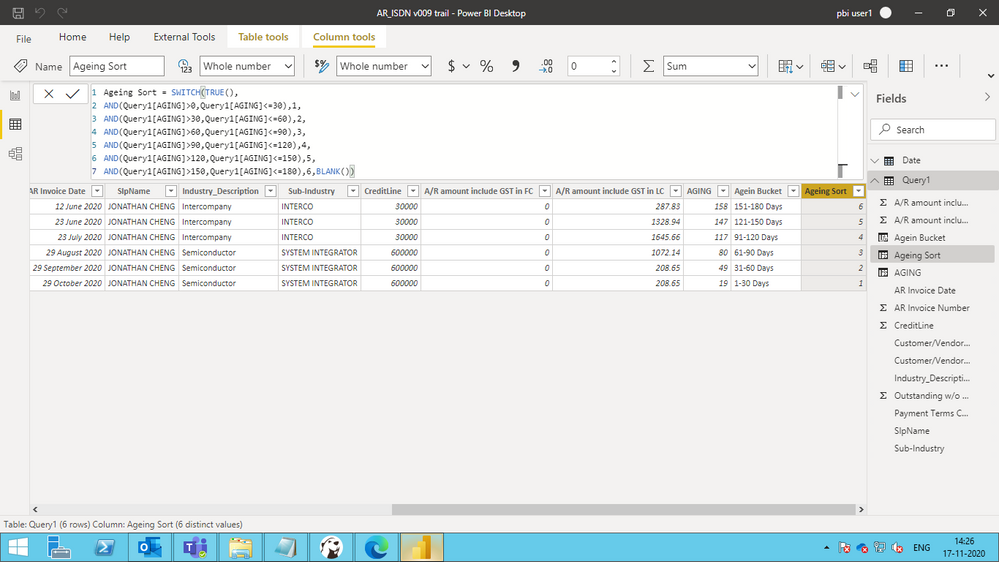
here is the code
Ageing Sort = SWITCH(TRUE(),

AND(Query1[AGING]>0,Query1[AGING]<=30),1,

AND(Query1[AGING]>30,Query1[AGING]<=60),2,

AND(Query1[AGING]>60,Query1[AGING]<=90),3,

AND(Query1[AGING]>90,Query1[AGING]<=120),4,

AND(Query1[AGING]>120,Query1[AGING]<=150),5,

AND(Query1[AGING]>150,Query1[AGING]<=180),6,BLANK())

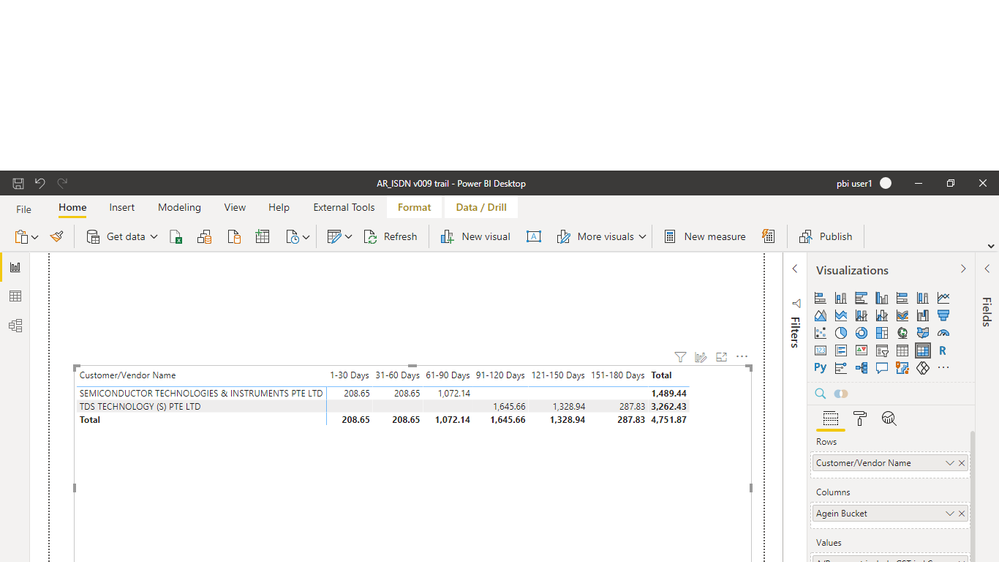
this wil sort the column and you will get the required output as shown below
Appreciate a Kudos if this resolved your query !!
- Mark as New
- Bookmark
- Subscribe
- Mute
- Subscribe to RSS Feed
- Permalink
- Report Inappropriate Content
@Anonymous create a calculated column as shown below
here is the code
Ageing Sort = SWITCH(TRUE(),

AND(Query1[AGING]>0,Query1[AGING]<=30),1,

AND(Query1[AGING]>30,Query1[AGING]<=60),2,

AND(Query1[AGING]>60,Query1[AGING]<=90),3,

AND(Query1[AGING]>90,Query1[AGING]<=120),4,

AND(Query1[AGING]>120,Query1[AGING]<=150),5,

AND(Query1[AGING]>150,Query1[AGING]<=180),6,BLANK())
this wil sort the column and you will get the required output as shown below
Appreciate a Kudos if this resolved your query !!
- Mark as New
- Bookmark
- Subscribe
- Mute
- Subscribe to RSS Feed
- Permalink
- Report Inappropriate Content
Hi @Anonymous
Create a new table with age or Days in Asceding to descending order and have an index from 1
In Power Query > you can create a table from existing table. (right click, Duplicate and remove other columns except Days/Age) and add column Index from 1
Join this new Table with your existing table and in your graph use this new table index in tooltip to sort as ascending/Desc.
Hope this helps.
Cheers,
-Namish B


- Mark as New
- Bookmark
- Subscribe
- Mute
- Subscribe to RSS Feed
- Permalink
- Report Inappropriate Content
@Anonymous , Try a new column like
Aging 1 = [Aging]
Aging Sort = switch( true() ,
[Aging] ="1- 30" , 1 ,
[Aging] ="30-60" , 2 ,
// keep on adding
,8
)
and sort Aging 1 on Aging sort and use that in visual
- Mark as New
- Bookmark
- Subscribe
- Mute
- Subscribe to RSS Feed
- Permalink
- Report Inappropriate Content
Hi Amit
I get Aging Sort error :-
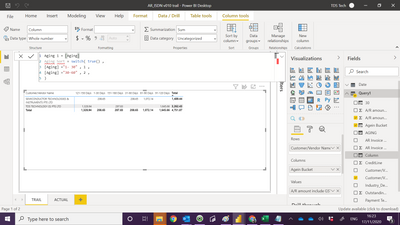
- Mark as New
- Bookmark
- Subscribe
- Mute
- Subscribe to RSS Feed
- Permalink
- Report Inappropriate Content
@Anonymous , I have given two new columns, not one. The first I create to avoid circular dependencies
Aging 1 = [Aging]
Aging Sort = switch( true() ,
[Aging] ="1- 30" , 1 ,
[Aging] ="30-60" , 2 ,
// keep on adding
,8
)
Aging sort will become sort column of aging 1 and you will use aging 1 in visual
- Mark as New
- Bookmark
- Subscribe
- Mute
- Subscribe to RSS Feed
- Permalink
- Report Inappropriate Content
Hi Amit
Still have error :-
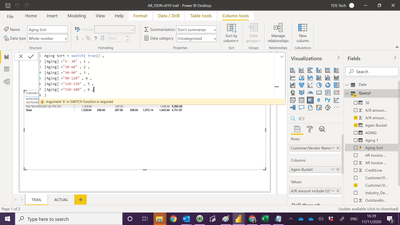
- Mark as New
- Bookmark
- Subscribe
- Mute
- Subscribe to RSS Feed
- Permalink
- Report Inappropriate Content
Hi Amit
Below script dont need to sort , case closed:-
Helpful resources

Power BI Dataviz World Championships
The Power BI Data Visualization World Championships is back! Get ahead of the game and start preparing now!

Power BI Monthly Update - December 2025
Check out the December 2025 Power BI Holiday Recap!

FabCon Atlanta 2026
Join us at FabCon Atlanta, March 16-20, for the ultimate Fabric, Power BI, AI and SQL community-led event. Save $200 with code FABCOMM.

| User | Count |
|---|---|
| 41 | |
| 38 | |
| 36 | |
| 30 | |
| 28 |


| User | Count |
|---|---|
| 128 | |
| 88 | |
| 79 | |
| 67 | |
| 62 |


