Join us at FabCon Atlanta from March 16 - 20, 2026, for the ultimate Fabric, Power BI, AI and SQL community-led event. Save $200 with code FABCOMM.
Register now!The Power BI Data Visualization World Championships is back! Get ahead of the game and start preparing now! Learn more
Hi Power BI Experts,
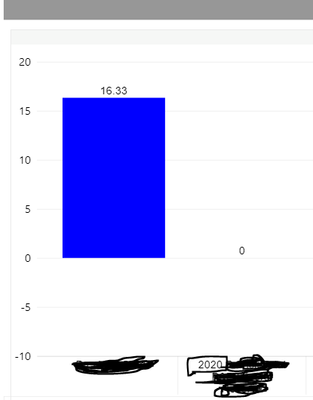
I want to modify the waterfall chart x axis labels based on the filter selection in my report. I am using different filters for that filter selection the x axis labels should change accordingly. Below the example screen shot where i want to change the year as dynamic based on the filter change in my report. Currently it is showing 2020, when i change the year filter to different that should based on the selection.
Hi, @prakash11440278
Is the displayed value a measure? Can't it be changed by using slicer directly? Can you show some sample fake data? So we can help you soon.
Best Regards
Janey Guo
If this post helps, then please consider Accept it as the solution to help the other members find it more quickly.
@prakash11440278 , Based on what I got.
We usually use bookmarks for dynamic axis or unpivot the column, FOr direct query you have additional option.
There us video from Guyinacube yesterday. Please explore that -https://www.youtube.com/watch?v=dYmzb5UMkXw
Direct Query option -https://datamonkeysite.com/2020/10/22/change-dimension-dynamically-using-parameter-in-powerbi/
The Power BI Data Visualization World Championships is back! Get ahead of the game and start preparing now!
| User | Count |
|---|---|
| 60 | |
| 44 | |
| 40 | |
| 37 | |
| 21 |
| User | Count |
|---|---|
| 178 | |
| 127 | |
| 116 | |
| 77 | |
| 54 |